1. Diameter modification
2. Manual lens clamping
3. Retouch launch
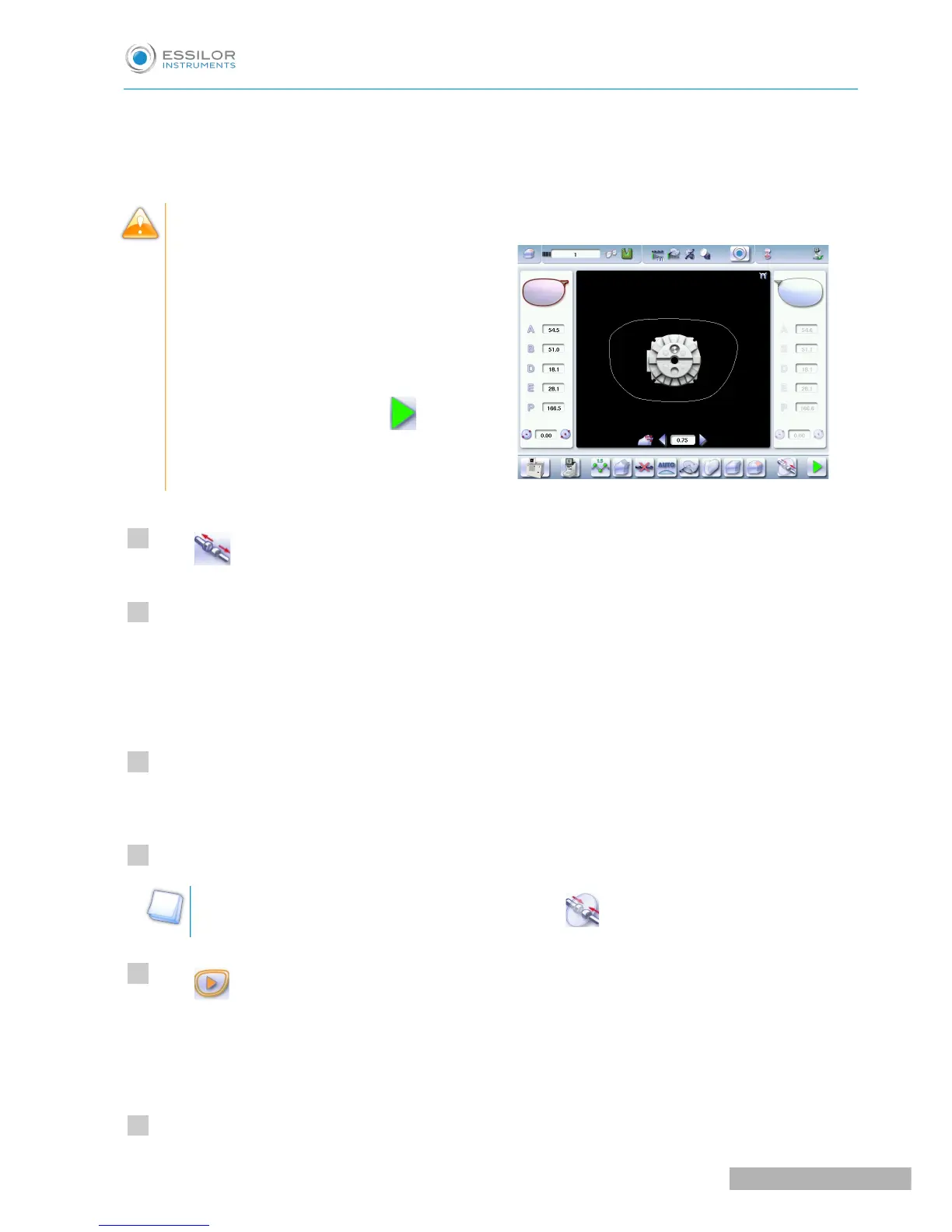
Differences with the edging screen
The edging screen is different to the retouch
screen through:
• the presence of the posiblock
• no frame thickness
• the “departure cycle” button.
When the first-lens edging cycle is finished:
Press to release the lens.
Proceed to lens assembly and check that edging was correctly configured.
Depending on your job:
• If your job is perfect, proceed with the machining of your second lens.
> All of the selected finishing options and modifications made are kept.
• If the lens requires adjustment, do a retouch on the edged lens to obtain optimal results.
Indicate the size reduction to be applied to the lens you want to retouch.
The chosen finish and the modifications made during the edging cycle are automatically selected.
Insert the lens in the posiblock holder.
To close the clamp shafts manually, do a long press on .
Press .
For a customized finish, the customized finish screen is displayed.
In all other cases, the door closes, the lens is clamped automatically, then the retouching starts.
Select the second lens to be edged directly on screen, on the left or right of the work area.



 To Next Page