64
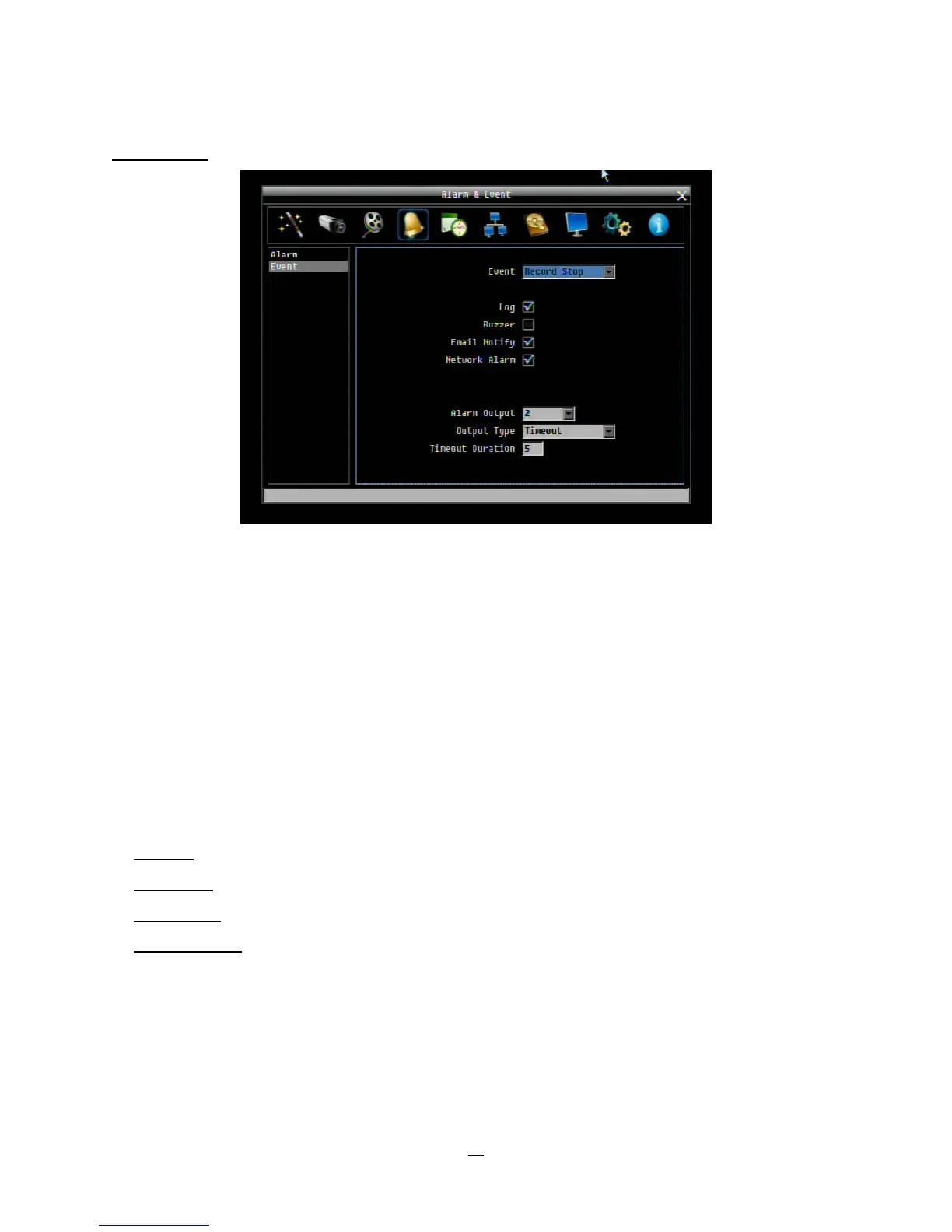
Record Stop:
Figure 4-18 Alarm & Event Menu – Event – Record Stop
Log: Check box to record events in the log.
Buzzer: Check box to enable buzzer if the recording process is terminated.
Email Notify: Check box to enable email notification when the recording process is terminated. Email
operation requires that valid email settings have been entered in the Network Setting/Email setup screen.
Network Alarm: Check box to send out a network alarm to client PC. (requires PowerCon software and
setting up Alarm Server in Network Setup menu)
Alarm Output: This will transmit a signal through the alarm output relay. It can be set to either “NONE” (not
active), “1”(active) or “2” (active).
Output Type: Output action when alarm is triggered.
Timeout:
Alarm output lasts for the set time duration.
Permanent:
Alarm will be continuously active until user presses “Enter” key.
Transparent:
Alarm output remains active until event ends.
Trans+Timeout: Alarm output continues until event ends, then lasts for the set time duration.
Timeout Duration: The amount of time the buzzer sounds when the recording process is terminated.
Duration selectable from 1 to 150 seconds.















 To Next Page