DMTA-20102-01EN, Rev. 7, October 2022
Chapter 232
Memory card slot
Slot for inserting a Secure Digital High Capacity (SDHC) memory card.
USB ports
The USB 2.0 and USB 3.0 ports accommodate USB peripherals such as external
storage devices or printers.
Ethernet port
Used to connect the OmniScan X3 to an Ethernet network.
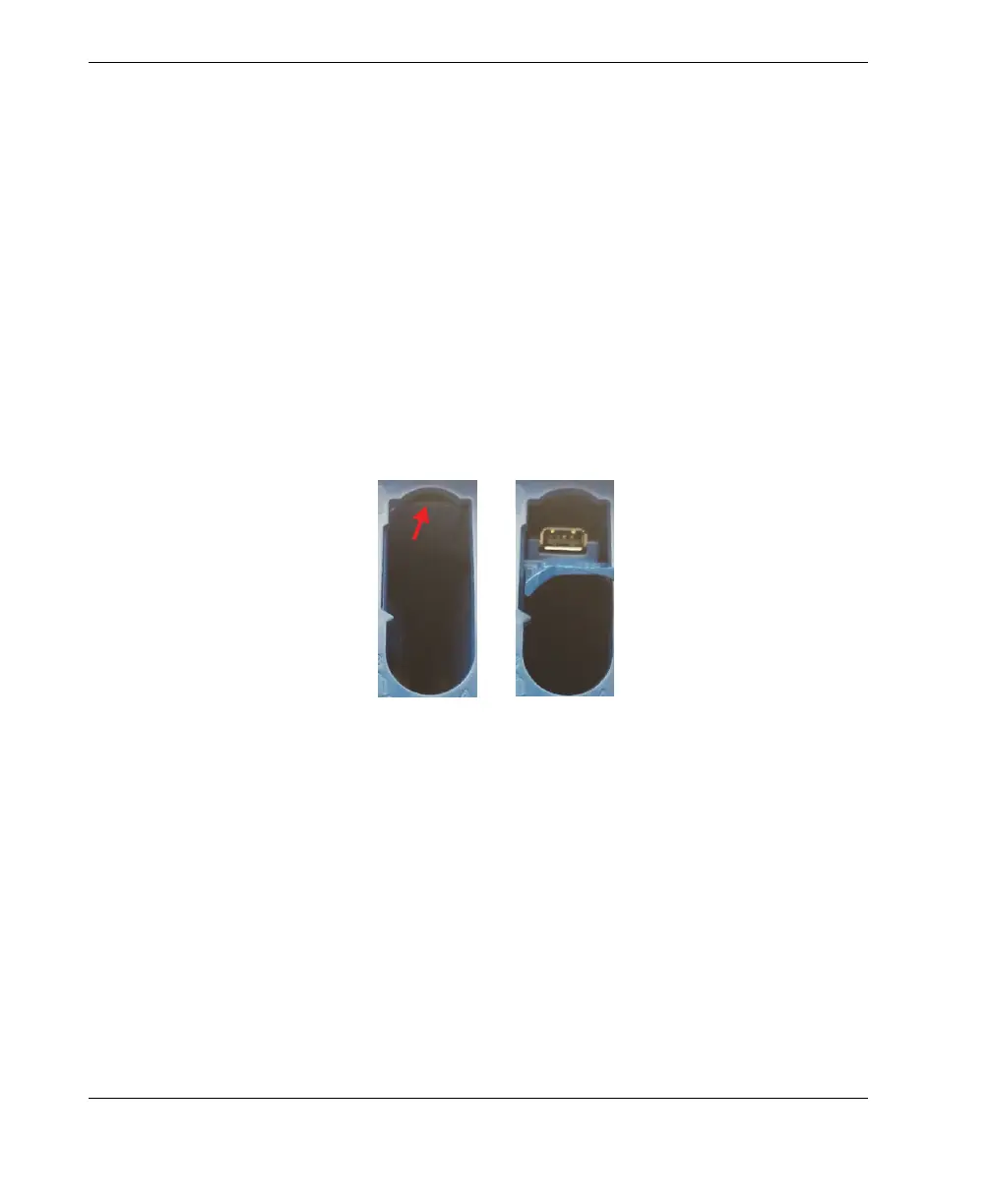
Hidden USB 2.0 port—for wireless LAN dongle
Used to connect a dongle for accessing a wireless local area network (WLAN).
The wireless LAN dongle is part of the standard inclusions of the OmniScan X3
package. To access the port, remove the top battery, then push against the cover at
the top of the interior of the battery compartment, and pull it out (Figure 2-3 on
page 32).
Figure 2-3 Push the cover (left) and pull out the hidden USB 2.0 port (right )
2.8 Right Side Panel
The right side panel of the OmniScan X3 flaw detector (Figure 2-4 on page 33)
contains the DC power adaptor plug, which is protected by a flexible cap. The plug is
used to connect an external DC power adaptor to the OmniScan X3.



 To Next Page