DMTA-20102-01EN, Rev. 7, October 2022
Connection to a PC with WeldSight Remote Connect 79
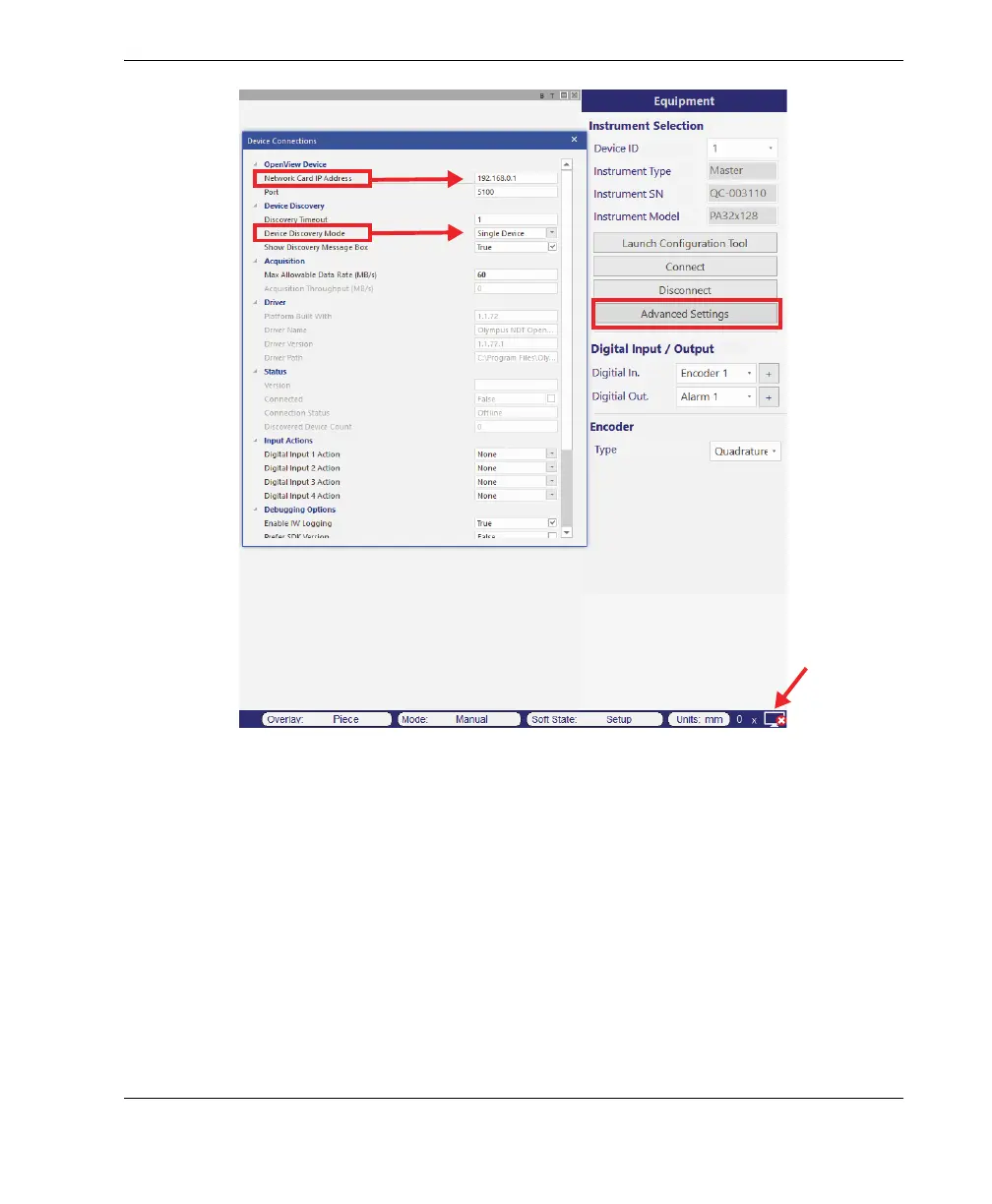
Figure 7-4 Configuration in WeldSight
g) When everything is configured, close WeldSight.
7.2 Connecting the OmniScan X3 to WeldSight
To connect the OmniScan X3 to WeldSight
1. Boot the OmniScan X3.
2. Connect an Ethernet cable between your PC and the OmniScan X3. The cable
must be minimally a CAT 5e.



 To Next Page