05 2013 4365 00
iNsErtiNg tHE alpHaNumEric valuEs
When the management software requests the insertion
of alphanumeric characters, the keys assume the follow-
ing functions:
- The confirmation key
allows you to modify / enter the
first character, confirm it and then go on to the next one.
- the keys
and
allow you to scroll the available
characters.
1
2
3
4
5
6
7
8
9
10
11
12
13
14
15
16
17
18
19
20
1
4
7
0
2
5
3
6
9
C
8
E
BROWSING MODE
The machine can work in 3 dierent operating modes:
- Normal user;
- Loader menu;
- Engineer menu
ENtEriNg tHE programmiNg moDE
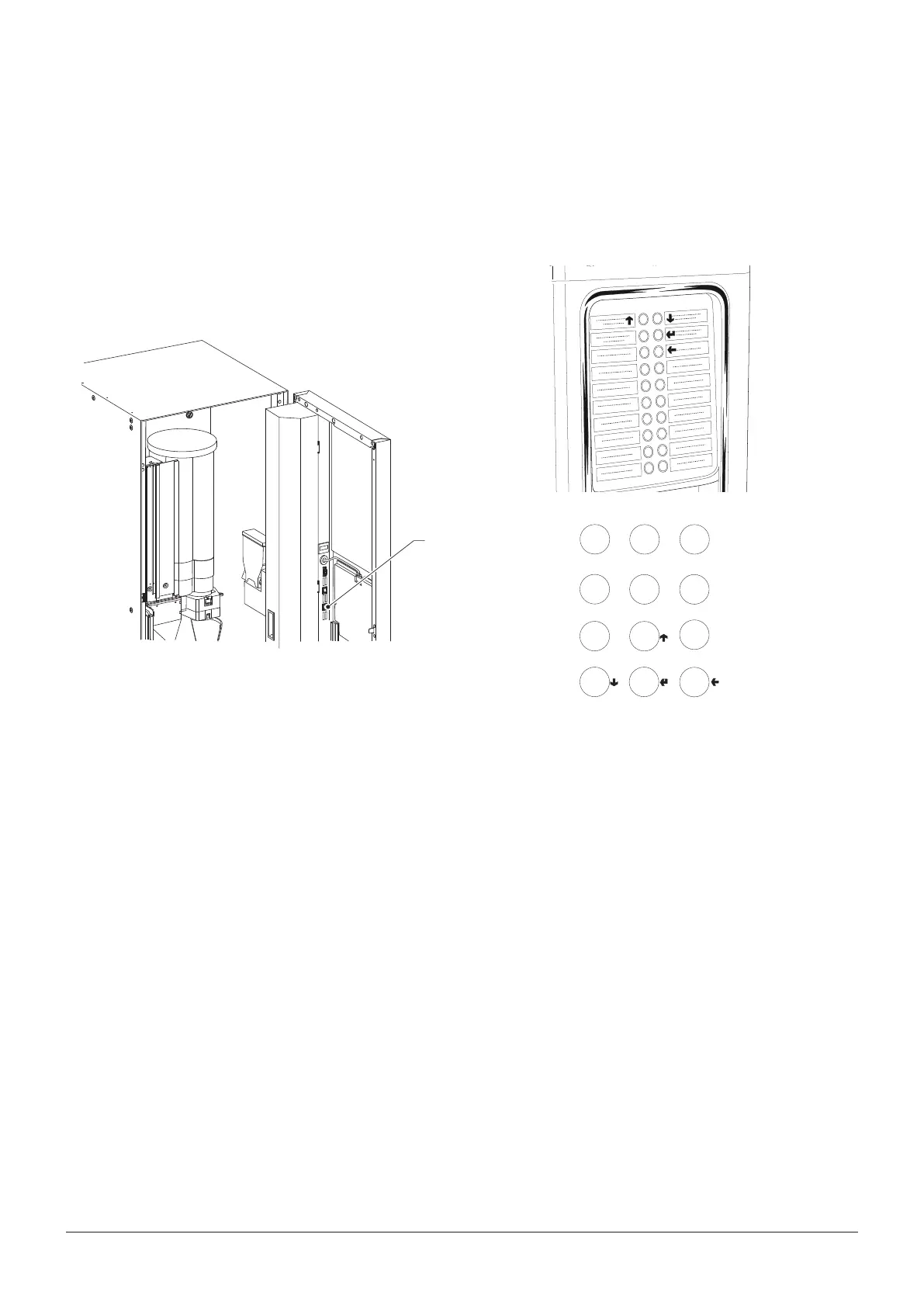
For entering the programming menu you need to press
the programming button.
The machine goes into Loader Menu mode.
By pressing the key
you can switch from the “Loader
Menu” to the “Engineer Menu” and vice versa.
1
Fig. 1
1- Pulsante ingresso programmazione
If you want to move inside the menus use the keys
shown in the gure:
NavigatioN kEys up
aND DowN
Through the navigation keys
and
it is possible to
move from one item of the programming menus to the
next which are at the same level and modify the status
(ON/OFF) or the alphanumeric values of the functions
coNfirmatioN kEy / sEND
Through the conrmation/send key
it is possible to
switch to the immediately lower-level menu or to conrm
a data item which has just been entered or modied.
Exit kEy
By pressing the exit key
it is possible to go back to
the upper level or exit from a function modication eld.
When you have reached the highest level of the Menu,
by pressing this key again you can switch from the Engi-
neer Menu to the Loader Menu and vice versa.



 To Next Page