Design and function
Organising welding tasks (Mode "JOB Manager")
099-000121-EW501
29.06.2015
5.12.2 Creating a new JOB in the memory or copying a JOB
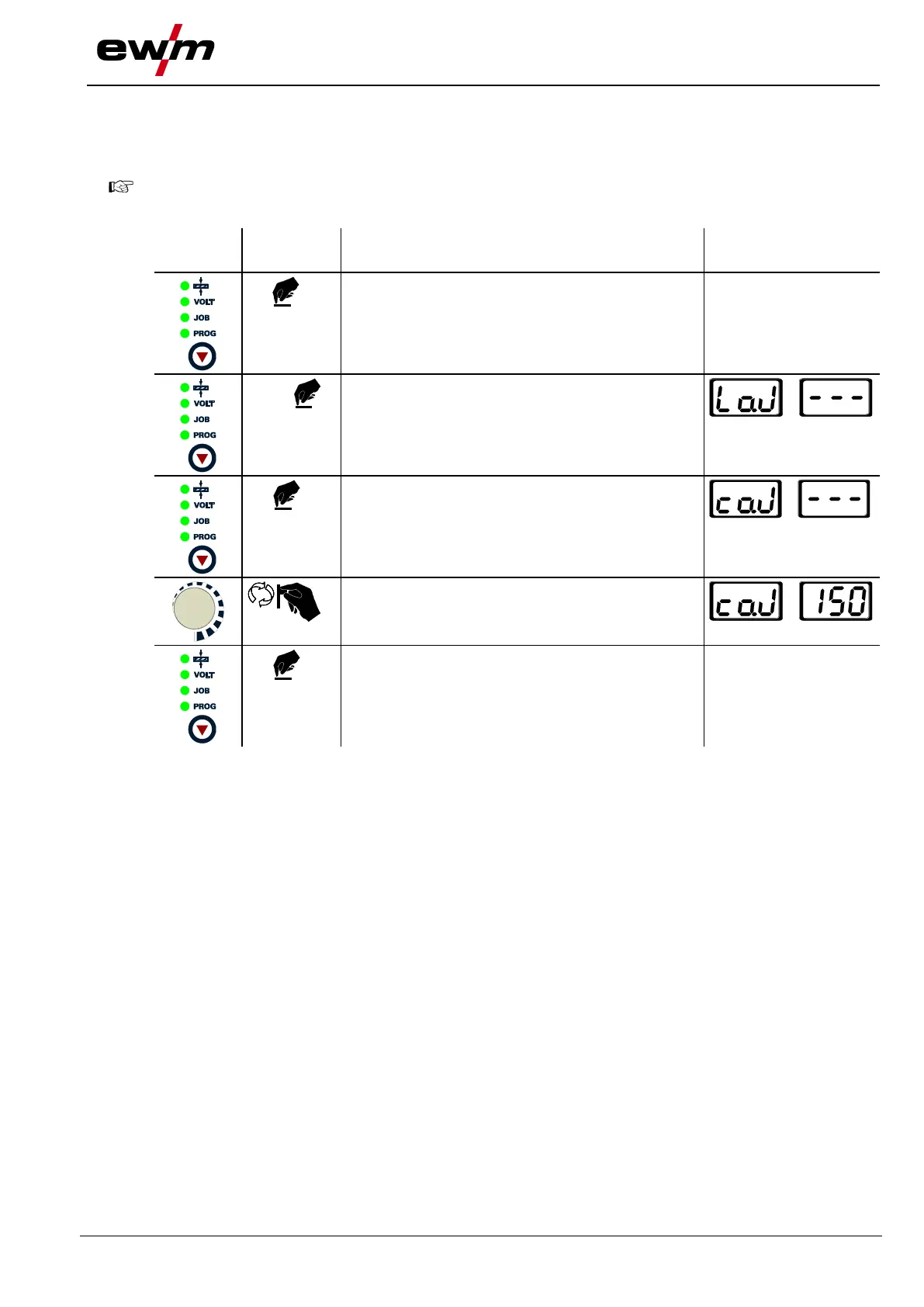
Copying a pre-defined welding task from the fixed memory (JOBs 1 to 128) to the free memory
(JOBs 129-256):
It is normally possible to adjust all 256 JOBs individually. However, it is a good idea to assign
specific JOB numbers in the free memory (JOB 128 to 256) for specific welding tasks.
Press until the “VOLT”
signal light is on
Switch from “Load JOB” to “Copy JOB”
Select the required JOB number using the rotary
transducer (e.g. 150)
JOB has been copied to the free memory, machine
switches back to Display mode. The JOB can be
modified individually.
Current value and JOB
number displayed








 To Next Page