Design and function
Machine configuration menu
099-000121-EW501
29.06.2015
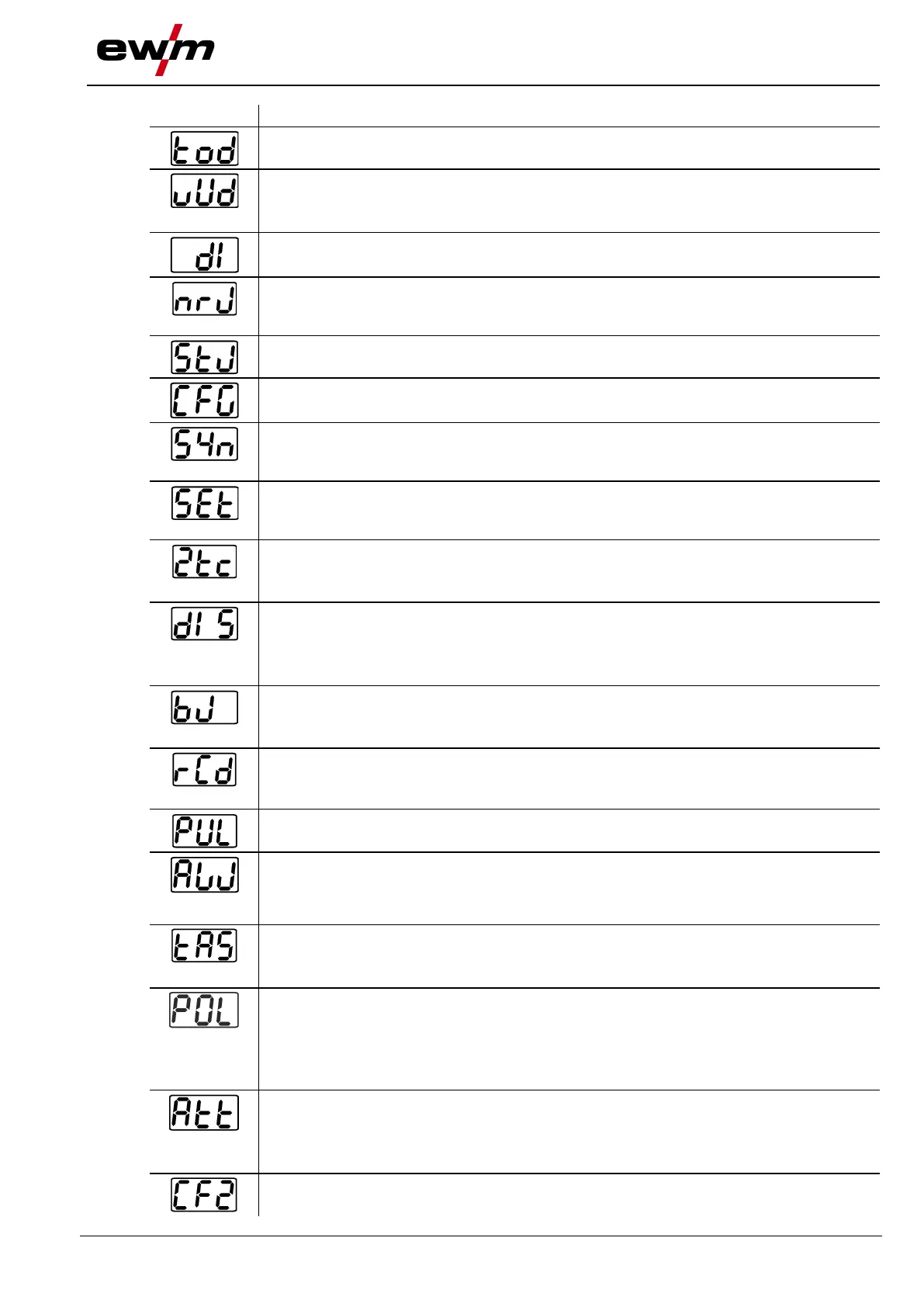
Torch mode (factory setting 1)
Up-/Down speed
Increase value = rapid current change (factory setting 10)
Reduce value = slow current change
Setting the first increment
Setting: 1 to 20 (factory setting 1)
Get JOB number
Set maximum selectable jobs (setting: 1 to 128, factory setting 10).
Additional parameter after activating the BLOCK JOB function.
Start JOB
Set first JOB to get (setting: 129 to 256, factory setting 129).
Machine configuration
Settings for machine functions and parameter display
Operating principle
• on = synergic parameter setting (factory setting)
• off = conventional parameter setting
Welding current display (ignition, secondary, end and hotstart currents)
• Pro = welding current display as a percentage of the main current (factory setting)
• Abs = absolute welding current display
Non-latched operation (C version)
• on = on
• off = off (factory setting)
Setting for the primary setpoint value display
Defines the priority display for setpoint values:
• bld = panel thickness
• vol = welding voltage (factory setting)
RINT X12, JOB control for automation solutions
• on = on
• off = off (factory setting)
Power display switching (MMA)
• on = actual value display
• off = setpoint value display (factory setting)
Pulses in the upslope and downslope phases
The function can be switched on or off
additional wire welding, operating mode
• I>0 = filler wire mode for automated applications,
wire is conveyed when current flows
• 2t (factory setting) to 4t = operating mode non-latched to latched
TIG antistick
• on = function active (factory setting).
• off = function inactive.
Program 0 block
With machines with key switch (access block), program 0 can be disabled. When the
access block has been enabled, programs 1–x only can be switched.
off All programs can be selected (ex works)
on Programs 1–x can be selected (program 0 disabled)
Warnings
Warnings can be issued prior to a machine failure.
off Warnings disabled (ex works)
on Warnings enabled
Machine configuration (part two)
Settings for machine functions and parameter display








 To Next Page