MS Series PABX User Manual
10
Explanation: ● HH: hour, 00-23, 24 hours mode ●TT: minutes, 00-59
Format: 020000W # Set week of system
Explanation: W: Week, 1-7(7 = Sunday)
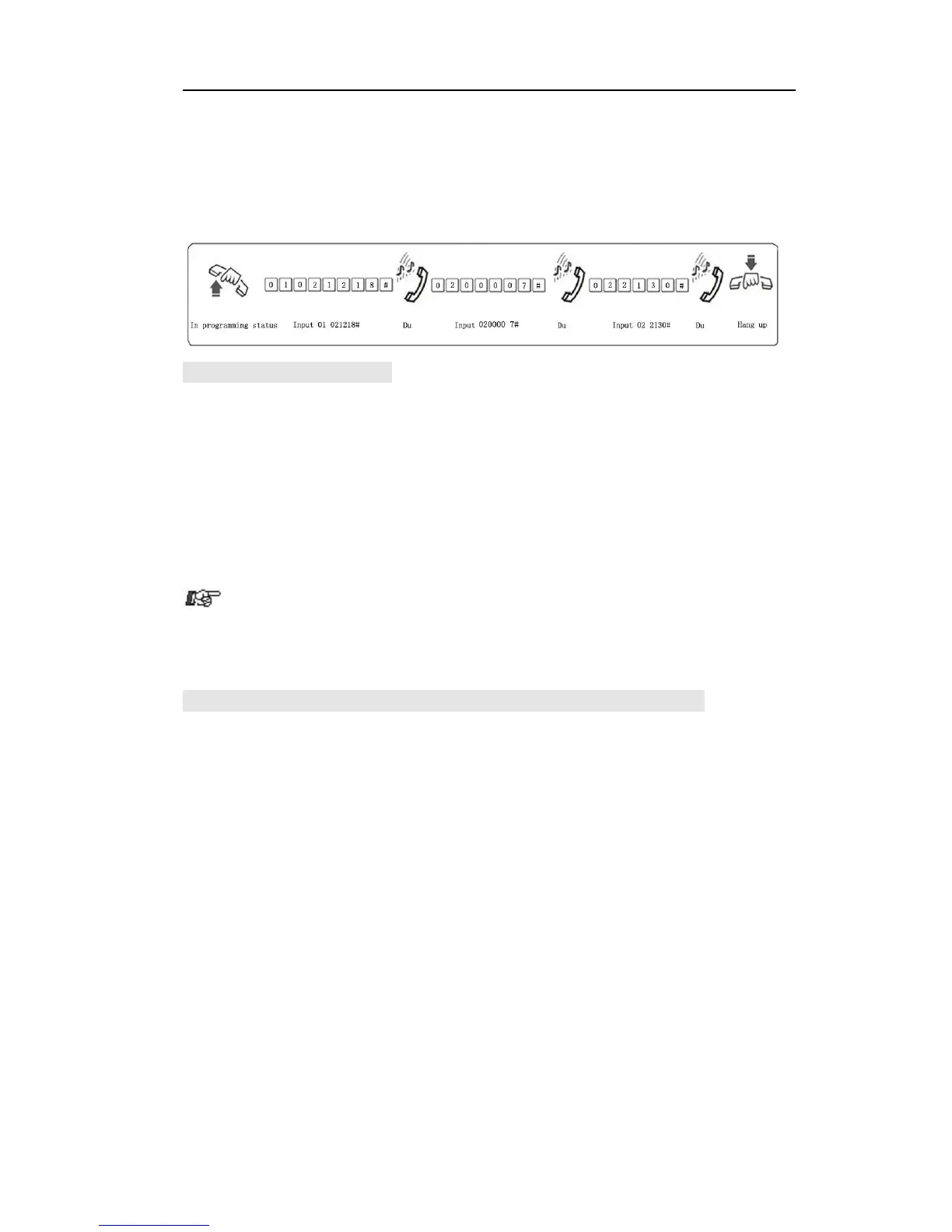
Example: Set system to 2002/12/18 21:30 Sunday
3.4.2 Day/nightmode setting
Format: 0 4 0# Set day/night mode to automatically mode
0 4 1 # Set day/night mode to manual mode
0 4 2 HH TT # day mode start time, HH-hour (24), TT-minute
0 4 3 HH TT # day mode end time, HH-hour (24), TT-minute
0 4 4 0 # Enable auto-attendant(OGM) in day and night
0 4 4 1 # Enable auto-attendant in day ( means in night
is operator mode )
0 4 4 2 # Enable auto-attendant in night ( means in day
is operator mode )
( refer 3.5.3 or 3.5.4 ) to auto-attendant.
Remark: Auto mode and time setting is only optional for higher version
MS+ series.
3.4.3 Weekendmode setting (Optional for higher version MS+ series only)
Format: 0 4 8 0 # enable weekend mode function
0 4 8 1 # disable weekend mode, this is default setting
0 4 9 0 0 # to set from Monday to Sunday as work day ; this
is default setting
0 4 9 0 W # to set week W as work day
0 4 9 1 0 # to set from Monday to Sunday as weekend day
0 4 9 1 W # to set week W as weekend day.
Explanation: W: Week, 1-7(7 = Sunday )
Description: Weekend mode means when the day in week is set to work
day, then the day/night mode will be changed according the setting in 3.4.1
& 4.1, and when the day is defined to weekend day,then the system is in
night mode.
Example: To set Monday to Friday as work day,and Saturday and Sunday
as weekend day, then input 04900#, 04916#, 04917#, 0480#, also you
should set day/night mode to automatically mode and day mode start &
end time.



 To Next Page