MS Series PABX User Manual
21
Description: to clear the outgoing restriction of numbers in group Q.
3.13.6 Clear All Restriction of Item B
Format: 4 2 #
Description: to clear all the outgoing restriction of numbers item B
3.14 Set Special Outgoing Number
3.14.1 Set Special OutgoingNumber forClass 0
Format: 4 3 P ABCD#
Explanation: ABCD: the prefix digits of the outgoing number to be
restricted, it can be from 1-digit to 4-digits, it should be ended with # if less
than 4-digits.
P --- The group series from 01 to 16.
Description: Allow to dial the phone numbers starting with <ABCD> only.
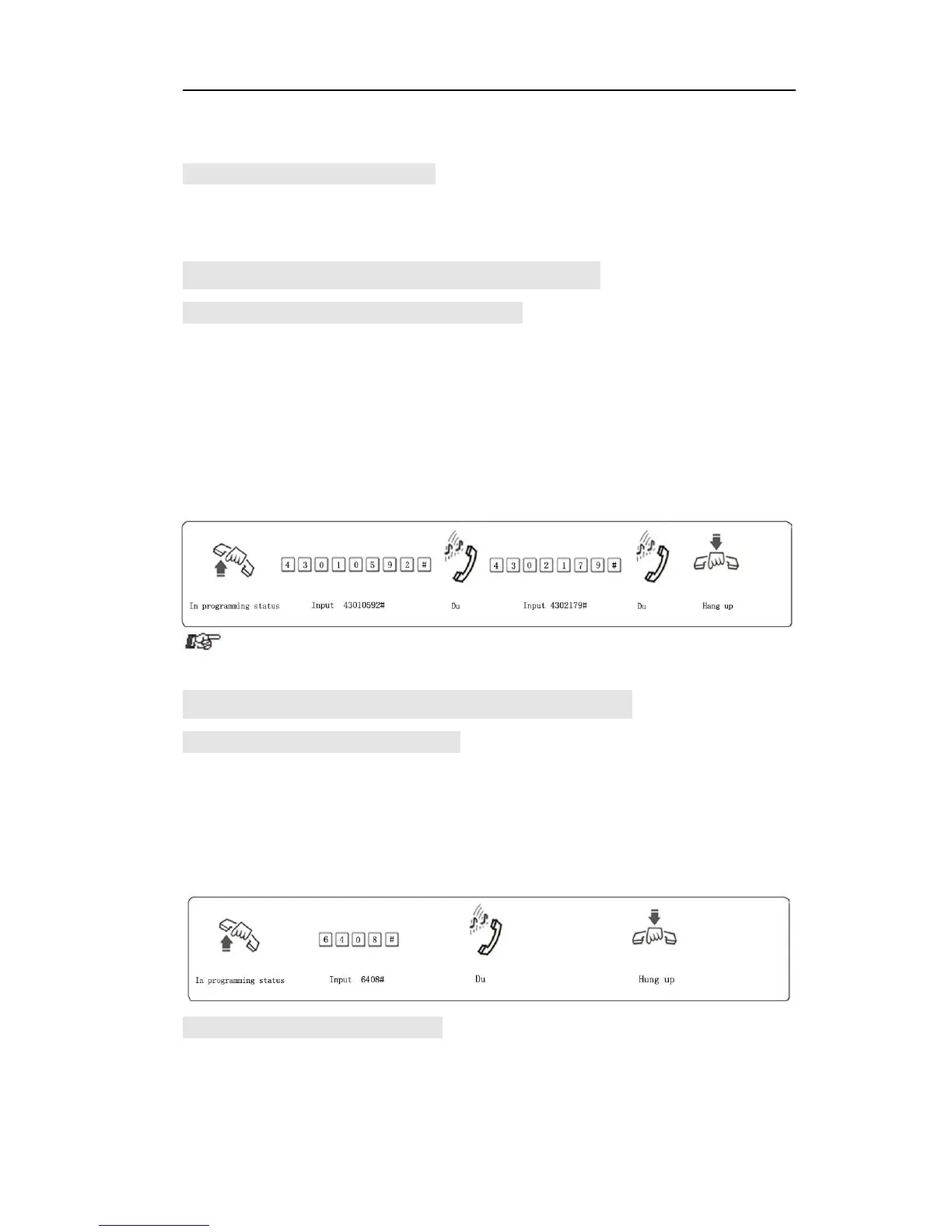
Example: Ext.605 is set as class 0, now you want Ext.605 can dial the
numbers with initial digits – 0592,179
● This function is only valid for dialing-out class 0.
3.15 Call Duration Restriction Setting
3.15.1 Call DurationRestriction Setting
Format: 6NTT#
Explanation: N: the EXT port No. (N = 1 – 8)
TT: the duration restriction(2 digits), TT=01-99(minutes)
Description: set the Ext N outgoing call duration within TT minutes. This
function can only restrict the duration of outgoing call.
Example: Set Ext.604 outgoing call duration within 8 minutes
3.15.2 Clear CallDuration Restriction
Format: 6N00#
Explanation: N : the EXT port No. (N = 1 - 8)
Description: Clear the Ext N outgoing call duration restriction.



 To Next Page