MS Series PABX User Manual
34
(#84TT,default is 80s) ,then the system will send reminder tone till 10s, at
the same time each external user can press # to proceed the conversation
till another 80s. If no operation,the call will be cut off. Meanwhile, any CO
line user can press * to end with the call.
II. when C.O line user K is talking with external number M, Extension A
can pick up the call by #9 to talk with two external users, talking time is not
restricted ,when Extension hang up, the call will be cut off.
◆ Note: If Ext is in Direct-Dialing-Out mode, you should input: * # 84TT.
4.12 Ext. Number Query
Format: # 61
Description: During the installation and testing to the system, it is very
convenient to know the Ext number. The system use beep tone (“du”) to
indicate the number.
Example: After input # 61 on Ext. 603 you will hear 6 continuous beep
tone(“du-du-du-du-du-du”)at first, after 1.5 seconds, you will hear 10
continuous beep tone, at last you may hear another 3 continuous “du” ,
that mean the Ext number is 603.
● If Ext is in Direct-Dialing-Out mode, you should input *# 61.
4.12.1 Display Extnumber on Caller ID phone
Format: # 62
Example: Pick-up Ext.605(caller ID phone), Input # 62, after hear a beep
tone, then hang up, the extension will ring one second ,and you can see
the port number + Ext number on telephone: 05 605.
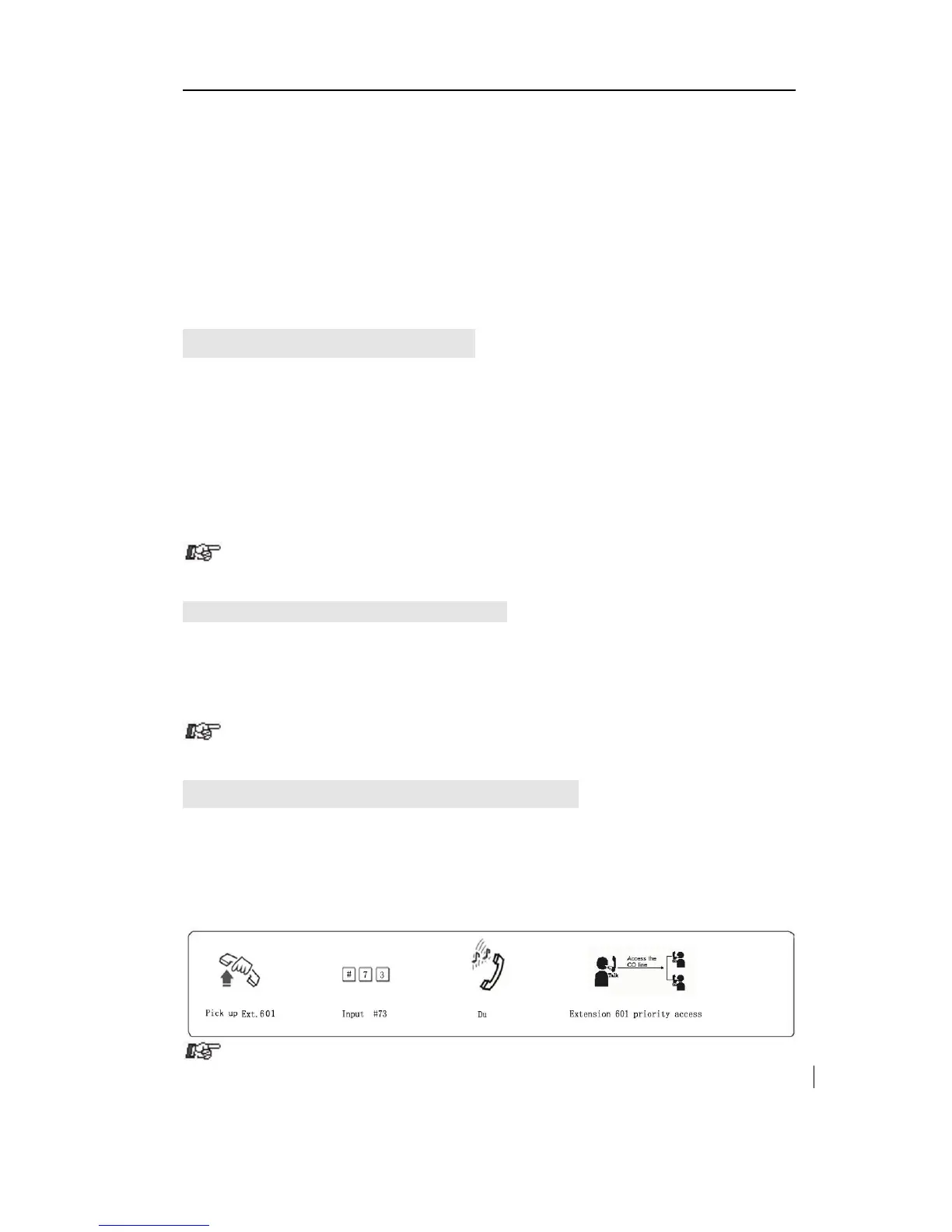
4.13 Priority Access(Call Monitor)
Format: # 7 M
Explanation: M: the C.O. line port number. M = 1 - 3
Description: This feature ensures director or owner of a company monitor
the call for some C.O line.
Example: Priority access to C.O. line 3.



 To Next Page