MS Series PABX User Manual
11
3.5 Set Operating mode
◆NOTE: On default setting, all the C.O. lines is in operator work
mode , the operator ringing Extension is 601 and 602.
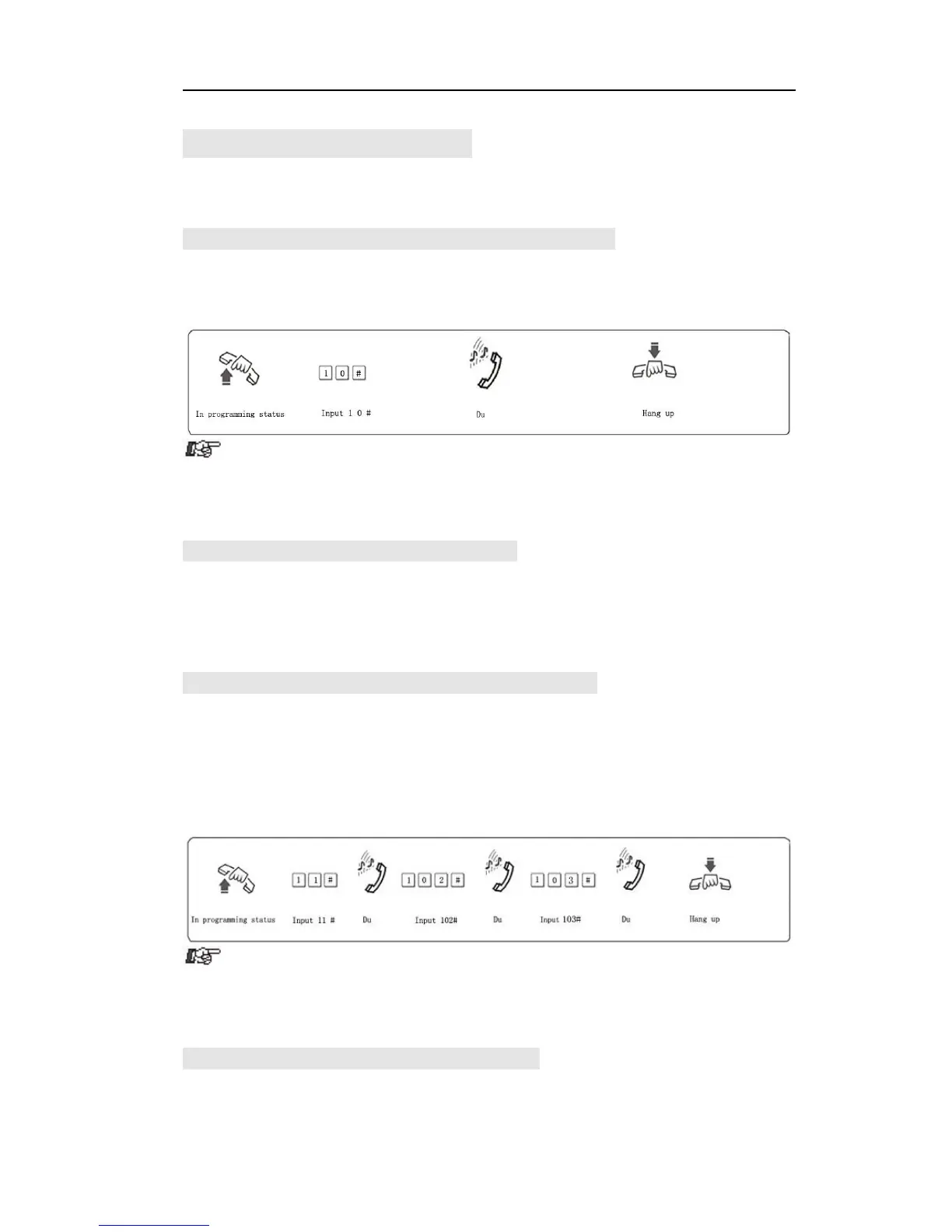
3.5.1 Set Auto-attendantworkMode (OGM) for All C.O. Lines
Format: 1 0 #
Description: Set all C.O. line in Auto-attendant work mode. In this mode, caller
will hear the recorded greeting message, while all extensions are in mute status.
● If the caller doesn’t know the extension number, he can inquire to
the operator by dialing “0”.
●The greeting message(Outgoing Message,OGM) should be
recorded when set this mode.
3.5.2 Set Operator work mode for all C.O. Lines
Format: 11#
Description: Set all C.O. lines in Operator work mode. In this mode, the
operator extension and other ringing extensions will ring when an incoming
call is received.
3.5.3 Set Auto-attendantMode (OGM) for Certain C.O. line
Format: 10M #
Explanation: M: C.O. line No. M=1-3
Description: Set No.M C.O. lines in Auto-attendant work mode (DISA
--Direct Inward System Access status).
Example: Set C.O.line 2 and 3 inAuto-Attendant work mode,the otherC.O. line
inoperatorwork mode.
●If the caller doesn’t know the extension number, he can inquire to
the operator by dialing “0”.
●The greeting message(Outgoing Message,OGM) should be
recorded when set this mode.
3.5.4 Set Operator work mode for Certain C.O. line
Format: 11M#
Explanation: M: C.O. line No. M=1-3



 To Next Page