MS Series PABX User Manual
19
3.12 Call Restriction-Class Assignment
3.12.1 Class Settingt for All Extensions
Format: 40 L#
Explanation: L: Class number, L= 0 - 6
Description: Set dialing-out class L for all Exts.
L=1: no any restriction
L=2: outgoing with restriction of IDD(International Direct Dialing)
L=3: outgoing with restriction of DDD(Domestic Direct Dialing)
L=4: outgoing with restriction of the prefix item A.
L=5: outgoing with restriction of the prefix item B.
L=6: only for intercom call.
L=0: only for some special outgoing number
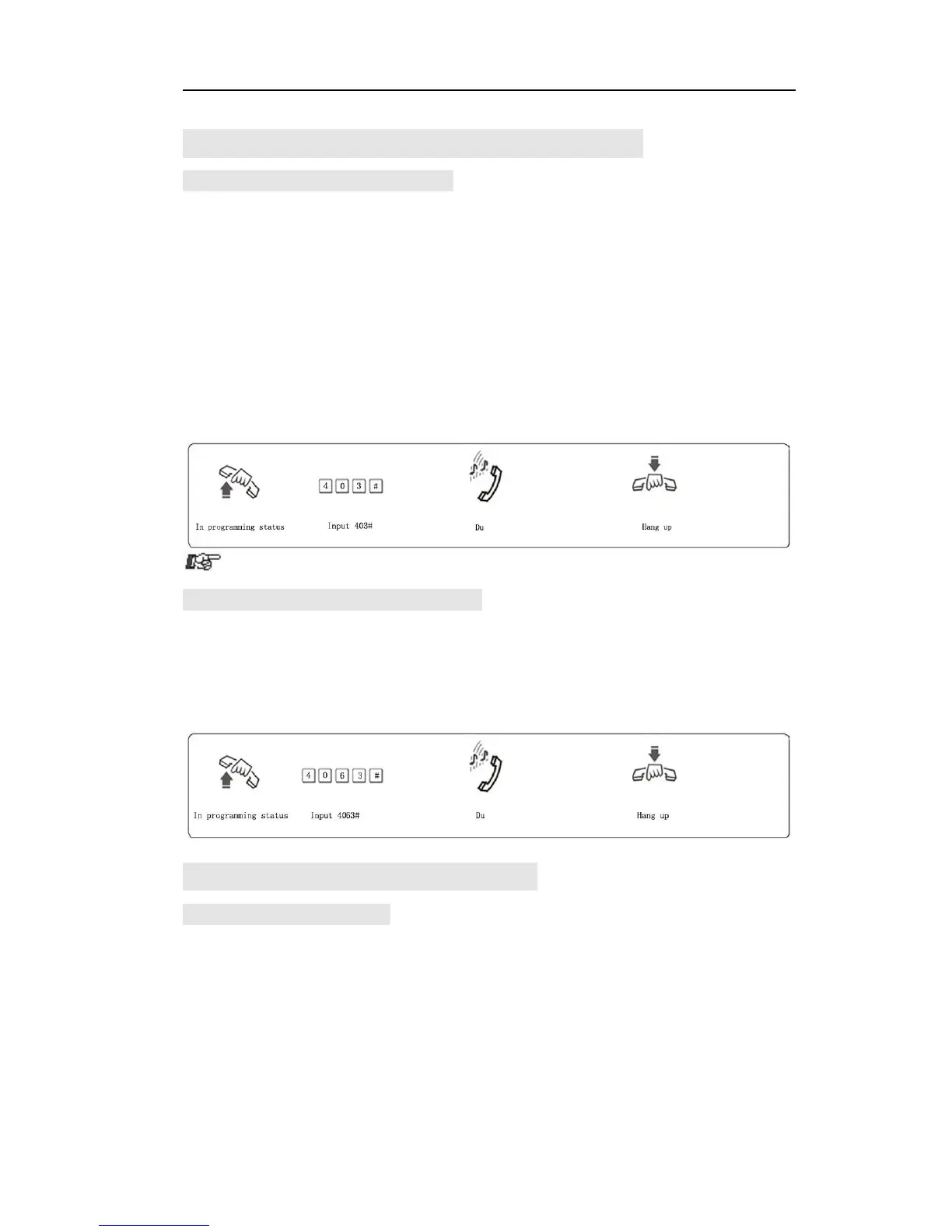
Example: Set call class 3 for all extensions.
3.12.2 Set CallClass for Certain Extension
Format: 40 N L#
Explanation: N: the Ext. port No., N = 1 - 8
L : class number, L= 0 - 6
Description: Set dial-out class L for certain Ext. N
Example:Set class 3 for Ext.606
3.13 Set Restriction Item (A/B)
3.13.1 Set Restriction Item A
Format: 4 1 Q ABCD#
Explanation:
ABCD: the prefix digits of the outgoing number to be restricted, it can be
from 1-digit to 4-digits, it should be ended with # if less than 4-digits.
Q: the group series from 01 to 16.
Description: to restrict the outgoing number start with ABCD
Example: Ext.608 is be assigned dialing-out class 4, now you want
Ext.608 can’t dial the numbers with initial digits – 573,168



 To Next Page