MS Series PABX User Manual
31
● A make invalid operation or B is busy, After a continuous beep
tone(du-du-du), A can repeat the operation.
● A hang up and B does not pick up. A pick up again and press: # 9 (If
the Ext is at Direct-Dialing-Out mode, you should input: * # 9), then A will
restore the connection with C.O. line.
● The EXT. which transfer the call (flash hook), then the C.O line
will be on hold status until dial the right Ext. number or flash hook again to
access CO line.
4.7.2 Call Transfer toExt.Group
Format: Flash hook (or press the FLASH button) then dial Ext. Group number.
Description: 1. Allow you to transfer an incoming call to Ext. Group, after
transfer is succeed ,the members of the Ext. Group will ring together. When
any one of the ringing Ext. pick up, others will stop ringing.
4.8 Call switch (call pick up during conversation)
(except 108)
When extension is talking with C.O line, another Ext or a door phone,
or another C.O line call in, the first Ext will hear prompt beep tone(the beep
for door phone call and C.O line call is different). Then you can:
Operation1: Flash hook (or press the FLASH button), then you will hear
dial tone, press “# 9” to switch another C.O line, also you can switch to
receive the call from door phone. The first conversation now is on hold(for
CO.line talking), for the conversion with door phone will be ended , when
you talk with the second call, you can also flash hook and press # 9 to
retrieve the first holding call.
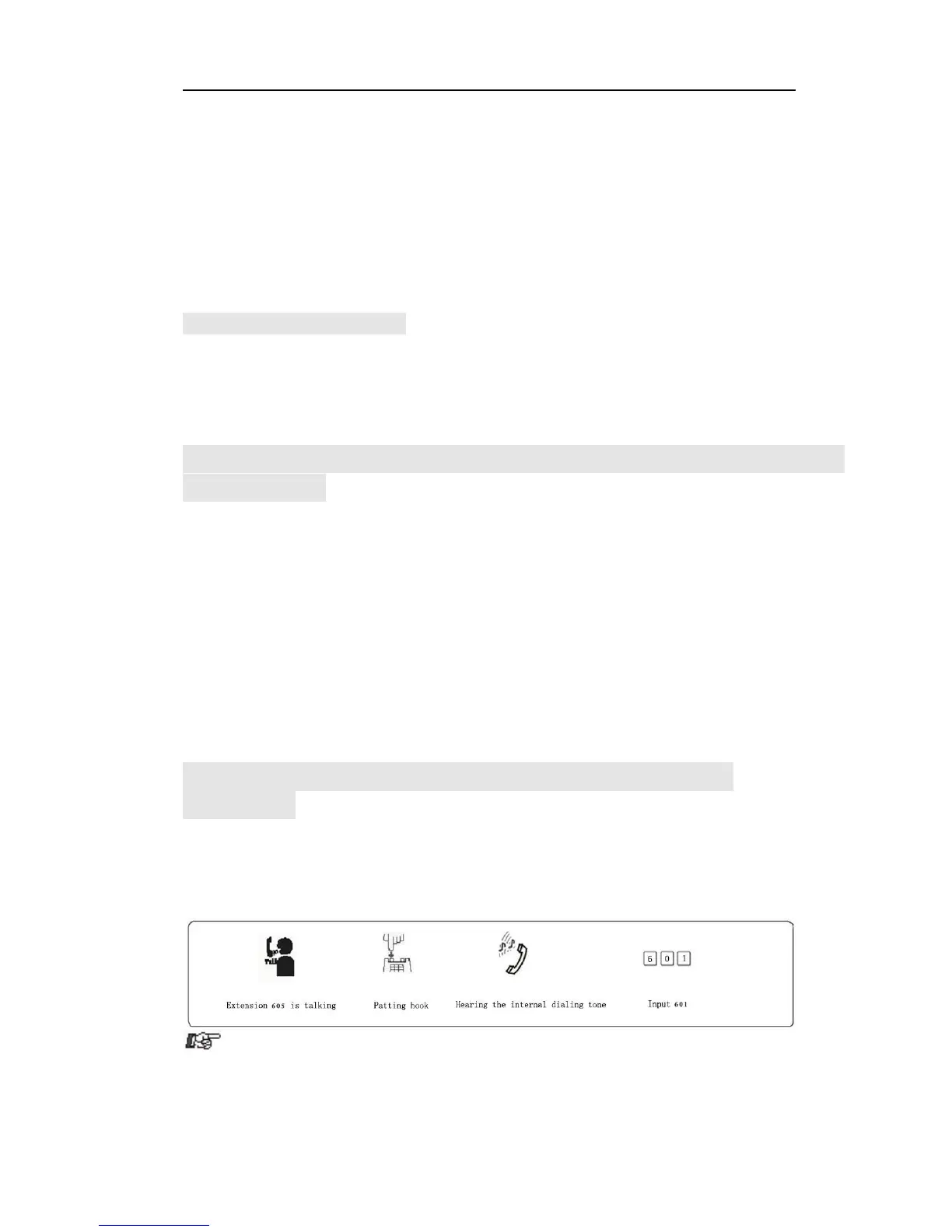
4.9 Secretary Function(Outgoing Call Transfer
Function)
Format: Flash hook then dial the Ext number
Description: This function allow one extension to make an outgoing call
and then divert it to another Ext.
Example: Ext .605 make an outgoing call then forward the call to Ext. 601.



 To Next Page