MS Series PABX User Manual
32
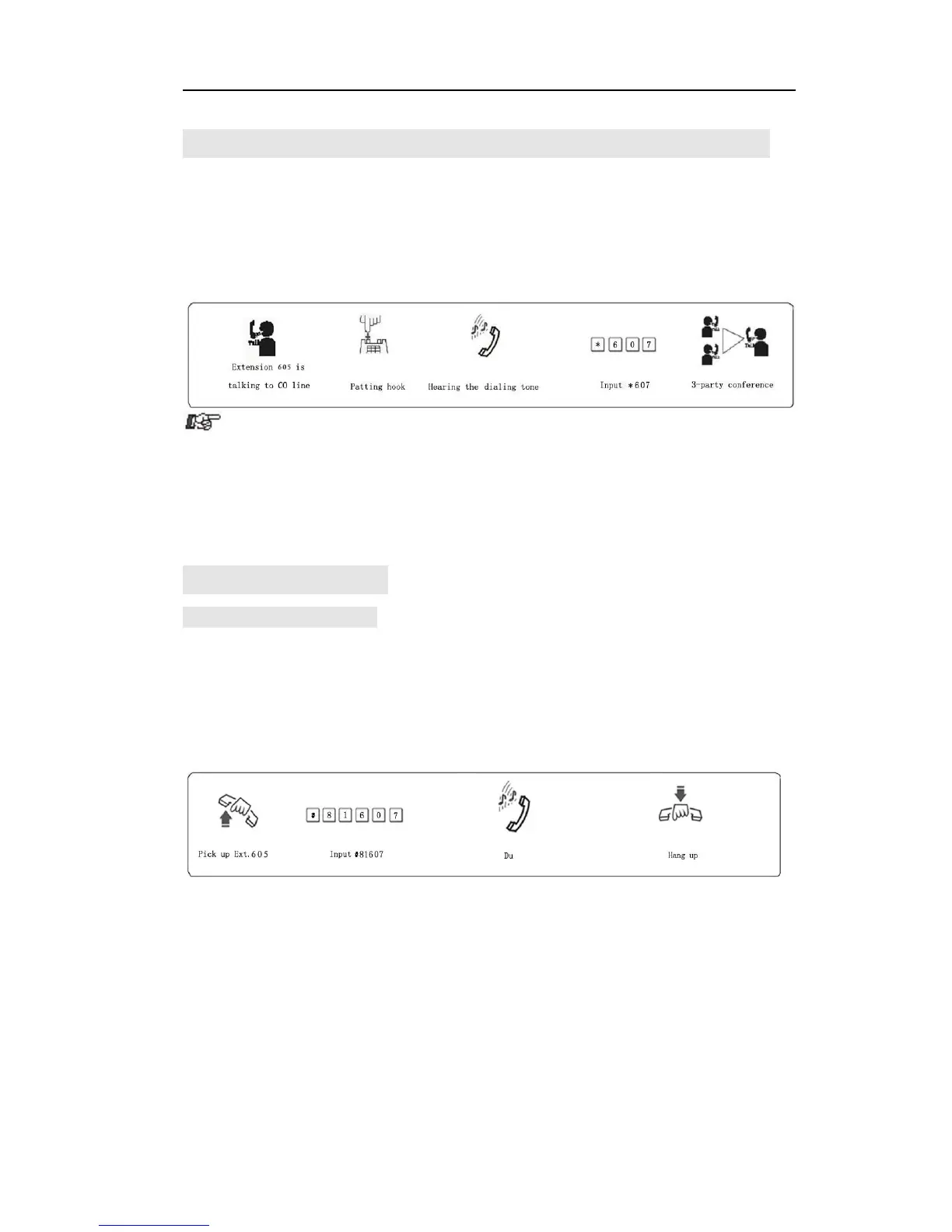
4.10 Three Way Conference (1 C.O Line and 2 Ext)
Format: Flash hook (or press FLASH button) dial * + Ext. number
Description: Allow you to add a third party to a two-party conversation and
make a three-party conference. You can have only two Ext. with one C.O.
line.
Example: Ext. 605 is talking with C.O. line caller and then he need to add
Ext.607 in the call.
a. A does not on hook and B off hook. Then communication amount
A, B and C.O. line is established, whoever on hook (A or B), the system will
transfer C.O line call to another one.
b. A does not on hook, if B does not answer within 25 seconds, then
A will restore to access C.O. line, and B stop ringing.
4.11 Call Forward
4.11.1 Call Forward Always
Format: # 81 abcd
Explanation: “abcd” is extension number to be forwarding.
Description: Allow oneExt toforward incoming call automatically to another Ext. This
is also one of Manager/Secretary function. Allow manager’s Ext. to forward
incoming call automatically to Secretary’s Ext abcd.
Example: Ext. 605 need to forward all incoming call to 607 automatically
Format: # 81* ABCDEF#
Explanation: ABCDEF is external number(landline or mobile number)
The number is 1-16 digit, This is in Indirect-Dialing-Out mode.
Description:Allow one extension to forward incoming call automatically to another
external numberABCDEF. Including auto call forward to mobile phone
Example: Ext.605 need to forward all incoming to mobile number 1367409
automatically.



 To Next Page