MS Series PABX User Manual
23
3.18 Ext Number Flexible coding
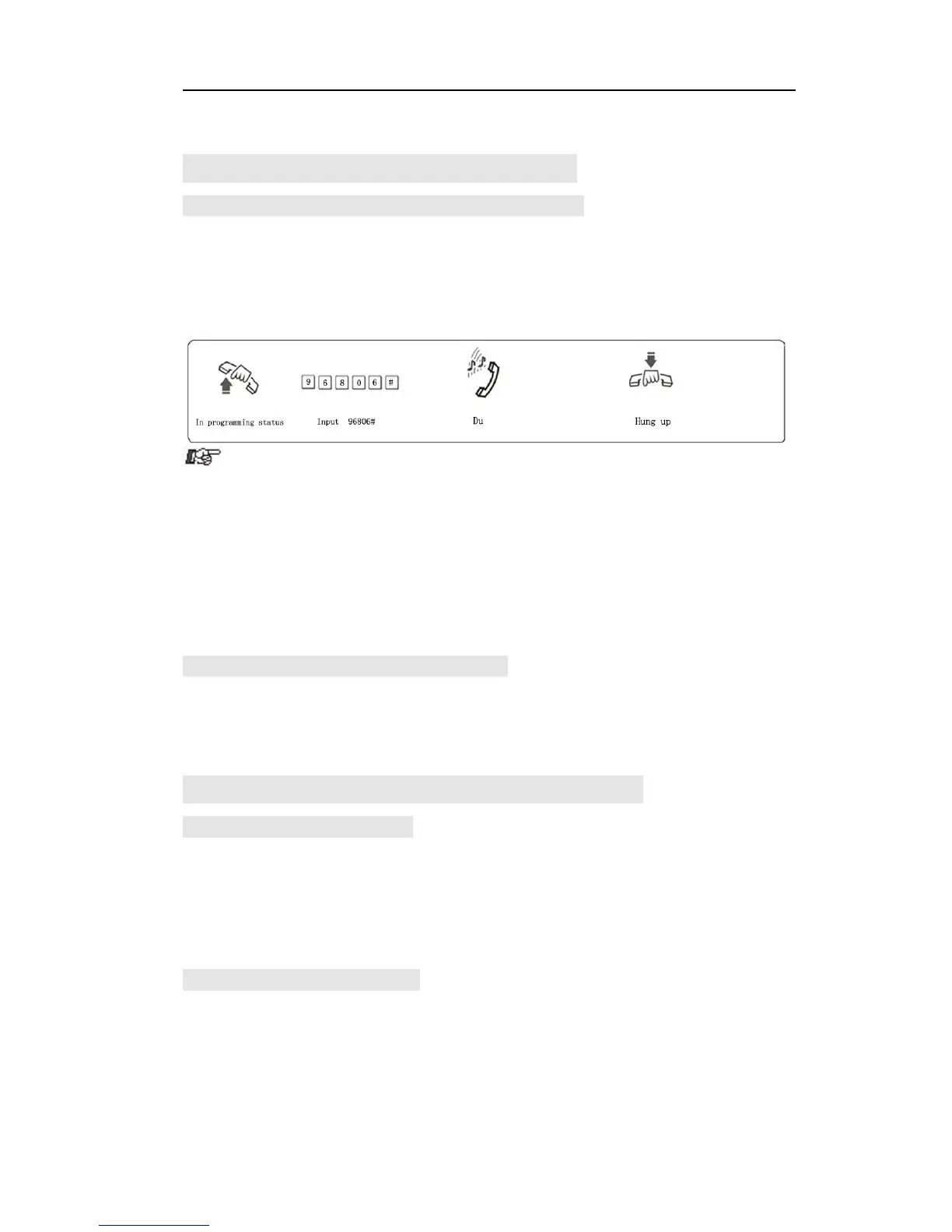
3.18.1 Set ExtensionNumber (Change the Ext. Number)
Format: 9Nabcd#
Explanation: N : the extension port number, N = 1 - 8,
abcd: the new Ext. number, 1 to 4 digit.
Description: Change old Ext number to new Ext number “abcd”
Example: Change Ext 606 to 806
duplicate.
● The number can not begin with 0 and 9, and can not use the same
numbers of two Exts.Group.
● The length (digits) of new number must keep the same; All the new
numbers should be equal digits, and not in duplicate.
● For example, to set the extension number in 4-digit(8001-8008), you
need to dial 918001#, then 928002#, 938003#…one by one, up to 988008.
3.18.2 Restore to Original Extension Numbers
Format: 9000#
Description: Restore Ext number to the default setting, that is: from 601 to
602 603… 606… 608 one by one, etc.
3.19 Ringing/Transfer/Reservation time
3.19.1 InternalCall Ringing Time
Format: 4 9 4 TT#
Explanation: TT: seconds 01-99, default setting is 30seconds
Description: When one extension call another extension, and the called
extension is not picked up, system will continue to ring it with this setting
time.
3.19.2 Call Transfer Ringing Time
Format : 4 9 6 TT#
Explanation: TT: seconds 01-99, default setting is 25seconds
Description: When transfer a call or incoming call in OGM mode and
caller dial some extension number, then the system will ring the called
extension with this setting times .



 To Next Page