MS Series PABX User Manual
27
# 2 7 N #: Clear busy(or no answer)forward setting for No.N Ext.
# 2 7 #: Clear busy (or no answer) forward setting for all Ext.
# 2 5 #: Clear any call forward setting for all Ext no matter always
forwarding setting or busy(no answer).
Explanation: “abcd” is the Ext number to be forwarded, abcd=601–
608(default number) N: Ext. port No ,N=1-8 (N=1 means Ext.601… N=8
means Ext.608)
4.3 Outgoing Call
The system has 5 dial out mode
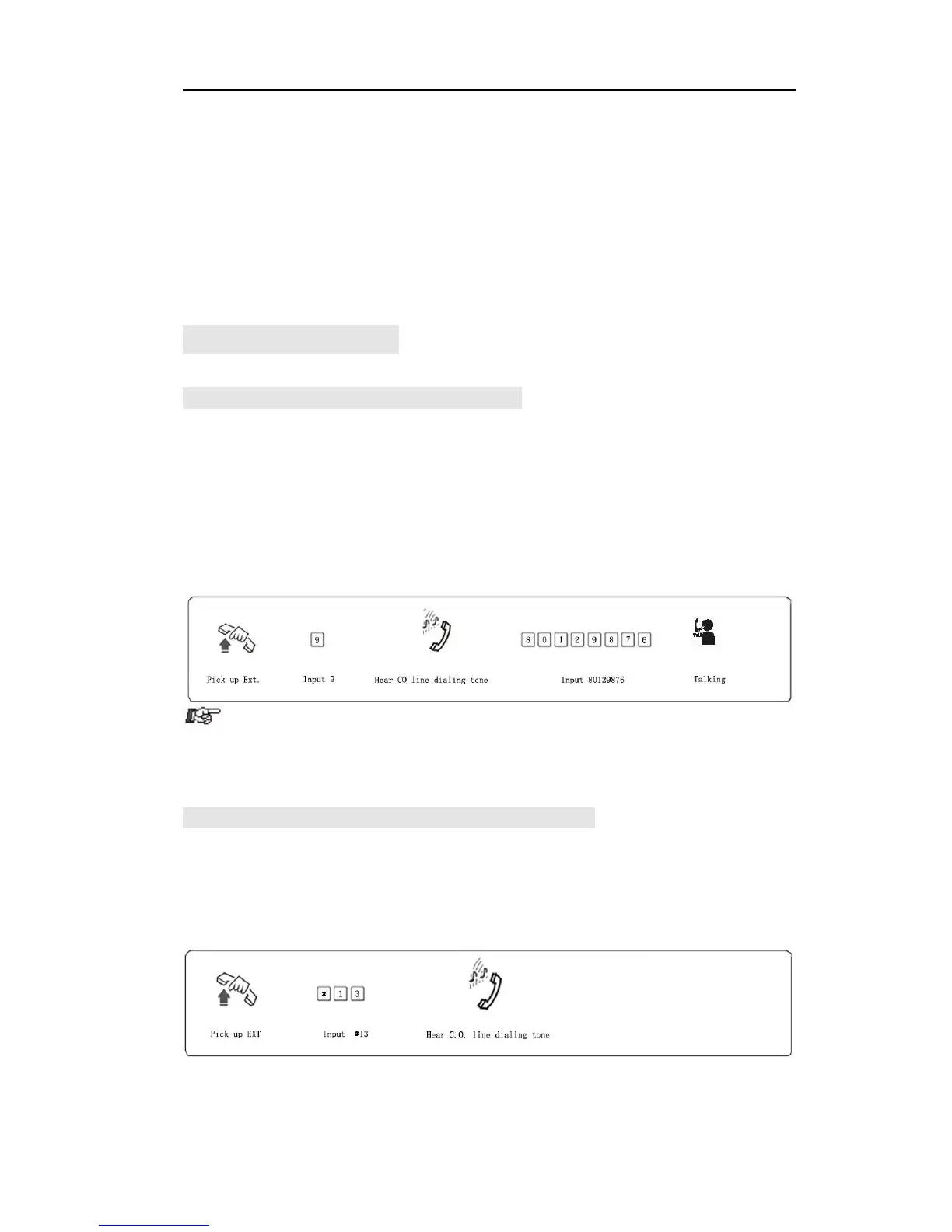
4.3.1 Outgoing Call Dial 9 at first (or DialDirectly)
Format:Pick up the handset and dial 9 at first after hear internal dial tone,
then dial the desired number after hear the C.O line dial tone.
Description:When Ext is in indirect-Dialing-Out mode, you will hear
internal dial tone after pick up the handset, dial 9 then you access the C.O.
line, you can dial the number after hear C.O line dial tone.
Example: You want to call the external number 80129876 in
indirect-Dialing-Out
mode
● If Ext. is in direct-Dialing-Out mode, you can pick up the handset
and dial number directly after hear C.O. Line dial tone. In this situation you
can redial the last dialed number.
4.3.2 Outgoing Call by Accessing C.O Line (except for108)
Format: # 1 M (Indirect-Dialing-Out mode, refer chap 3).
Explanation: M: C.O. line port number(M = 1 -3)
Description: You can choose certain C.O line to make outgoing call.
Example: In indirect-Dialing-Out mode, you need to dial external number
by accessing C.O. line3



 To Next Page