MS Series PABX User Manual
35
operation.
4.14 Call Operator Directly
Format: 1520# Any extension can call operator directly by dialing 0
Format: 1521# Disable extension call operator directly by dialing 0
If in Direct-Dialing-Out mode, Ext should dial * 0.
4.15 Internal Hotline Function
Format: 883# Enable internal hotline function for all extension
Format: 883N# Enable internal hotline function for No.N extension
Format: 884# Disable internal hotline function for all extension
Format: 884N# Disable internal hotline function for No.N extension
Format: 189TT# Set waiting dialing time in hotline status, that is when
hotline extension is picked up, within the time TT, if no any dialing, system
will call operator directly. Default TT=0.
● After set internal hotline function, any extension when picked up,
will call operator directly.
●Above setting should be performed in programming status.
4.16 Do Not Disturb(DND)
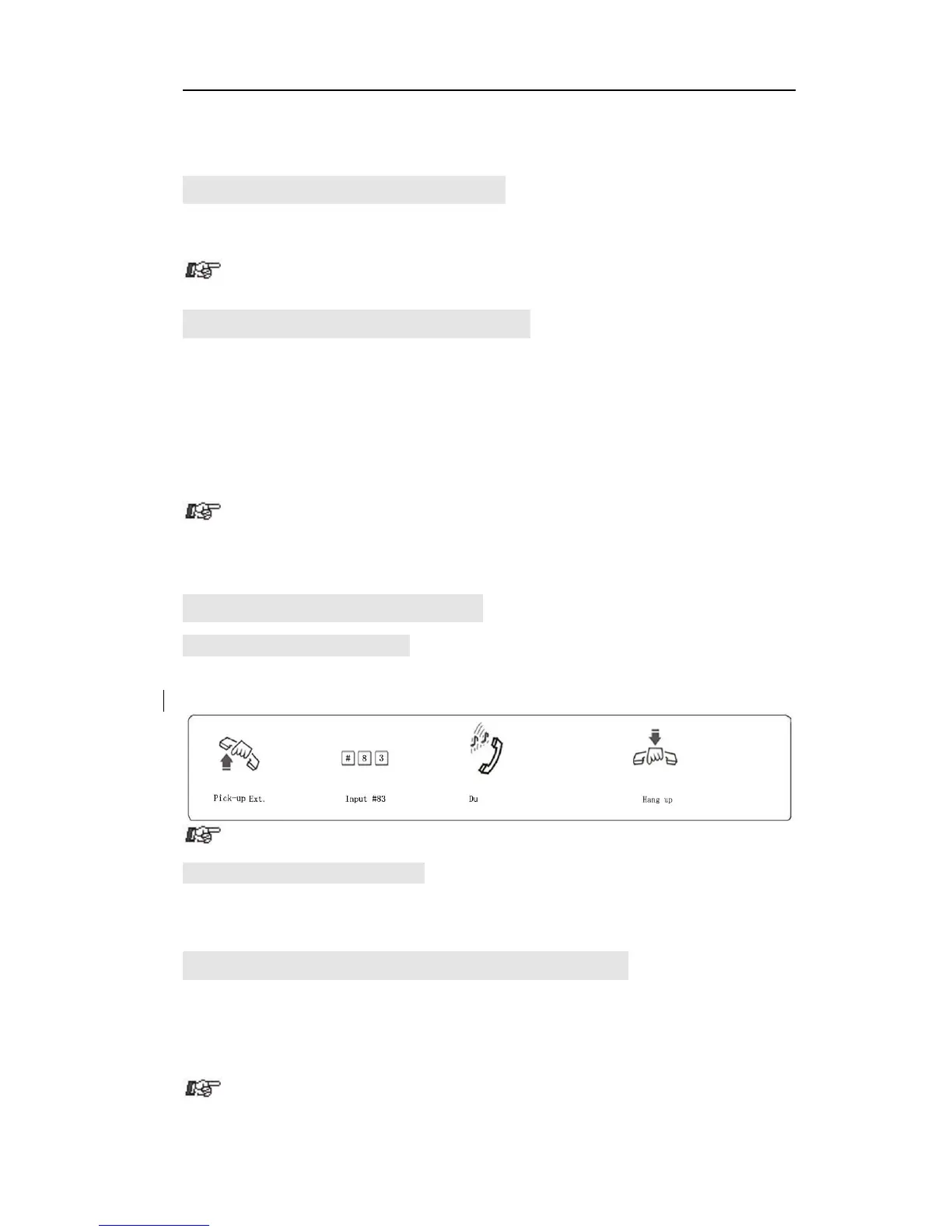
4.16.1 Set Do NotDisturb(DND)
Format: # 83
Description: If DND is set, then extension will not ring.
If Ext is in Direct-Dialing-Out mode, you should input: *# 83
4.16.2 Clear Do Not Disturb(DND)
Format: Pick-up the handset
Description: To cancel DND function, you just pick up the handset.
4.17 Clear Extension Function Setting
Format: # 8 0
Description: This command will clear all function that extension was set,
such as DND/Call divert/Call forward/C.O line booking etc. This command
has no influence to other extension.
If the Ext is in Direct-Dialing-Out mode, you should input * # 80.



 To Next Page