MS Series PABX User Manual
28
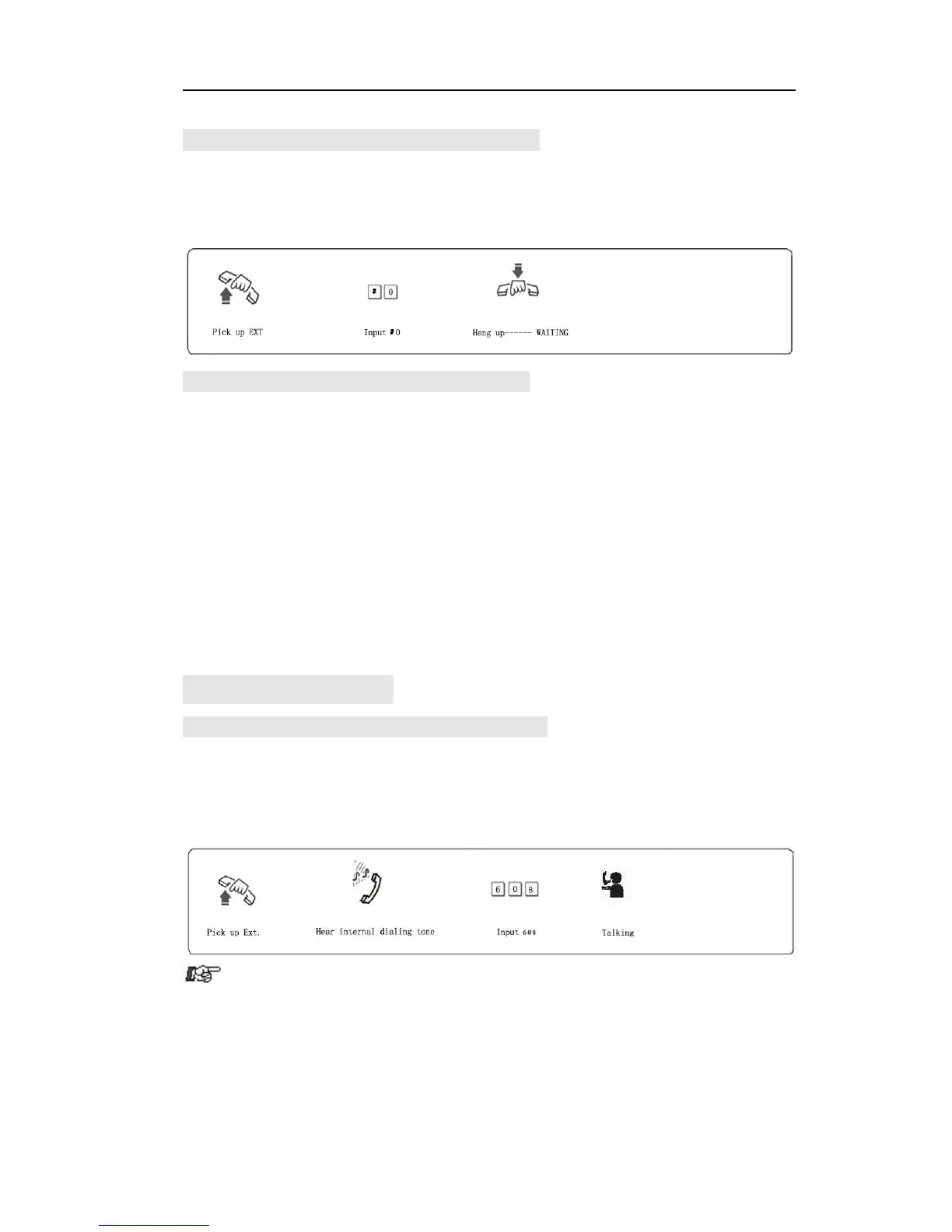
4.3.3 Automatically Call back whenCO line isbusy
Format: # 0 then hang up.
Description: in indirect-Dialing-Out mode, if the CO line you are accessing
is busy, you can press #0 then hang up, once this CO line is released,
system will auto call back your extension.
4.3.4 Outgoing Call Transfer (Secretary Function)
Format: Flash hook (or press the FLASH button) then dial Ext. number
Description: This function let you make an outgoing call from one Ext
then divert the call to another extension
Example: Ext 602 make an outgoing call then need to transfer the call to
Ext.606. He can flash hook ( or pressing the FLASH ) and dial 608.
number, you can make the outgoing transfer, otherwise when you flash the
hook, the call will be cut off.
hook(or press FLASH button) and hear internal dial tone, otherwise you
have to flash hook again to access CO line .
4.4 Intercom Call
4.4.1 Intercom Call in Indirect-Dialing-Out Mode.
Format: If Ext. is in Direct-Dialing-Out mode, pick up handset and dial 9 at
first after hear internal dial tone, then Dial the Ext. number directly.
Example: Call the Ext.608



 To Next Page