MS Series PABX User Manual
18
3.10.2 Disable Add Digits for IntercomCID
Format: 180 #
Description: Disable add digits for intercom Caller ID
3.11 Dial-out Mode Setting
3.11.1 Set Indirect-Dialing-Out Mode for All Ext
Format: 21#:
Description:Set Indirect-Dialing-Out mode for all Exts(dialing 9 for outgoing).
3.11.2 Set Indirect-Dialing-Out Mode for Certain Ext.
Format: 2N1#
Explanation: N: the Ext. Port No., N = 1 - 8
Description: Indirect-Dialing-Out mode for Ext. N (dialing 9 for outgoing).
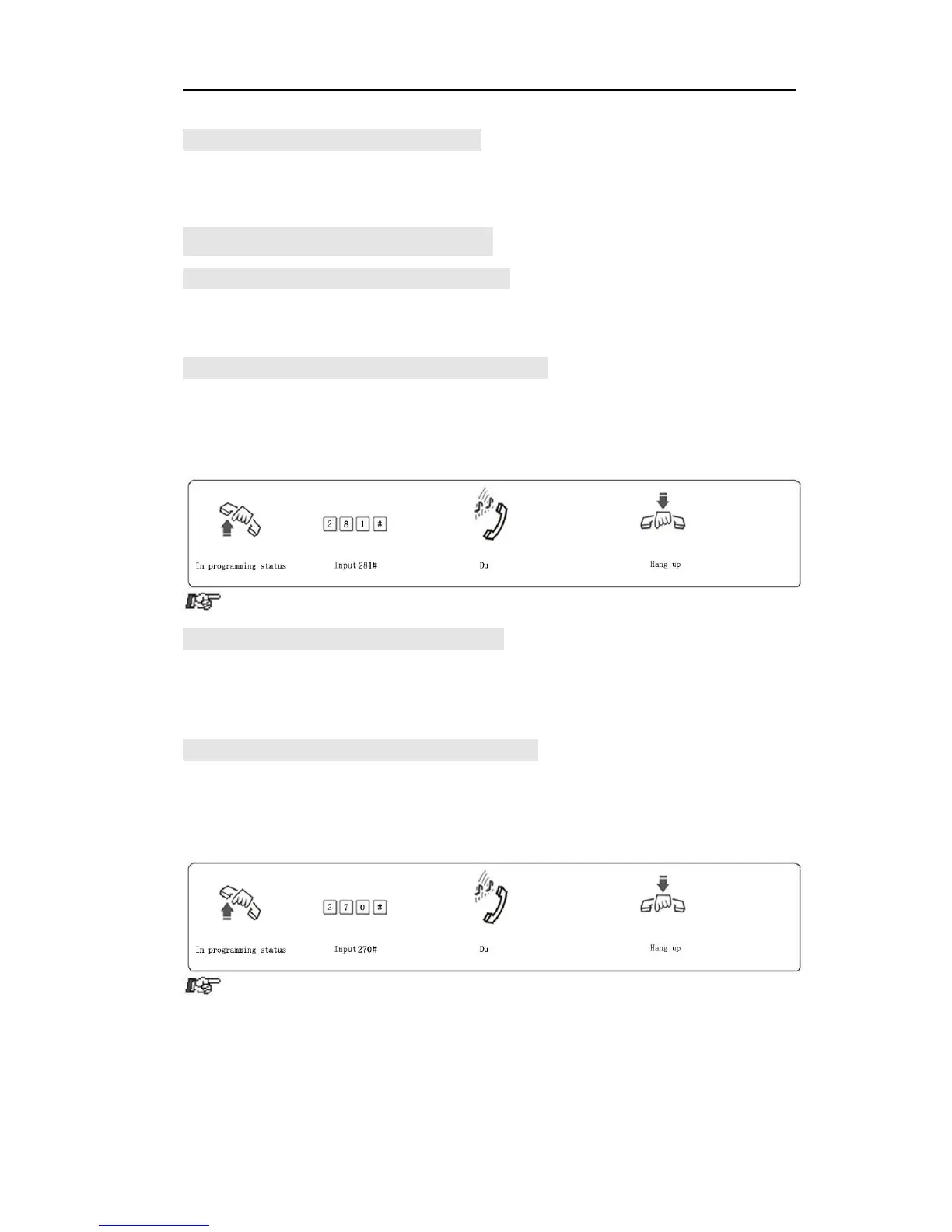
Example: Set Indirect-Dialing-Out mode for Ext.608
3.11.3 Set Direct-Dialing-Out Mode for All Ext.
Format: 20#
Description: Set Direct-Dialing-Out mode for all Ext(dial outgoing number
directly)
3.11.4 Set Direct-Dialing-Out Mode for CertainExt.
Format: 2N0#
Explanation: N: the Ext. Port No., N = 1 - 8
Description: Set Direct-Dialing-Out mode for Ext.N.
Example: Set Direct-Dialing-Out mode for Ext.607



 To Next Page