Troubleshooting
Fiber Inspection Probe 125
Solving Common Problems
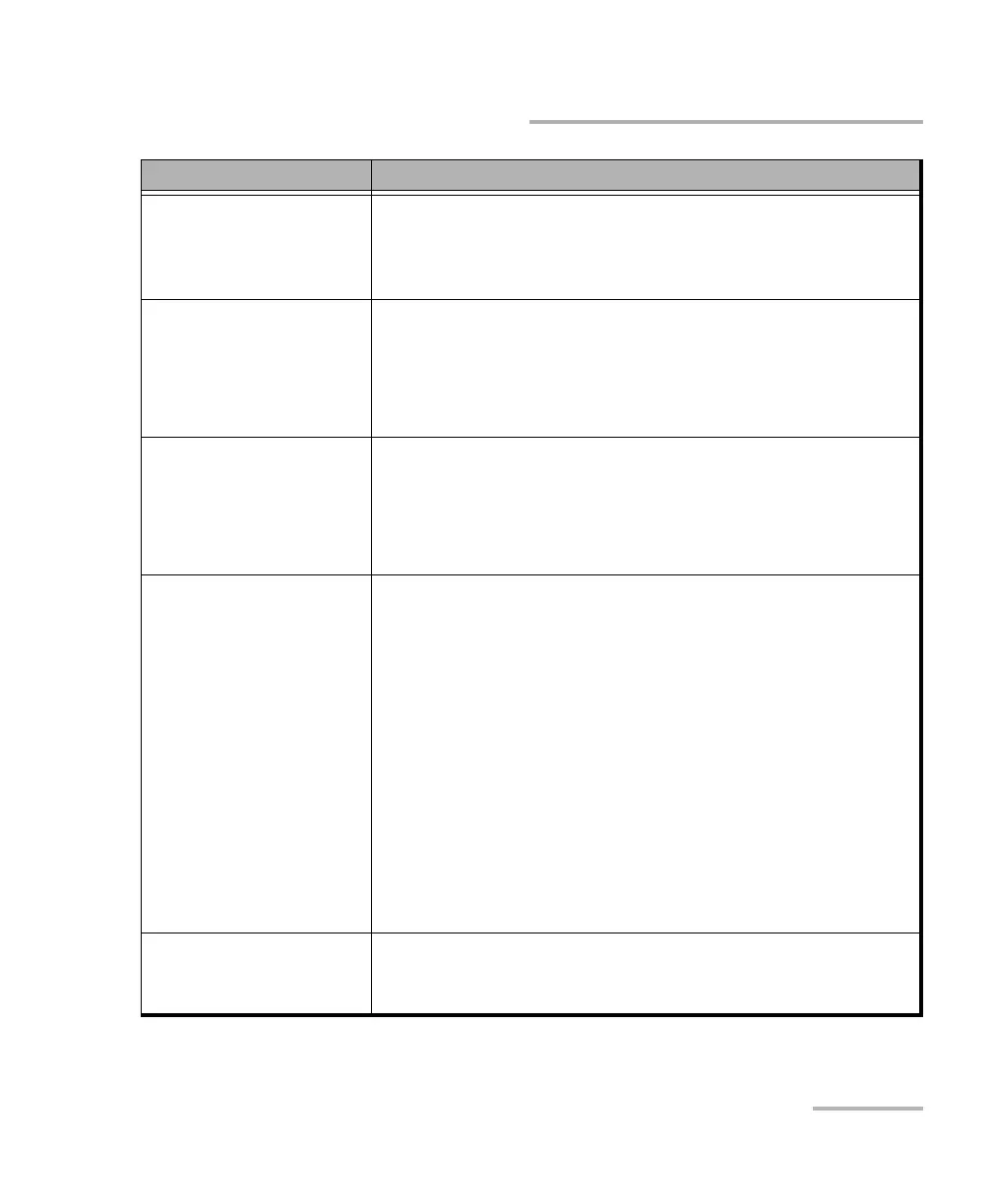
A probe is no longer
listed among the list of
available FIPs for
connection.
Wait a few minutes for the probe to appear in the list of
available FIPs.
Connect the Wi-Fi probe with a USB cable.
The FIP measurement is
corrupted when it is
imported from a
computer to the smart
device via a USB cable.
The corruption seems to be caused by the smart device
drivers. This is not caused by the ConnectorMax2 Mobile
application.
Try to transfer the files to the smart device using a cloud
application such as Google Drive.
The ConnectorMax2
Mobile application icon
is not available in the list
of the applications
displayed.
Ensure that the smart device is not in Safe Mode. If so,
restart the smart device.
Ensure that the ConnectorMax2 Mobile application was
installed from the current user account (not from another
account).
You see a message
indicating that there is a
problem with the
connection.
If the probe is already in use by another device,
disconnect the probe from the device and try to connect
it again.
If the probe is connected via USB to a computer or EXFO
platform and the ConnectorMax2 Mobile application is in
use, disconnect the probe from the USB port and close
ConnectorMax2 Mobile on the computer, then try to
connect the probe again.
If the device cannot connect via Wi-Fi to the probe and
connects to the previous Wi-Fi connection, use the
device settings to connect to the probe instead of
connecting the probe via the ConnectorMax2 Mobile
application. To return to the previous connection, use the
device settings as well.
The image displayed in
live video mode is
blinking.
Ensure that the type of connector selected matches the type
of connector connected to the probe.
Problem Solution



 To Next Page