Working with the EXFO Exchange Application
Fiber Inspection Scope 61
Enabling or Disabling the Wireless Communication
To enable or disable the Wi-Fi communication from the smart
device:
1. Ensure that a Bluetooth
connection has already been established
between your unit and a smart device (see Establishing or Closing a
Connection With a Smart Device Via the Bluetooth Technology on
page 54).
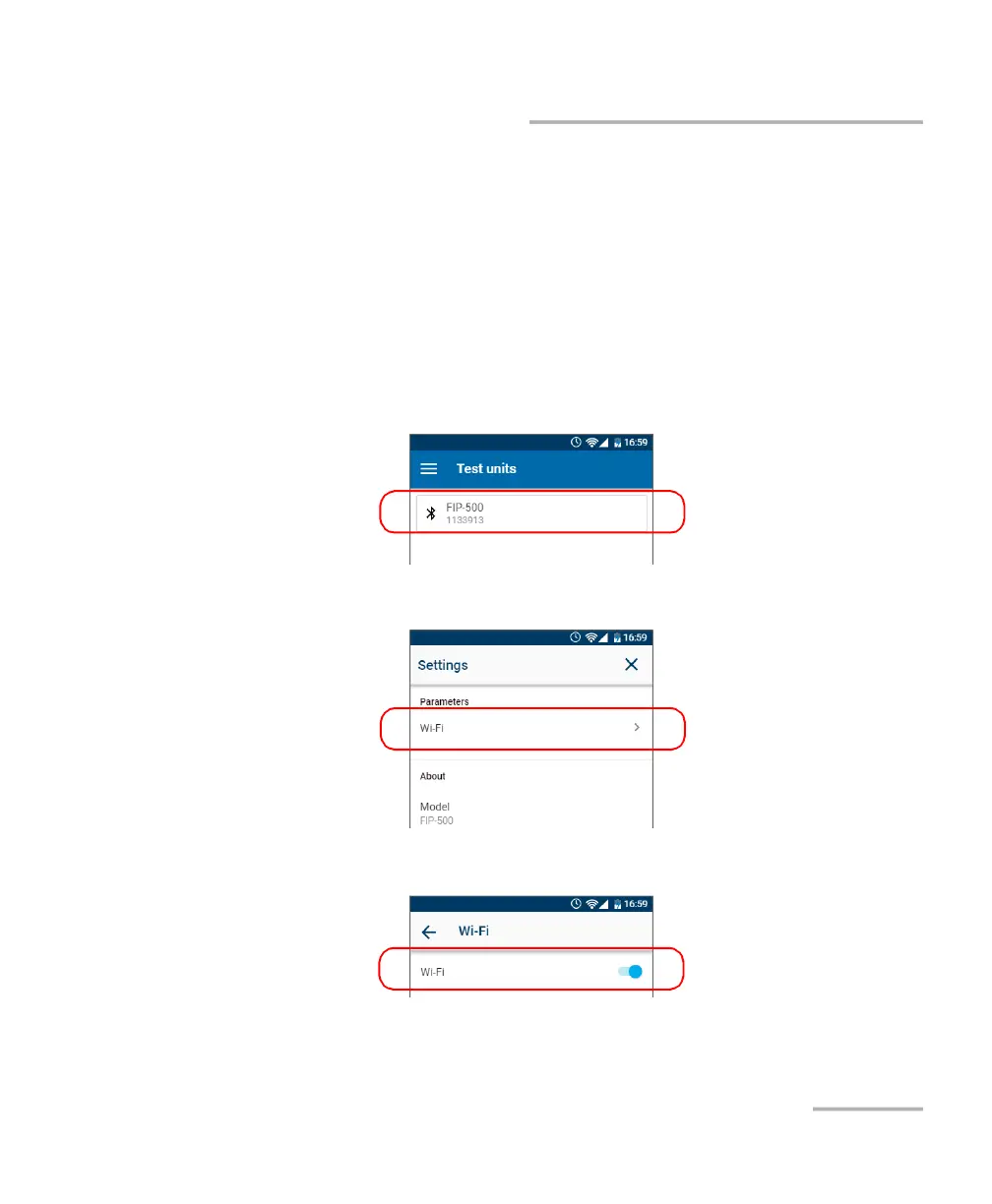
2. On the smart device, open the EXFO Exchange application.
3. From the Test units screen, tap the line corresponding to your FIP-500
unit.
4. Tap Wi-Fi.
5. Use the Wi-Fi toggle to enable or disable the Wi-Fi communication.
The change is taken into account immediately.



 To Next Page