MLC 62 Series • Hardware Setup
2-11
VOLUME
DISPLAY
OFF
ON
MUTE
LAPTOP
VIDEO
PC
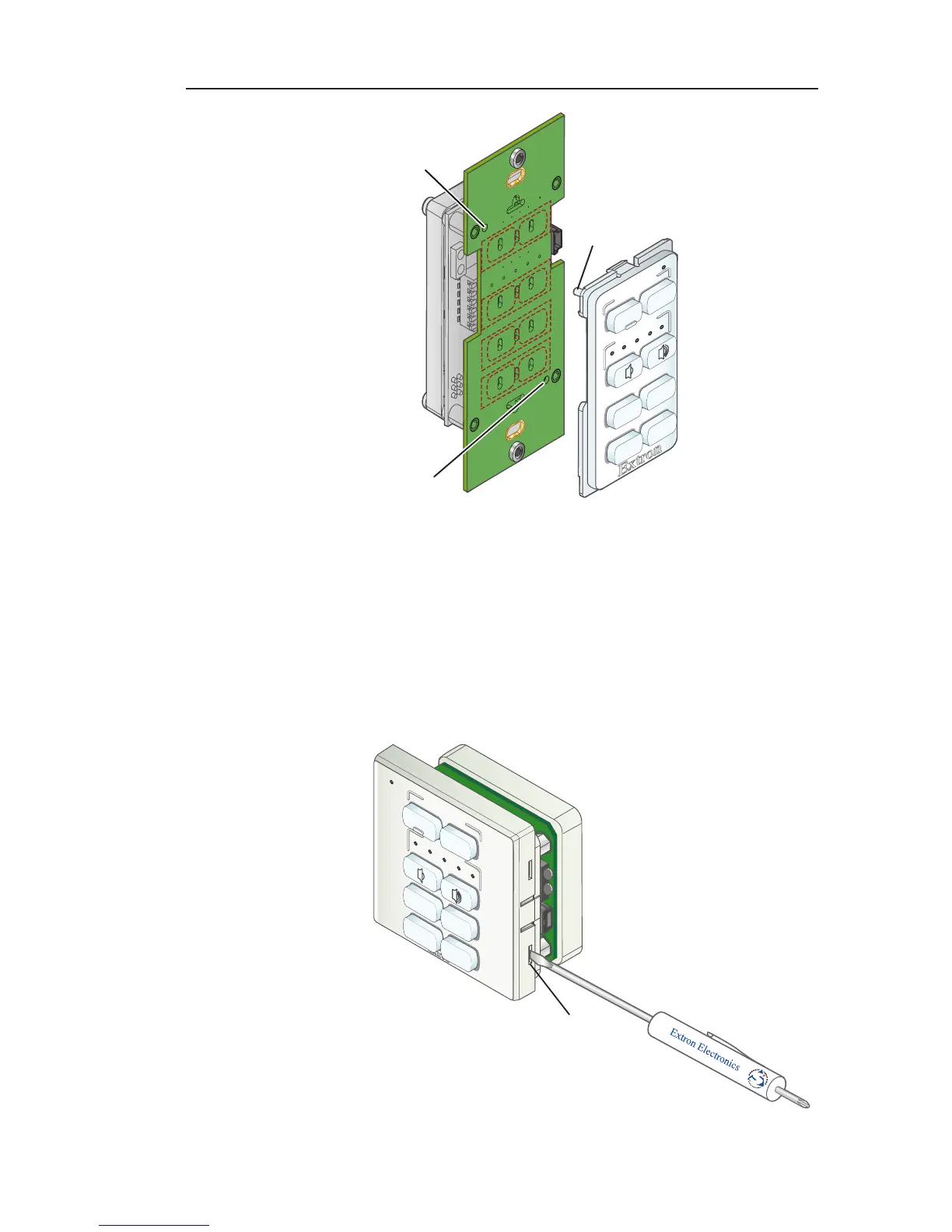
Insert peg
on faceplate
into hole.
Peg
Insert peg
on faceplate
into hole.
Reattaching the faceplate (MLC 62 D)
Removing and replacing the MLC 62 EU faceplate
1. Remove the MLC 62 EU faceplate as follows:
a. On the right and left edges of the MLC faceplate are
two pairs of slots, into which two small tabs on either
side of the MLC fit. Insert the flat head of the provided
Extron Tweeker or another small screwdriver into one
of the side slots.
Slot
VOLUME
DISPLAY
PC
VIDEO
OFF
ON
MUTE
LAPTOP
Removing the faceplate (MLC 62 EU)



 To Next Page