MLC 62 Series • Hardware Setup
Hardware Setup, cont’d
2-4
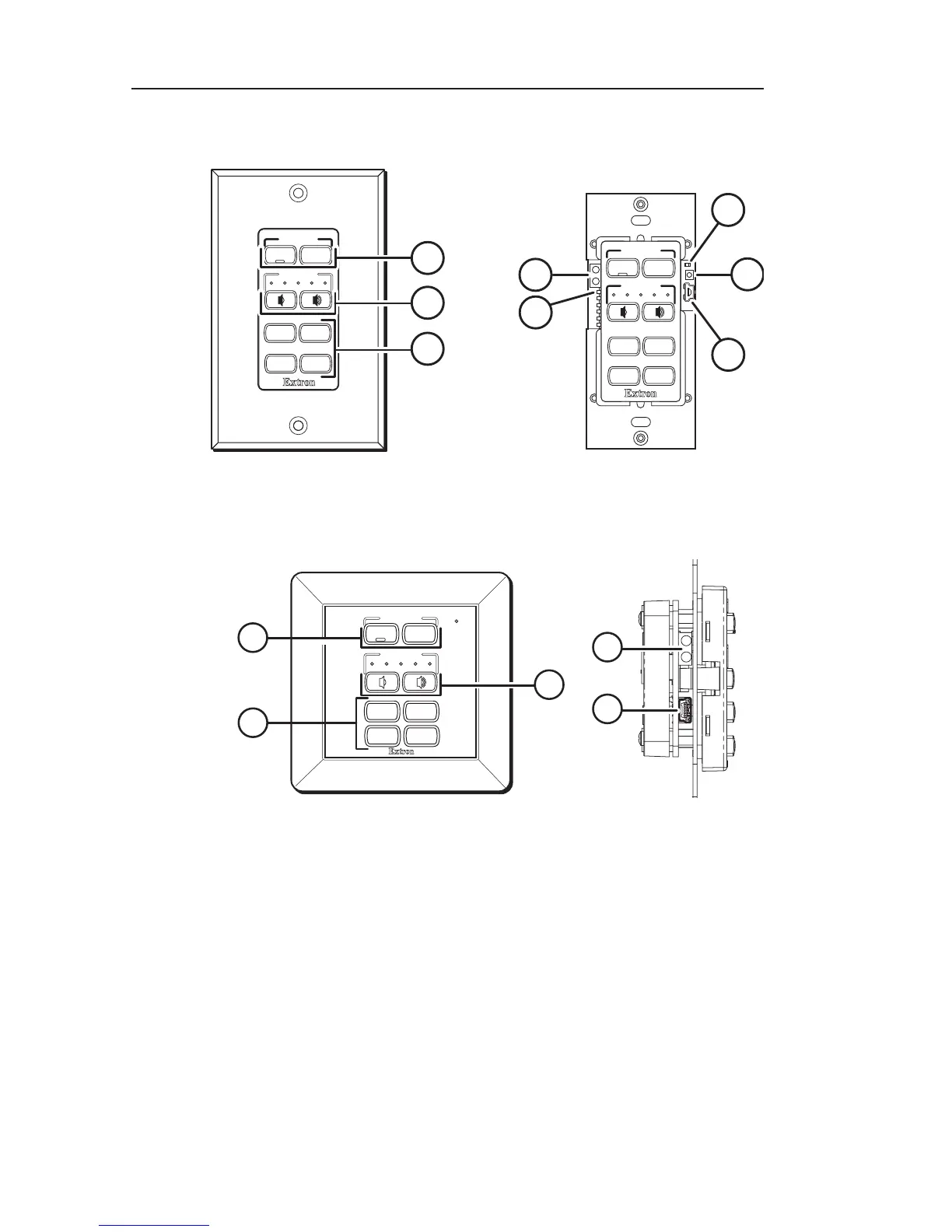
Front and side panel features
VOLUME
Extron
DISPLAY
ON
OFF
2
Wallplate attached
3
VOLUME
DISPLAY
4
5
6
7
8
Wallplate removed
Extron
PC
VIDEO
LAPTOP
MUTE
PC
VIDEO
LAPTOP
MUTE
1
ON
OFF
MLC 62 D front panel
Extron
VOLUME
DISPLAY
2
1
Front panel
3
6
Right side panel
8
LAPTOP MUTE
PC VIDEO
ON OFF
MLC 62 EU front and side panels
a
Display power On and Off buttons — Use these buttons to
turn the connected display device on and off. The face of the On
button contains a nub, which enables the button to be identified
by touch.
When the MLC power On button is pressed, it blinks rapidly
while the display device is warming up. When the power Off
button is pressed, it blinks slowly while the display is cooling
down. When this delay period has elapsed, the power button
that was pressed lights brightly.



 To Next Page