MLC 62 Series • Software Setup
Software Setup, cont’d
3-6
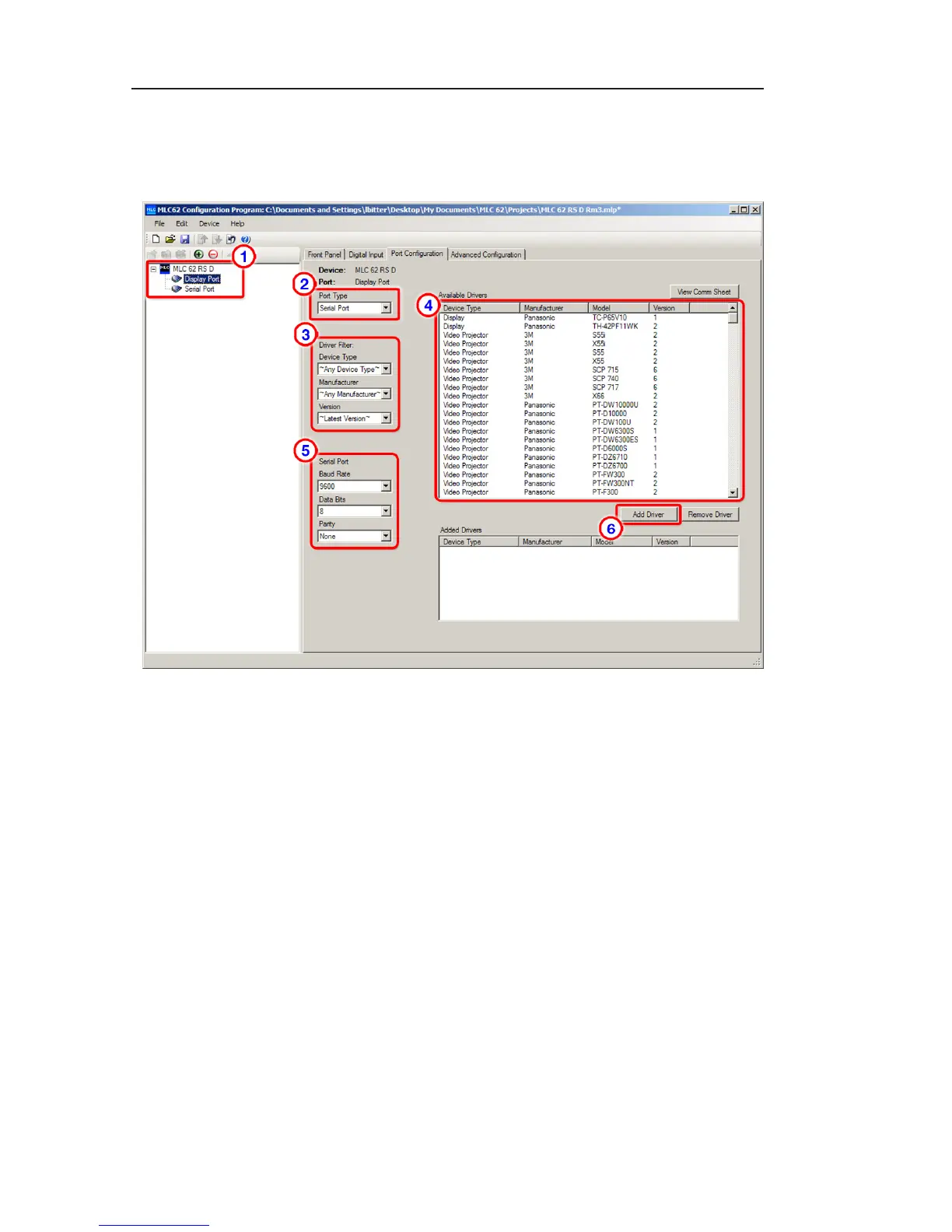
2. From the Port Type menu, select the type of port you are
configuring (for the Display port, the only selection is
Serial Port; for the Serial port, you can select Serial Port
or IR Port).
Port Configuration tab
3. From the Driver Filter menus, select criteria to define the
device driver that you want to assign to the port. After
you make each menu selection, all drivers downloaded in
step one that meet the selected criteria are displayed in the
Available Drivers window to the right.
a. From the Device Type menu, select the type of device
that is connected to the port (for example, DVD,
Display, or Video Projector).
b. From the Manufacturer menu, select the manufacturer
of the connected device (for example, 3M, Sony, or
Leica).
c. From the Version menu, select either the Latest Version
of the driver, or Any Version.
4. In the Available Drivers window, select the driver for the
device connected to the port.



 To Next Page