MLC 62 Series • Software Setup
Software Setup, cont’d
3-8
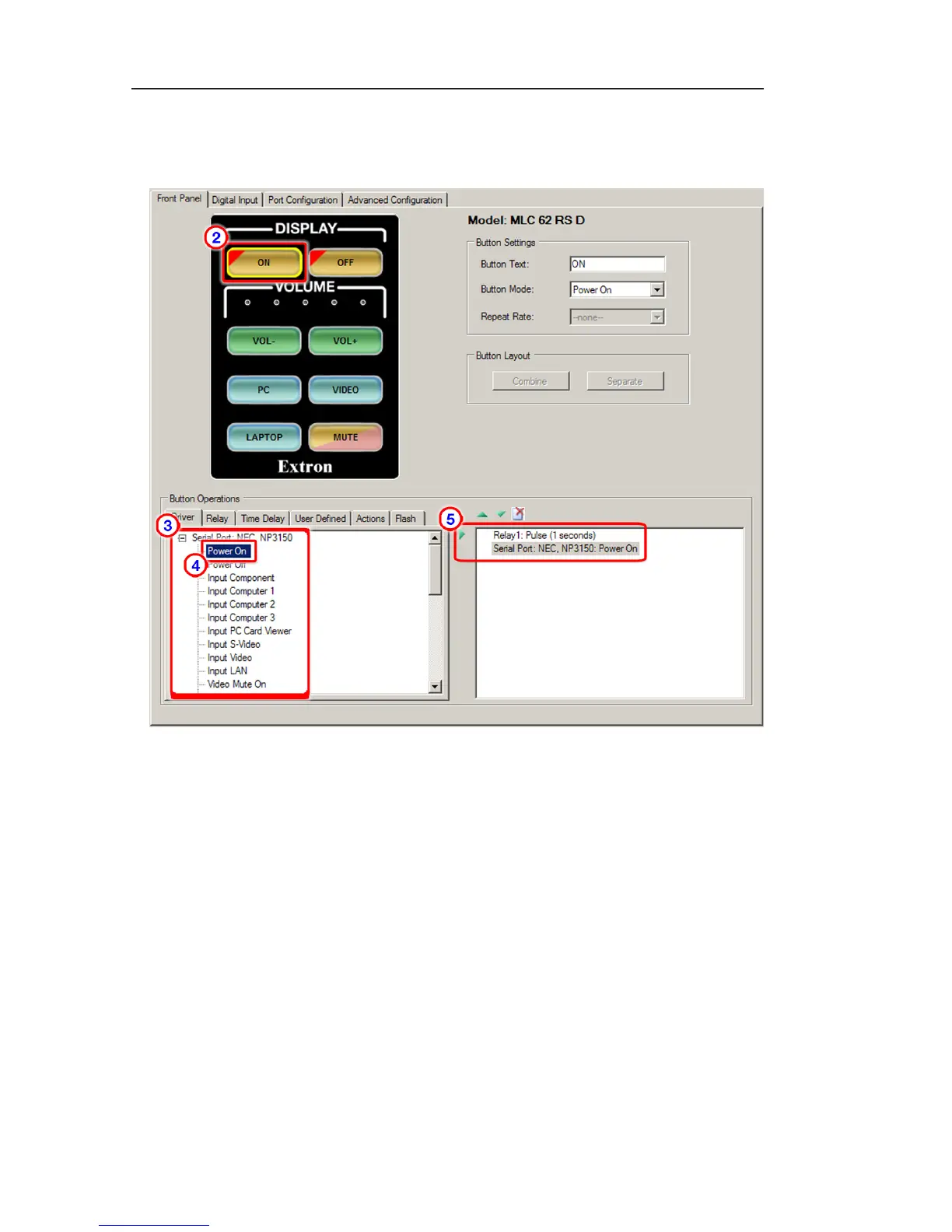
To enable each button to function as labeled:
1. Click the Front Panel tab to display the diagram of the
front panel buttons.
Front Panel tab
2. Click on the button to be configured. The following occurs
on the screen:
• A yellow box surrounds the selected button. (In the
example below, the display power On button was
selected.)
• The fields in the Button Settings section change to
reflect the current settings for the selected button.
3. On the Driver tab in the Button Operations section, expand
the driver name to view the commands available with that
driver.
4 On the Driver tab, click on the name of the command to
be programmed onto the selected button. In the example
above, the power On command was selected for the On
button.



 To Next Page