10 | S 30.12CI H User Manual
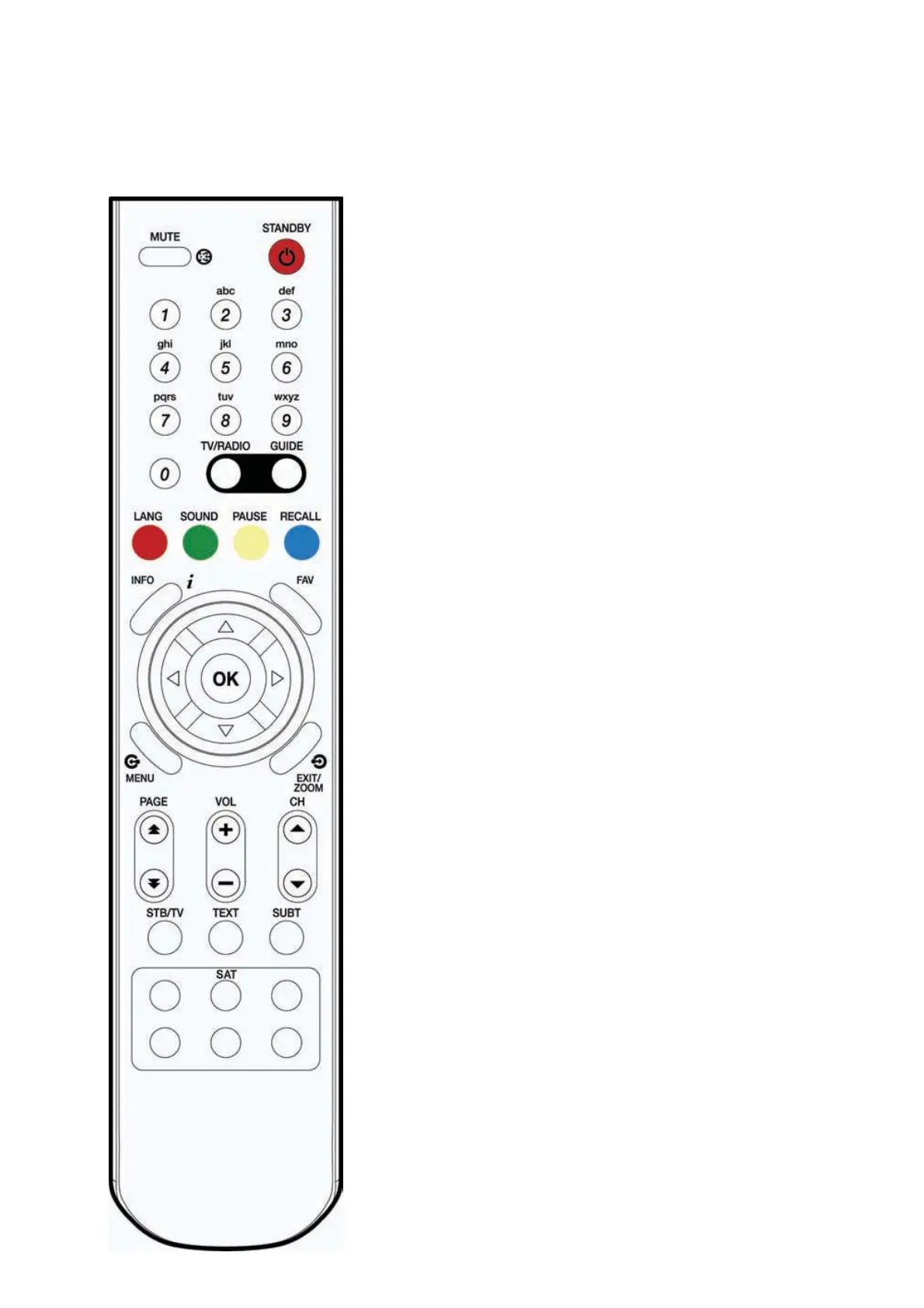
1.4 Names of Remote Control
MUTE
To mute the sound.
STANDBY
To switch the receiver On/Standby.
CH-/ +
To change the TV/radio channels Up/Down.
VOL -/+
To increase or decrease TV/Radio volume level or change the
value of an item with preprogrammed values. The “
䯝
”
#
button can
be used to show the sub-menu corresponding to the highlighted
menu and the “
䯛
”
#
button can be used as a backspace to cancel
the numerical input.
OK
To select a menu or confirm the user’s action and display the
channel list during watching a program.
MENU
To display the menu OSD.
EXIT/ZOOM
To exit from the current menu or cancel the current operation in
menu state. Zoom in/out the screen during watching a program.
Red(LANG, hereafter “Red”)
To display the provided audio language lists of the current channel.
Green(SOUND, hereafter “Green”)
To select the sound mode (stereo, left, or right.)
Yellow(PAUSE, hereafter “Yellow”)
To pause the TV screen.
Blue(RECALL, hereafter “Blue”)
To return to the previous chosen channel.



 To Next Page