8 | S 30.12CI H User Manual
1.3 Names of Each Parts
1.3.1
G
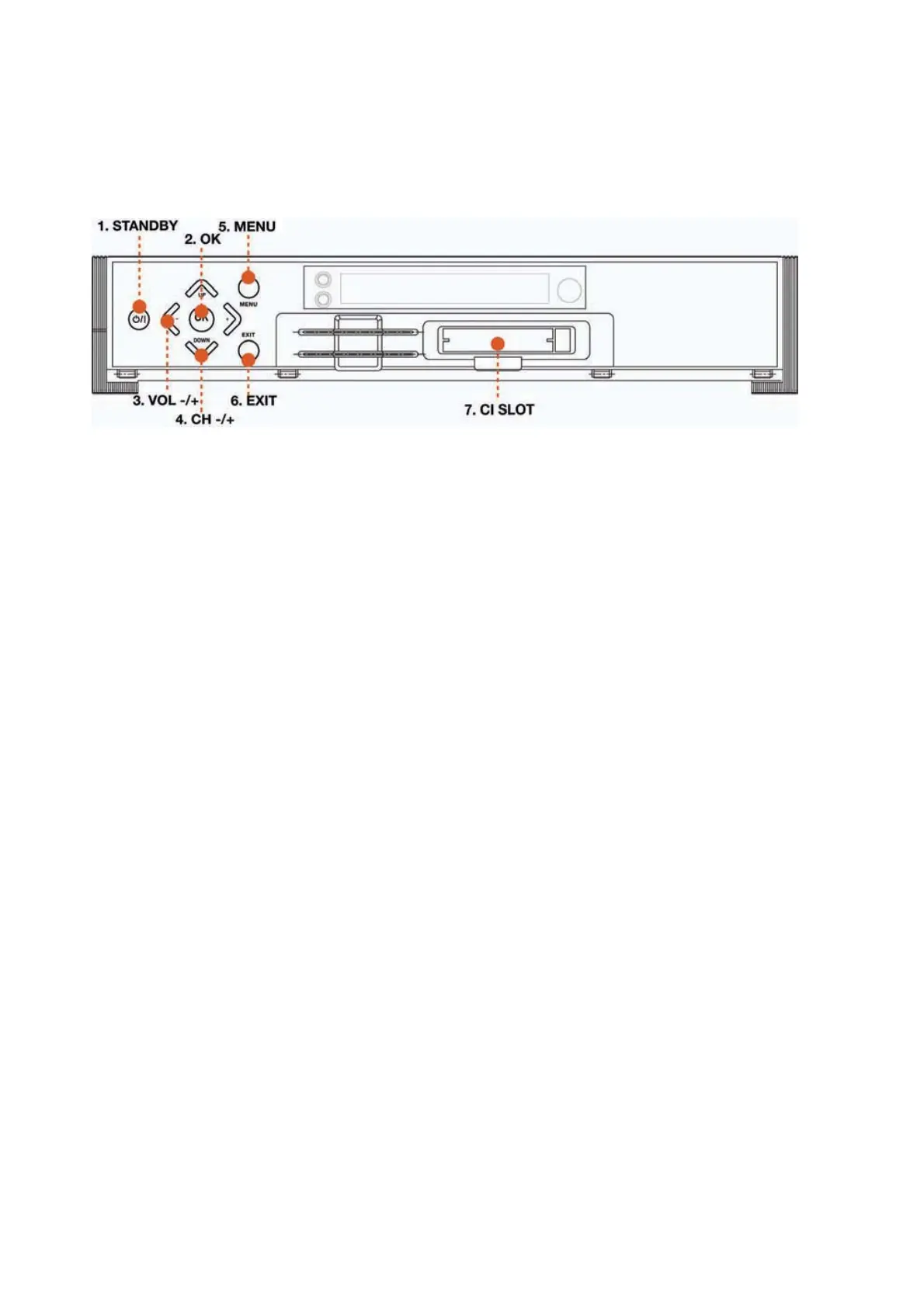
Front Panel
1. STANDBY
To switch the receiver on/off.
2. OK
To select a menu or confirm the user’s action and display the channel list during watching a TV.
3. VOL -/+
To increase or decrease TV/Radio volume level or change the value of an item with
preprogrammed values. The “
䯝
”
#
button can be used to show the sub-menu corresponding to
the highlighted menu.
4. CH -/+
To change the TV/Radio channel Up/Down.
5. MENU
To display the menu OSD.
6. EXIT/ZOOM
To exit from the current menu or cancel the current operation in menu state. Zoom in/out the
screen during watching a program.
7. CI Slot
Insert CI module into CI slot for conditional access..



 To Next Page