14 | S 30.12CI H User Manual
This chapter describes how to connect the receiver. Choose the most appropriate procedure
depending on your environments.
: If you encounter with any problem during connecting the receiver, please contact
your local product distributor.
2.1 Connecting to TV & VCR
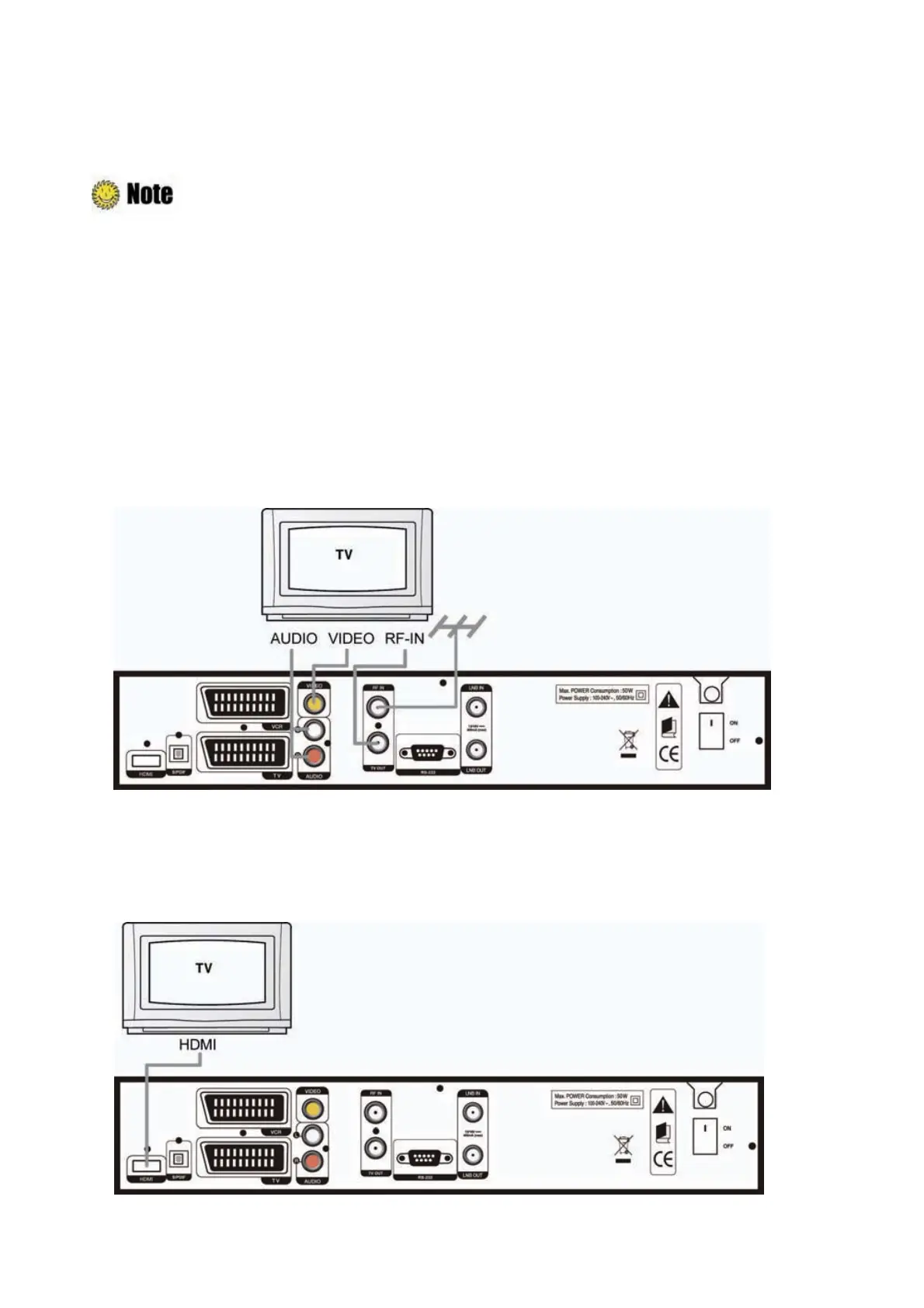
1. Connecting to TV with RF
1) Connect the TV antenna to the RF-IN of the receiver.
2) Connect the RF-IN of TV to the TV-OUT of the receiver.
3) Connect the Video and Audio of TV to the VIDEO and AUDIO L/R of the receiver.
4) Go to
2.2 Connecting to Dish, and
then connect your dish.
2. Connecting a TV with HDMI
1) Connect the TV HDMI port to the HDMI port of the product.



 To Next Page