Ch5. Settings | 51
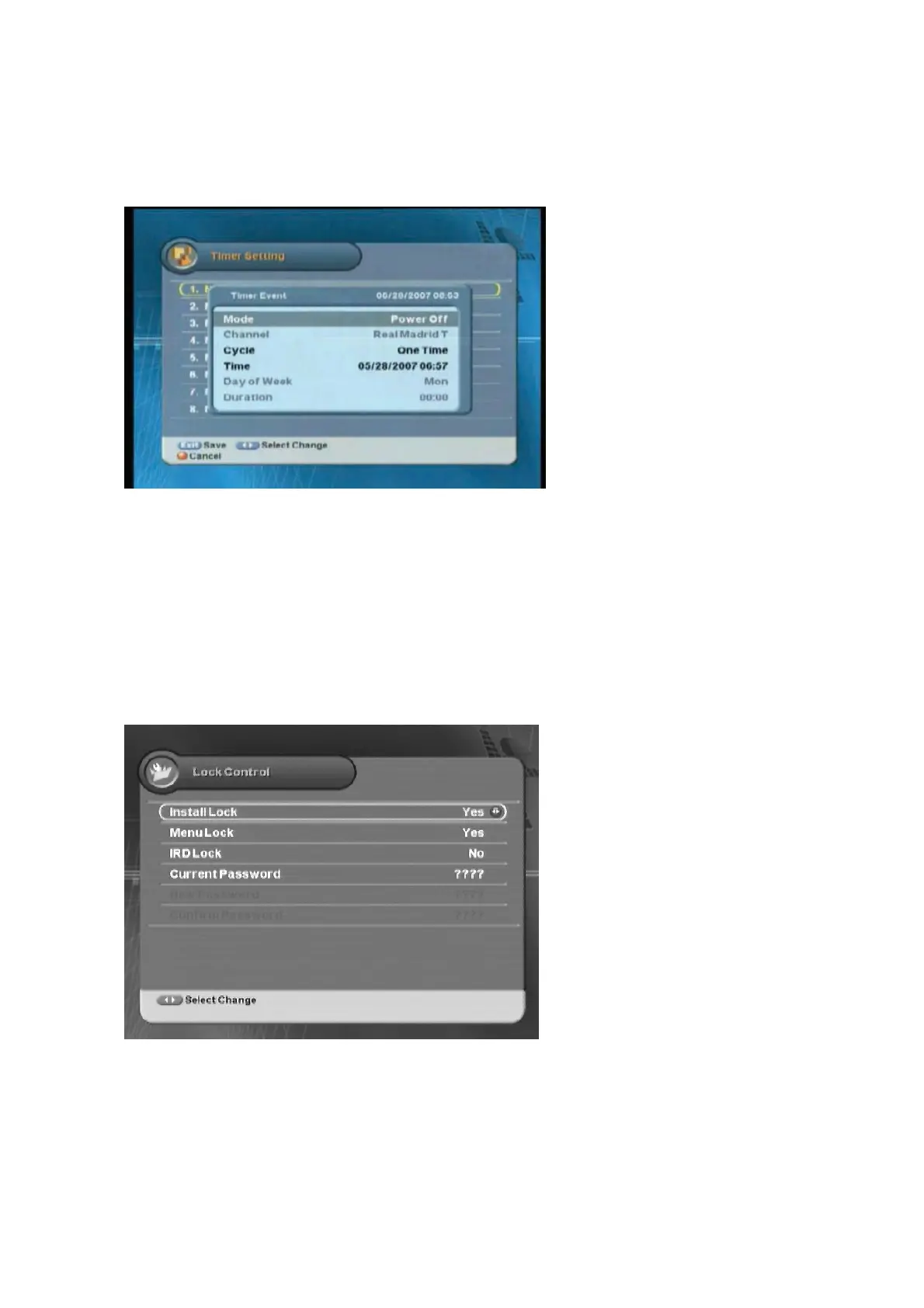
5.3.6 Timer Setting
You can set the timer.
z
Mode :
Selects one mode between
Power Off and Power On.
z
Channel :
Selects the desired
channel.
z
Cycle :
Selects one among One
Time/Every Day/Every Week.
z
Time :
Selects the time.
z
Day of Week :
If Every Week is
selected in the Cycle menu, you can
select the menu.
z
Duration :
Sets the running time.
ཛ
!
Move to the desired item using the “
” button.
ྚ
Select the desired value using the “
ൖ൘
”
button
1 ཝ
Exit the menu using “MENU” or “EXIT” button.
5.3.7 Lock Control
You can prevent wrong usage by using the Install/Menu/IRD Lock and Password.
z
Install Lock/Menu Lock/IRD Lock :
Selects one between Lock and
Unlock.
z
Current Password :
Changes the
existing password.
z
New Password :
Enters new
password.
z
Confirm Password :
Enters the new
password to confirm.
ཛ
!
Move to the desired item using the “
” button.
ྚ
Select the desired value using the “
ൖ൘
”
button
1 ཝ
Exit the menu using “MENU” or “EXIT” button.



 To Next Page