Ch5. Settings | 31
4.9.3 Viewing Multi-Channels Window
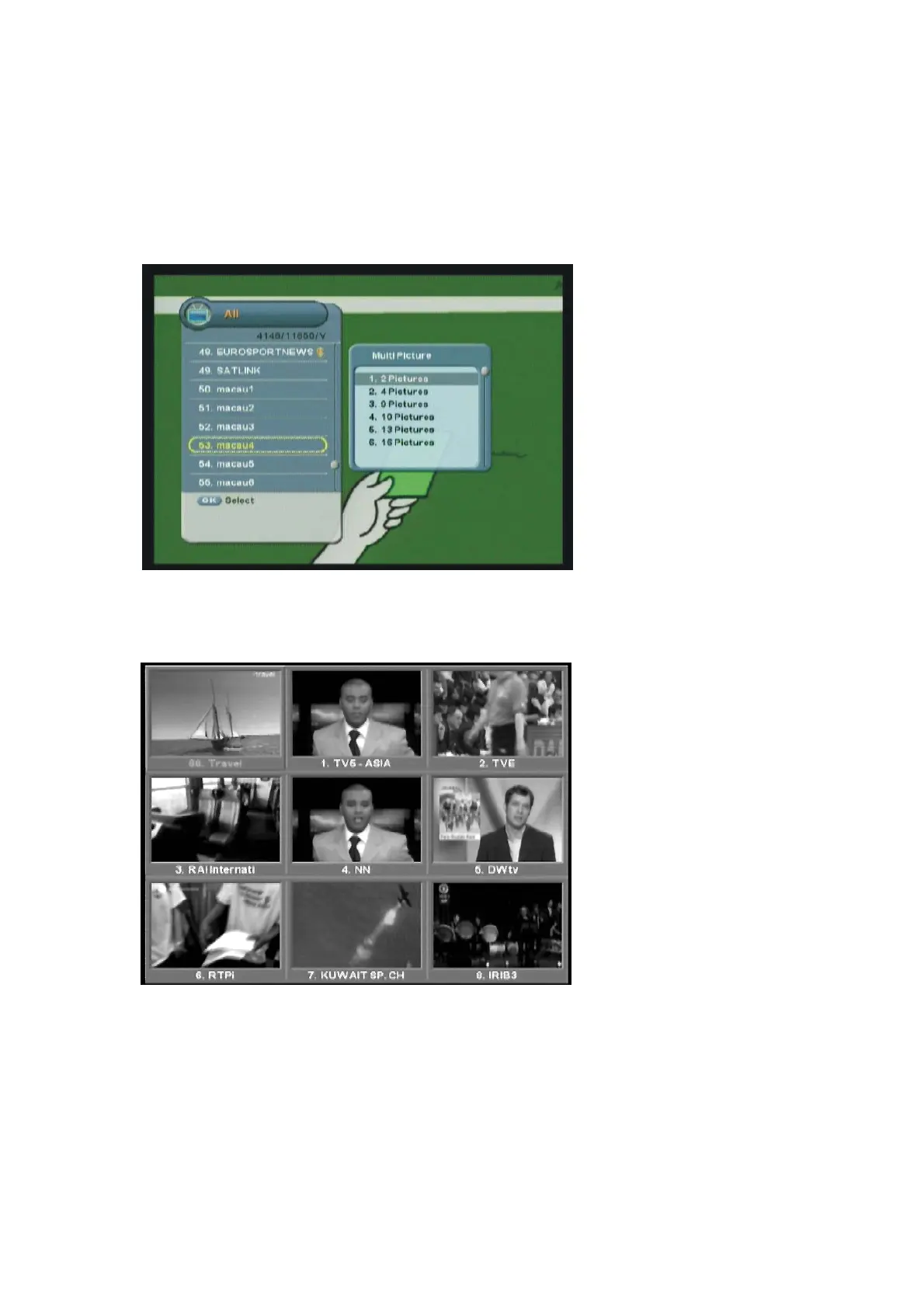
You can display multi-channels window and select a channel to watch.
1. Press the “OK” button while watching a program to display the selected channel list.
2. Press the “Yellow” button to display the number of the multi-channel among 2, 4, 9, or 16.
3. Move to the desired number of window using the “
ź” button and press the “OK” button to
display multi-channels.
4. Move to the desired channel using the “
䯛䯝ˉ
button and press the “OK” button to watch the
program.
5. Press the “EXIT” button anytime to return to one channel mode.



 To Next Page