Ch5. Settings | 41
5.1 Search Channel
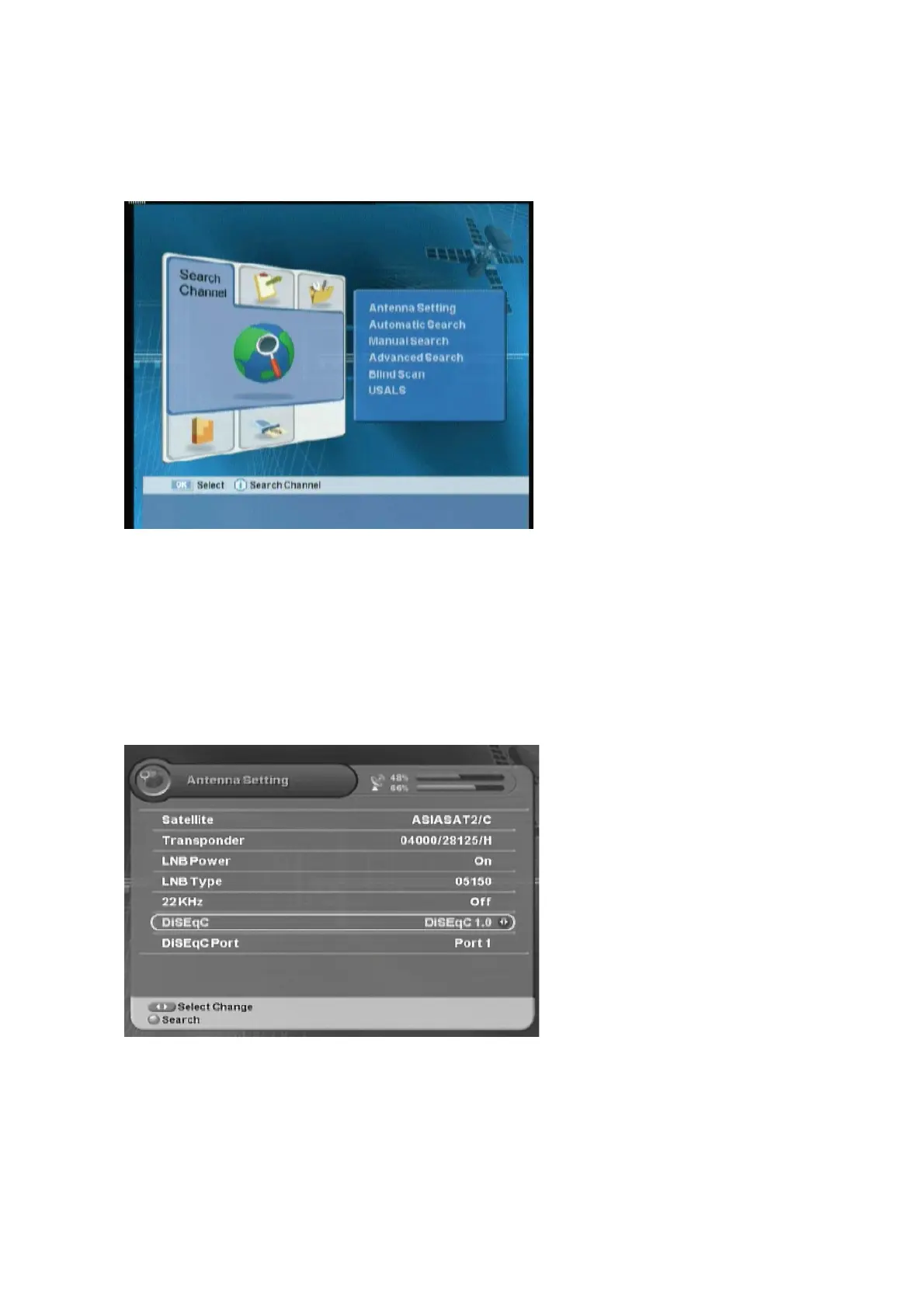
You can set the antenna's properties and search channel.
z
Antenna Setting:
Sets the Antenna
properties.
z
Automatic Search:
Searches the
satellite automatically.
z
Manual Search:
Searches the channel
manually.
z
Advanced Search:
Finds the specific
channel.
z
Blind Scan:
Searches the TP
information.
z
USALS:
Sets Antenna angle.
5.1.1 Antenna Setting
You can set the antenna's properties such as satellite, transponder, LNB, DiSEqC, and etc.
ᐭ
!
Move to the Search Channel menu using the “
䯛䯝
” button, and press the “OK” button.
ᐮ
!
Move to the Antenna Setting sub-menu using the “
” button, and press the “OK” button.
!
ᐯ
Enter your password using the
ˈ
0~9
ˉ
buttons.
G
The default password is 0000.
z
LNB Power :
On, Off
z
22KHz :
On, Off
z
DiSEqC:
Off, 1.0, 1.1, Motor, USALS
1. Select the Satellite, the
transponder,
the LNB Power and Type value using the “
ൖ൘
” button.
2. Select 22kHz Tone using the “
ൖ൘
” button. When using 22kHz tone switch, select ‘On’.
Otherwise, select ‘Off’.
3. Select DiSEqC item using the “
ൖ൘
” button.



 To Next Page