42 | S 30.12CI H User Manual
: When using Universal LNB, select Universal for LNB Type (9750/10600 MHz).
Also, if you select Universal, 22KHz tone value is disabled.
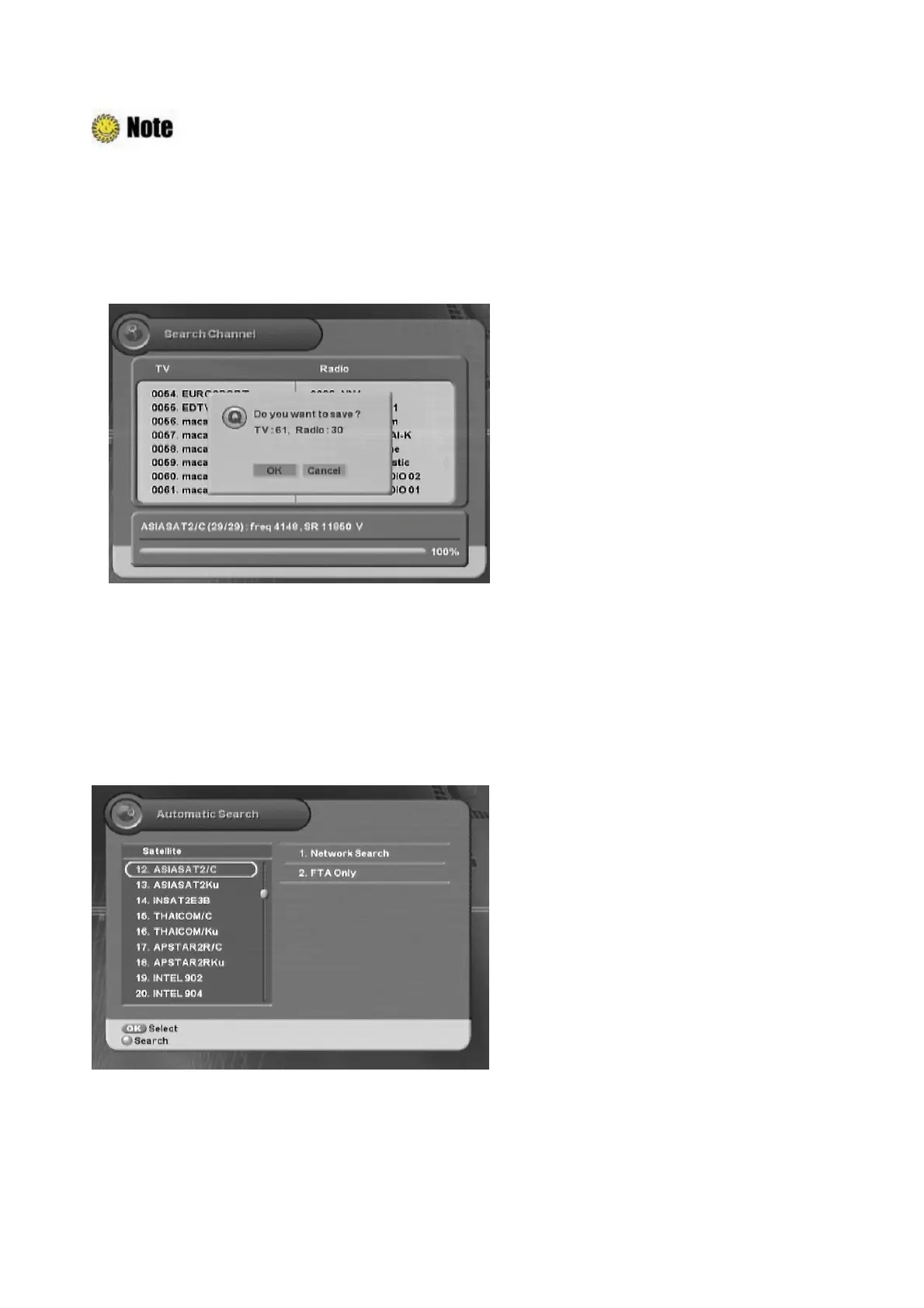
4. When you complete the setting, press the “Red” button to search the channel.
5. When Channel Search is finished, the following message will appear. Move cursor to the “OK”
button and press the “OK” button to save the changes.
5.1.2 Automatic Search
After antenna setting, you can automatically search for satellites.
ᐭ
!
Move to the Search Channel menu using the “
䯛䯝
” button, and press the “OK” button.
ᐮ
!
Move to the Automatic Search sub-menu using the “
” button, and press the “OK” button.
!
ᐯ
Enter your password using the
ˈ
0~9
ˉ
buttons.
G
The default password is 0000.
z
:
Moves to other satellite.
z
ൖ൘
: Moves to other column.
z
OK
: Selects the satellite
z
Red
: Starts to search the satellite.
z
MENU or EXIT
: Exits the menu.
1. Select the desired satellite using the “OK” button.
2. Move to the right column using “
f
” button, and then select the method using the “OK” button.
3. Press the “Red” button to search satellite.



 To Next Page