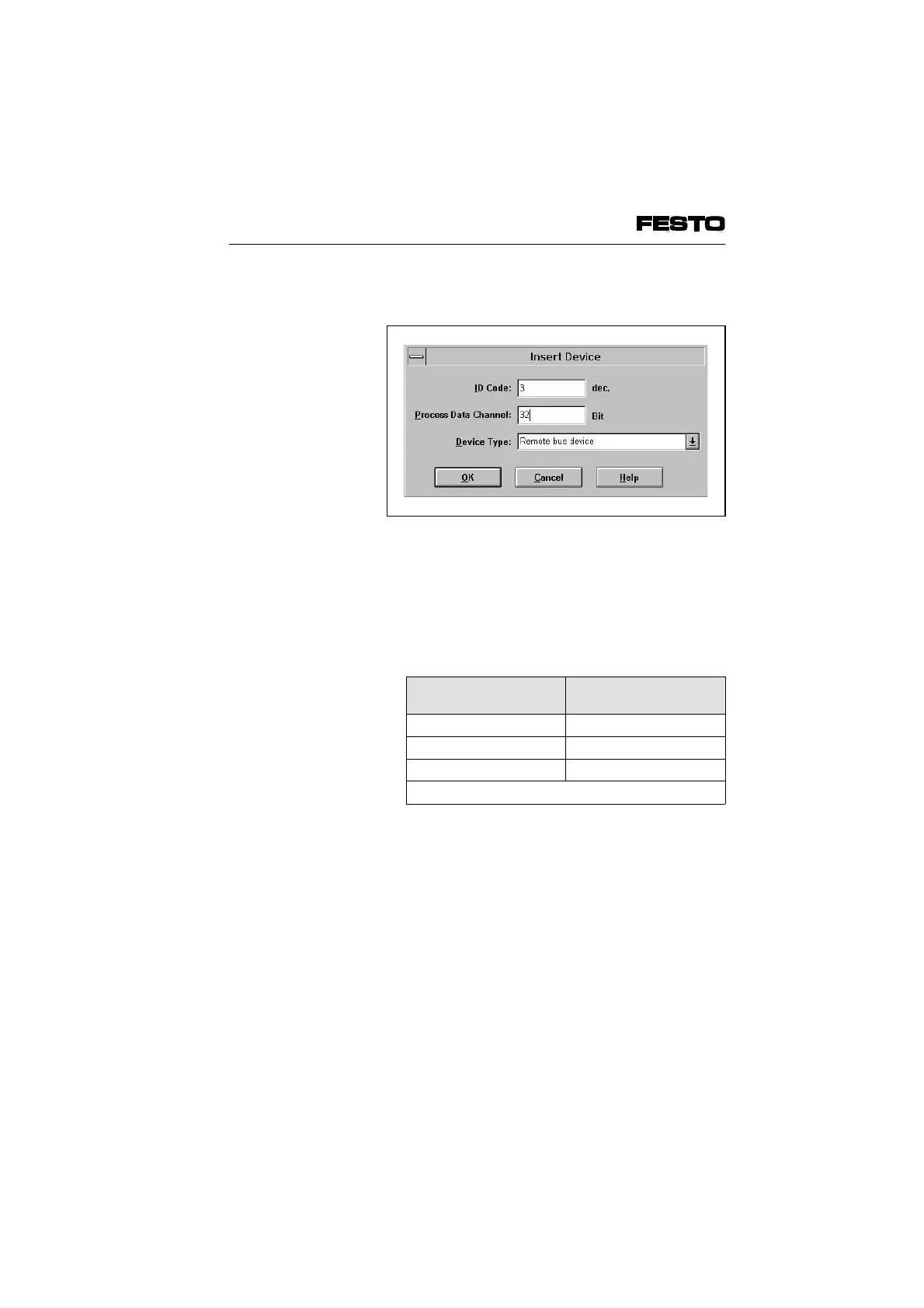
The following dialogue window will then appear:
Enter the following in the dialogue fields:
• ID Code
Enter the appropriate Ident-code according to
the table.
Equipment on valve
terminal
Ident-code
Only outputs
1
1
Only inputs 2
Inputs and outputs
1
3
1
Valve coils and/or electrical outputs
• Process Data Channel
Enter here the number of inputs and/or
outputs on your valve terminal. Observe here
the following:
Fig. 4/7: Dialogue window "Insert Device"
VIFB6 - 03/05 4. Commissioning
4-18
9809c








 To Next Page