6 Diagnostics and error handling
Festo – P.BE-CPX-CMAX-SYS-EN – en 2017-09b – English 57
6 Diagnostics and error handling
6.1 Summary of diagnostics options
Access/
function
Diagnostics
option
Brief description Detailed description
Local
Display on the
device
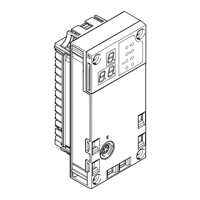
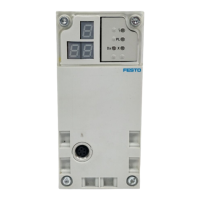
LED display The LEDs display operating statuses
and errors directly.
Fast “on-the-spot” diagnostics
Section 6.2
Display/
7-segments
display
The operating status and error
messages are shown on the display.
Fast diagnostics with “on-site” status
and error detection
Section 6.3
CPX-MMI CPX module diagnostics
1)
can be
displayed on the CPX handheld
terminal è Section 6.4.3.
Operator unit
description
Local
With PC
(e.g. during
startup)
FCT with CMAX
plug-in
Plain-text display of all diagnostic
information during commissioning and
service. Full access to the diagnostic
functions of the CMAX.
Help for the CMAX
FCT plug-in
CPX-FMT The CPX-FMT can be used to display the
CPX module diagnostics
1)
è Section 6.4.3.
Help for the CPX-FMT
PLC
Via I/O data
Module input and
output data
In the input data, diagnostic informa
tion is permanently transferred (e.g.
the bits SCON.WARN and SCON.FAULT
or actual values, such as the current
position)
Communication
profile description
CMAX
CPX status bits,
I/O diagnostic
interface
The CPX module diagnostics
1)
are
reported to the CPX node
è Section 6.4.3. Optimal integration into
the CPX module concept.
Communication
profile description
CMAX
PLC
Through
communication
profile
FHPP diagnostics Diagnostic parameters, diagnostic
memory, error texts
Communication
profile description
CMAX
1) Only the groups of the CMAX error messages are displayed in the CPX diagnostics.
Tab. 6.1 Diagnostics options





 To Next Page