5 Commissioning
54 Festo – P.BE-CPX-CMAX-SYS-EN – en 2017-09b – English
5.3.3 Make connection to the PC
A serial connection to the PC is created via the Service interface of the bus node. A network connection
to the PC can be created for bus nodes with a network interface.
Information on the network connection è Documentation on the bus node used.
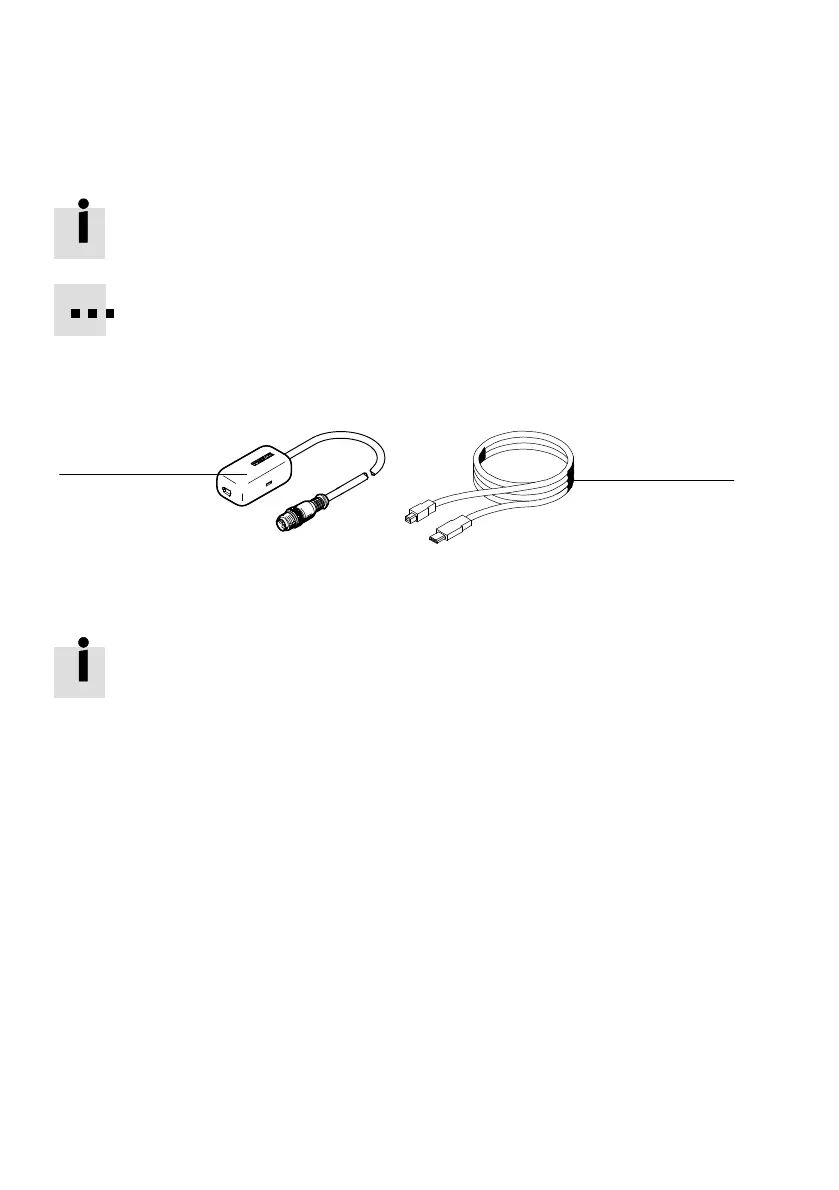
The following is required to create a serial connection between the PC and CMAX over the
Service interface of the CPX node:
– adapter NEFC-M12G5-0.3-U1G5 (è www.festo.com/catalogue)
– commercially available USB cable with mini USB plug connector
1
2
1 Adapter NEFC-M12G5-0.3-U1G5 2 Commercially available USB cable
Fig. 5.2 Adapter for serial connection to the PC
Observe the notes and restrictions for operation named in the documentation of the ad
apter.
Current drives for the adapter NEFC-M12G5-0.3-U1G5 è www.festo.com/sp.
Seal the service interface of the CPX node after commissioning with the protective cap supplied.





 To Next Page