3. Diagnosis
3−26
Festo P.BE−CPX−FB13−EN en 0811c
3.7.2 Device−related diagnosis with STEP 7 (up to V5.3)
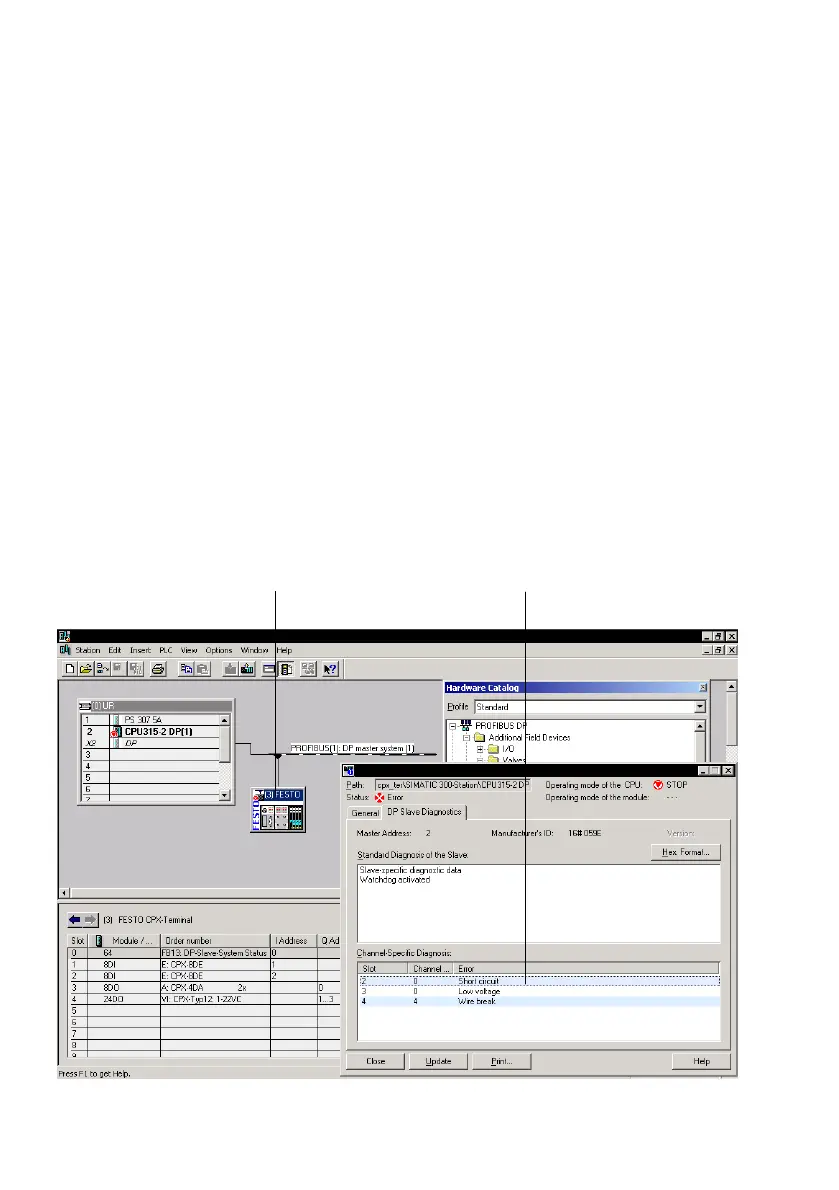
You can display fault messages of the device−related diagnosis
with STEP 7 HW Config V5.1, if you mark the CPXterminal
instead of the CPU. Proceed as follows (see
Fig.3/11):
Requirement:
HW Config has been accessed.
1. Switch from offline to online.
2. Click with the right−hand mouse button on the icon of the
CPX terminal 1. Cli
ck on Module Information" (compo
nent status) in the displayed context menu. The dialogue
window Module Information" now appears.
3. Select th
e DP Slave Diagnostics" tab.
4.Read the diagnostic information 2.
1
2
Fig.3/11:Device−related diagnosis with STEP 7 (explanation see text)



 To Next Page