A. Technical appendix
A−10
Festo P.BE−CPX−FB13−EN en 0811c
You can still use the function modules SFC58 and SFC59 in
your existing S7 projects.
Recommendation: When creating new projects, use the new
function modules SFB52 and SFB53, in order to make use of
the full DPV1 functionality.
Before accessing the data, set the DPV1 compatibility to
S7compatible" as follows:
Setting the
DPV1 compatibility
Parameterise the field bus node S7−conform if you are
working with a Siemens master:
1. Proceed as described in section 2.2.2, double−click in step
1 but on the line of the field bus node in the configuration
table. The dialogue window Properties DP slave" will
be displayed.
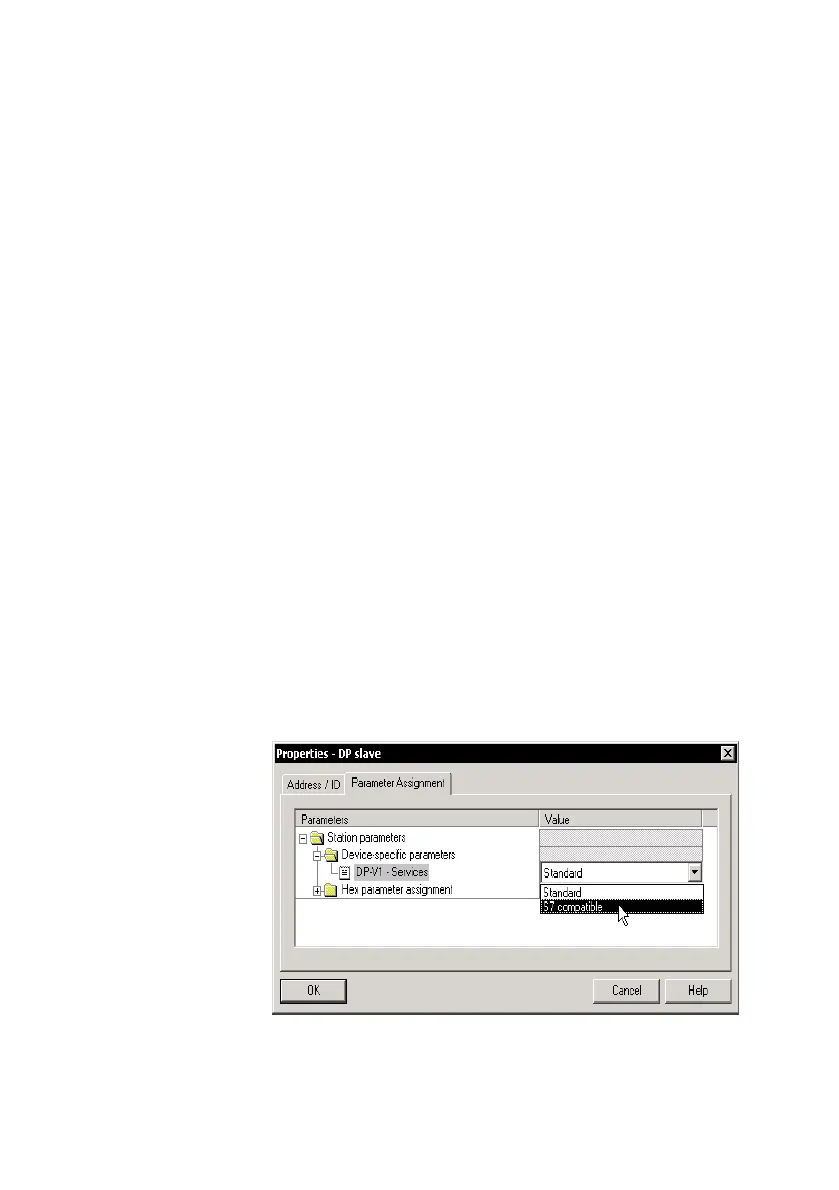
2. Select the Parameter Assignment" tab and modify the
value of the DPV1 Services" to S7 compatible"
(see following diagram).
3. Confirm with OK.
Fig.A/1: Setting the compatibility for accessing the DPV1



 To Next Page