2. Commissioning
2−40
Festo P.BE−CPX−FB13−EN en 0811c
1
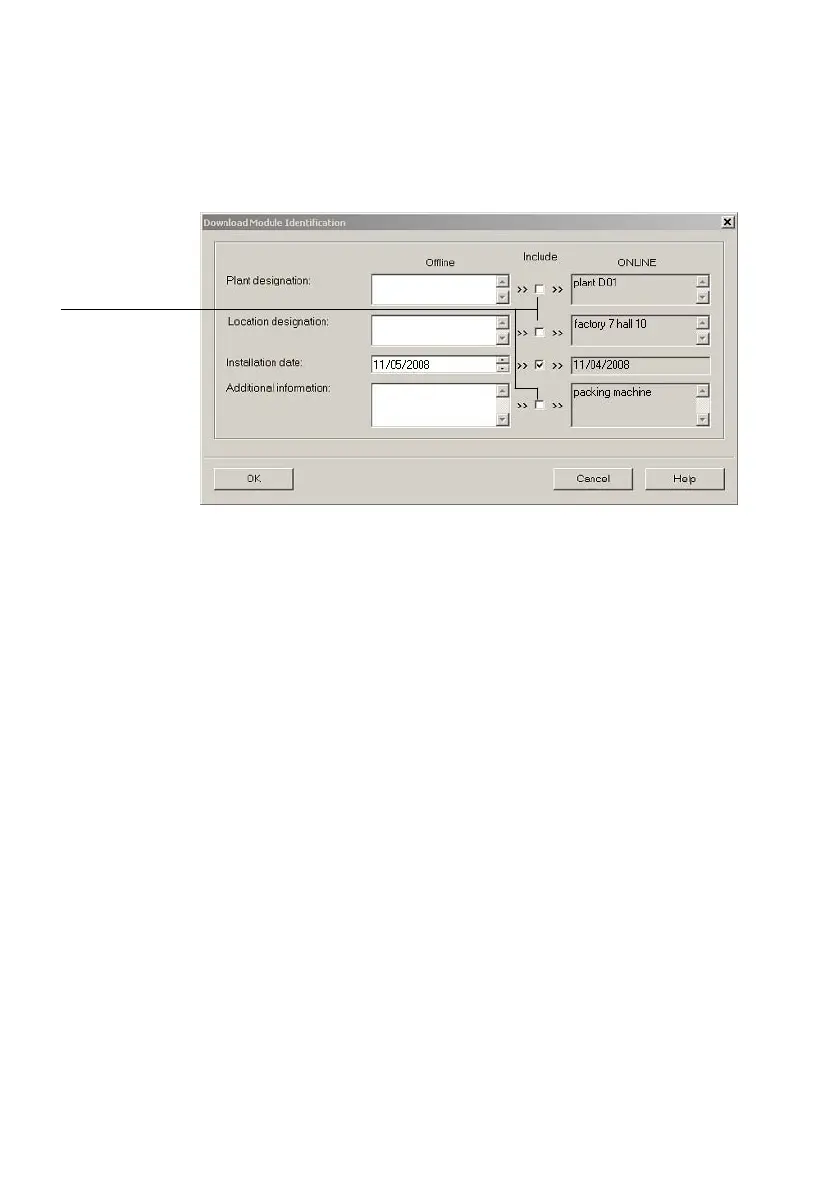
1 Deactivate checks so that ONLINE fields that have already been filled out are
not overwritten
Fig.2/14: Load identification data in the field bus nodes
Look at identification properties
1. Click on [Module Information...] in the [PLC] menu
(Target system Module status).
The window Module Information" (component status)
is
displayed.
2. In the General" tab, you will find the hardware version
and the software/firmware status of the field bus node
(see Fig.2/15).
3. You will find further information, such as manufacturer’s
specification, in the Identification" tab (see Fig.2/16).



 To Next Page