6. Commissioning
102
© Festo Didactic 655633
–
Start the PLC programming software
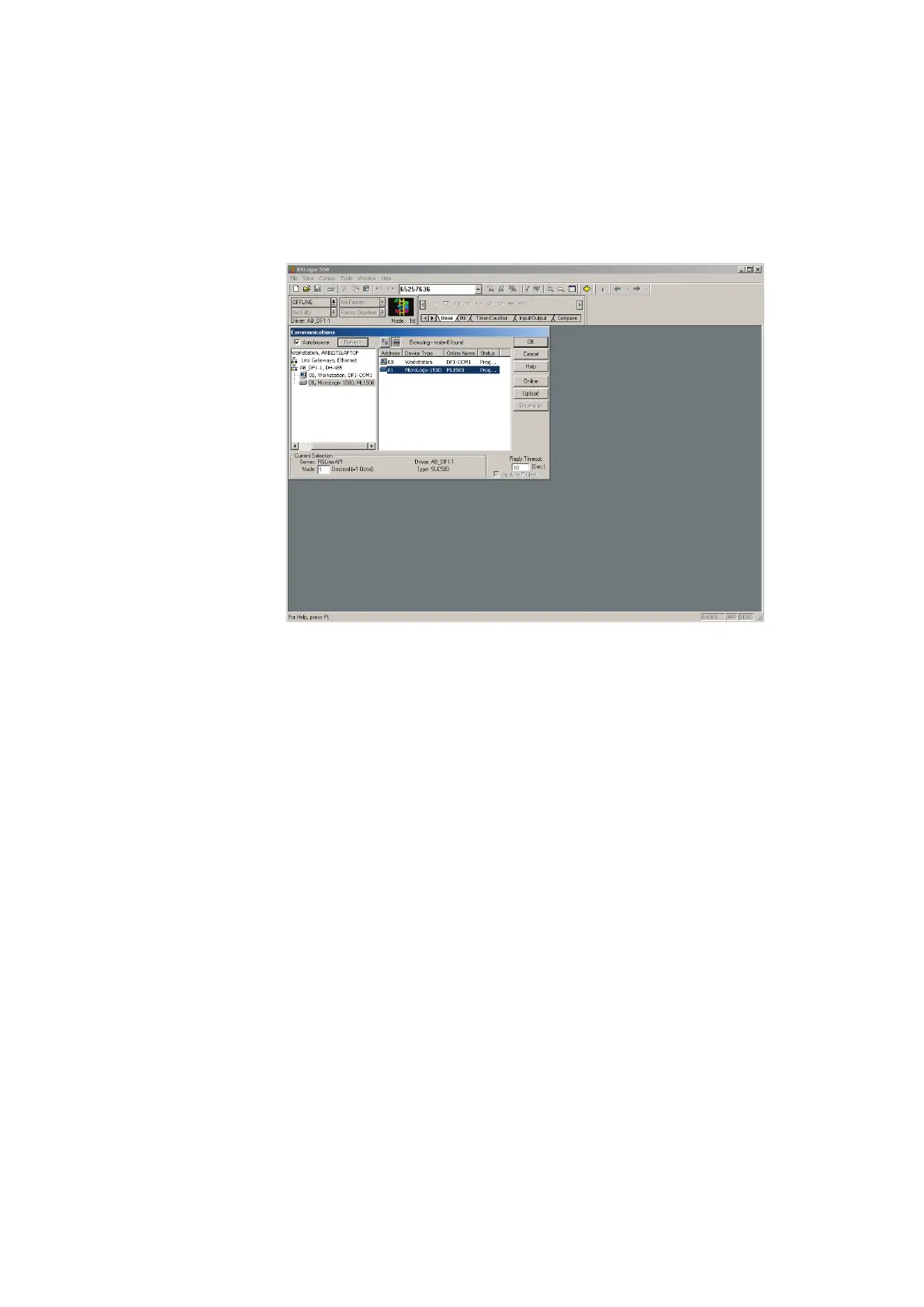
Comms System Comms… select the required controller and confirm with OK
5. Overall reset PLC memory:
– Wait until the PLC has carried out its test routines.
CPU ML 1500
– Turn the mode selector switch to REM or PROG.
– Start the PLC programming software.
– Select Comms System Comms… select the required controller and click
Online.
– After connection the PLC and the PC select Comms Clear Processor
Memory and confirm with OK.
– When the COMM 0.- LED stops blinking the memory reset is completed.
– The PLC is ready for program download.
6. Open the file 04_HA_K from the directory Sources\PLC Programs\Release C\
ML 1500 of the CD-ROM supplied





 To Next Page