6. Commissioning
94
© Festo Didactic 655633
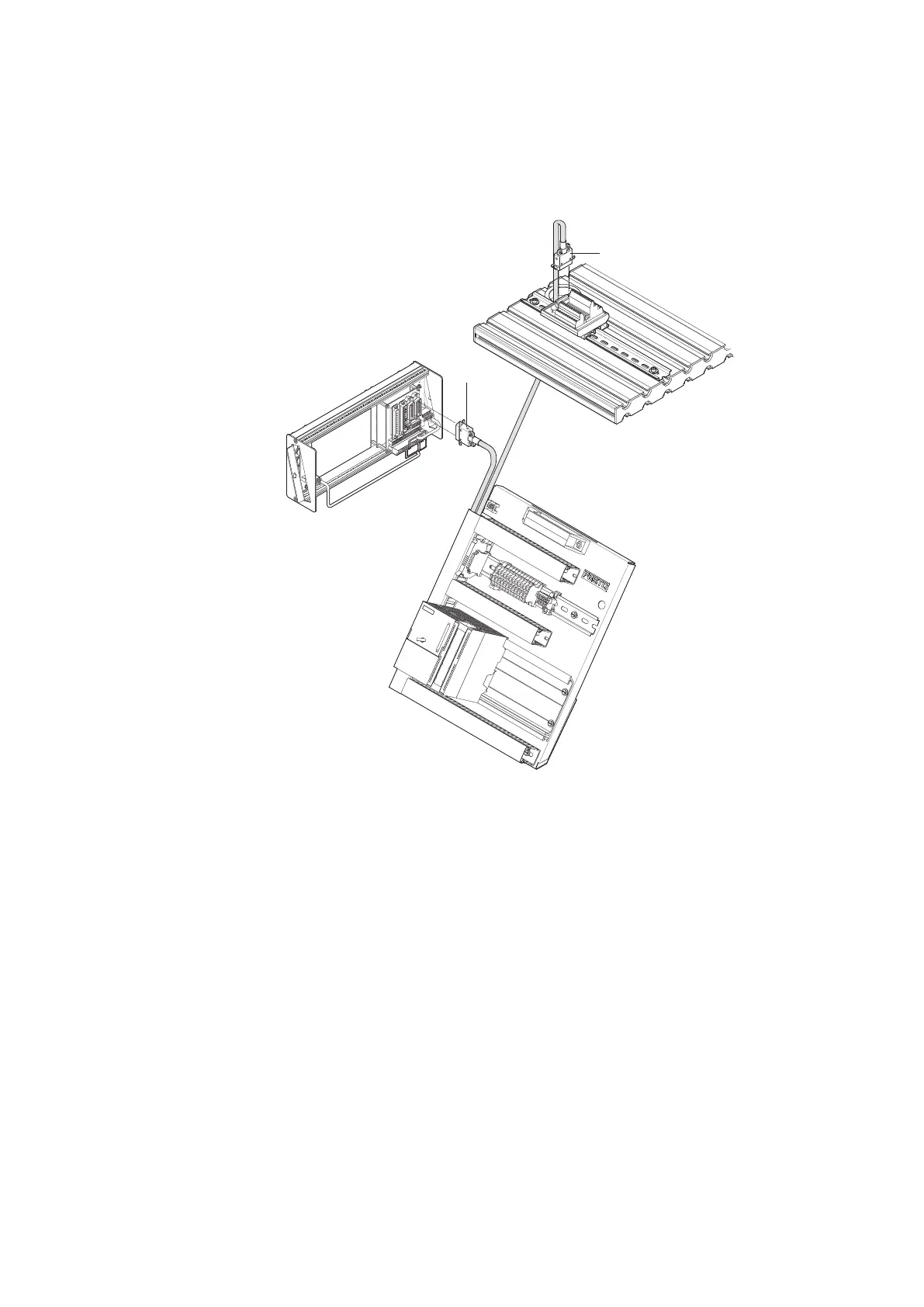
Cable connections from PLC board to control console and station
1. PLC board – station
Plug the XMA2 plug of the PLC board into the XMA2 socket of the I/O terminal of
the station.
2. PLC board – control console
Plug the XMG1 plug of the PLC board into the XMG1 socket of the control
console.
3. PLC board – power supply unit
Plug the 4 mm safety plugs into the sockets of the power supply unit.
4. PC – PLC
Connect your PC to the PLC by means of a programming cable.
6.7
Cable connections





 To Next Page