6. Commissioning
© Festo Didactic 655633 97
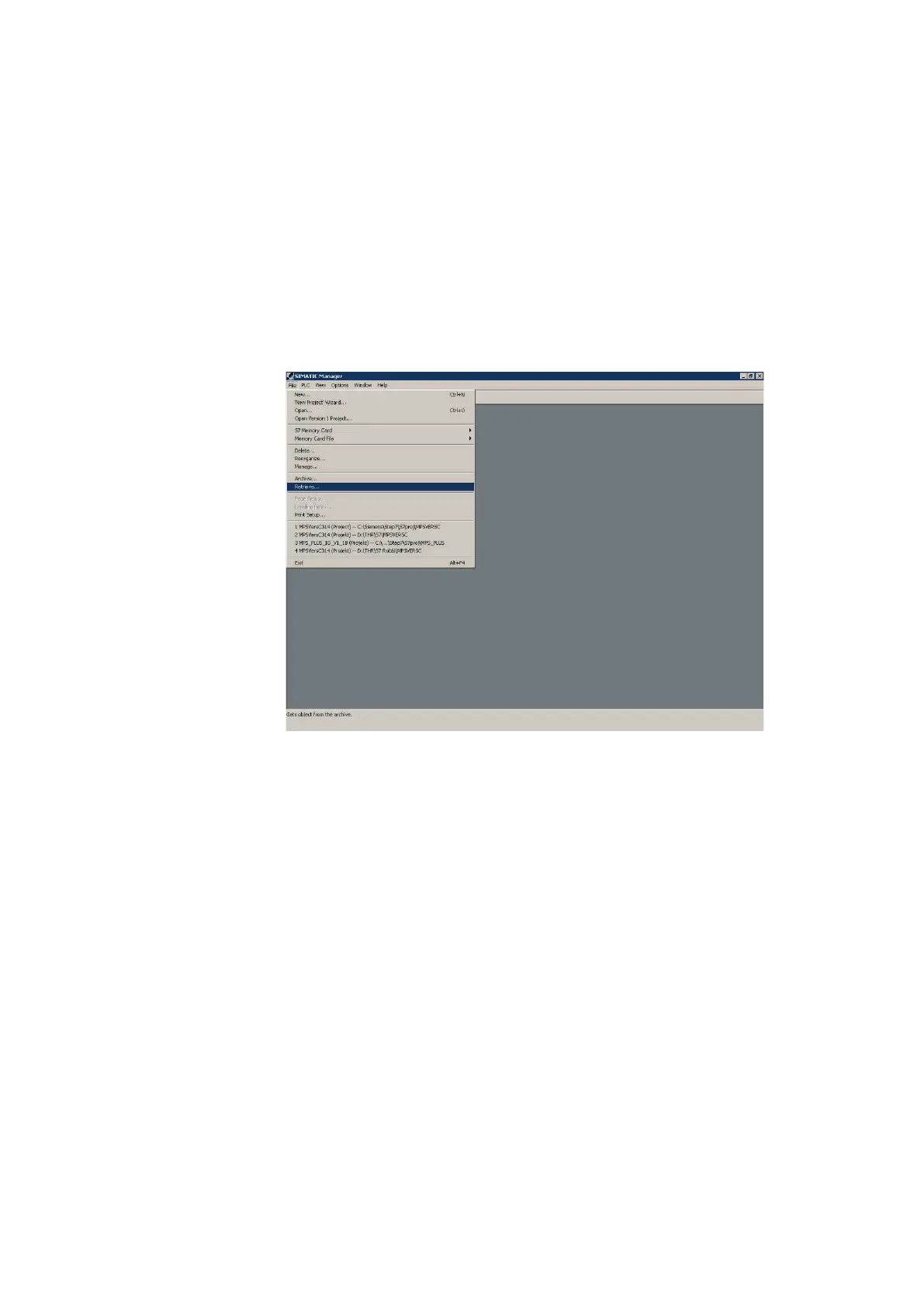
8. Retrieve the file.MPS_C.zip from the directory
Sources\PLC Programs\Release C\S7 of the CD-ROM supplied
Note
Do not unzip the following ZIP-Files using WinZip
®
or similar software.
Please use the Siemens Software STEP7 instead.
File Retrieve … Select an archive (CD ROM: Sources\PLC Programs\Release C\S7) MPS_C.zip Open Select
destination directory OK Retrieving: The retrieved data were stored in the project directory. OK Retrieve: The
following objects were retrieved. Do you want to open these now? Yes
9. Select the hardware configuration and download it to the controller:
– PLC 313C
– PLC 313C 2DP
– PLC 314
– PLC 315 2DP
10. Select the project 4HA_AS or 4HA_KFA
(AS = sequential function chart, KFA = Ladder diagram/Function block
diagram/Instruction list)





 To Next Page