A0U571B - KelNet Lock - User Guide 3. USING THE LOCK
21
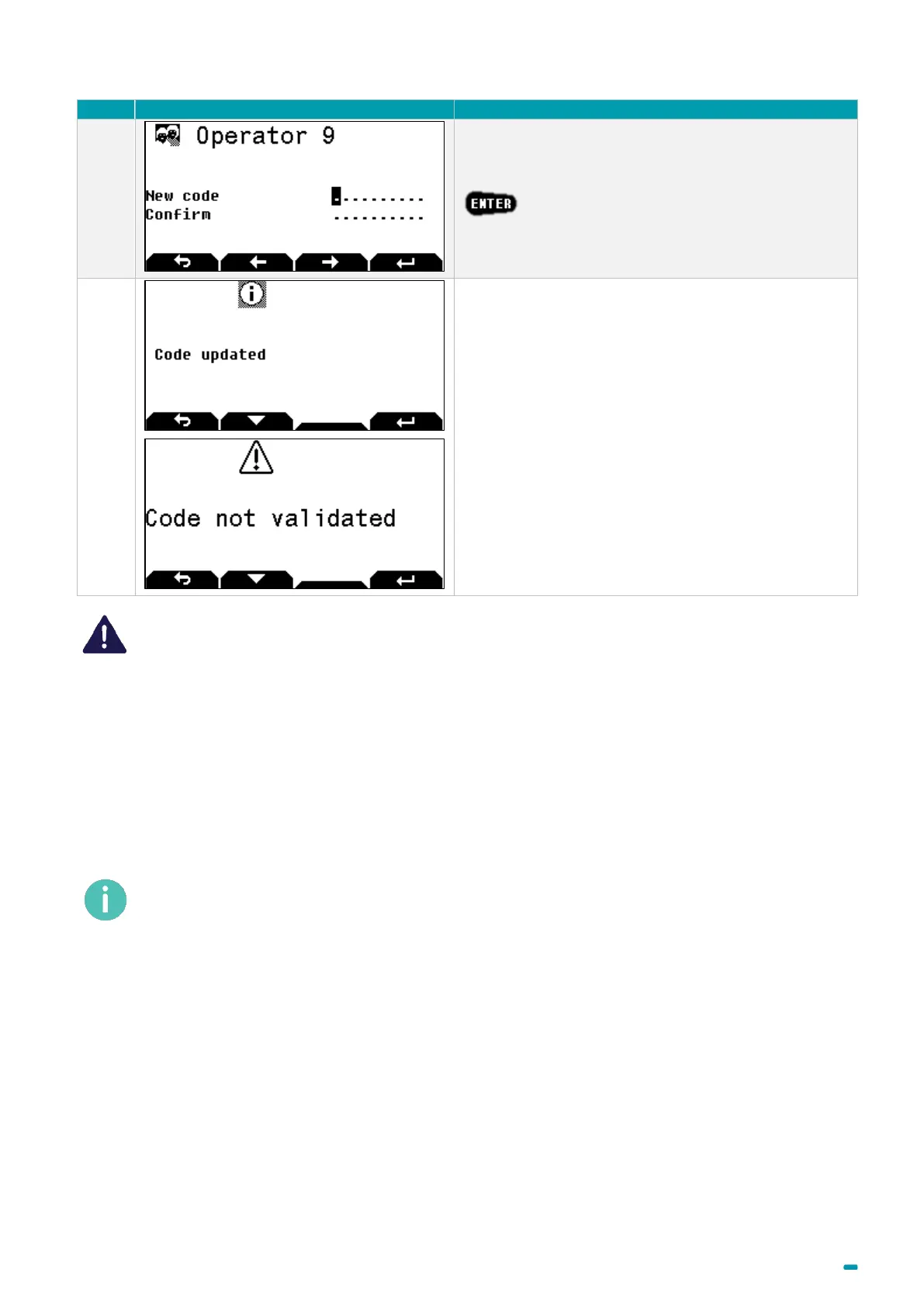
Enter and confirm your new PIN code and press
.
If the Code updated message is displayed, the code
has been changed; else, if Code not validated is
displayed, you shall restart with the step 4.
The opening code must be kept safe and entered exclusively in a safe environment. If it is
suspected or known that the code is known to another person, then it is to be replaced
immediately with a new code.
Do not use:
• Personal details (e.g. date of birth) or other data that can be easily linked to the user should not
be used.
• Trivial codes should not be used. Trivial codes include descending and ascending series of
digits (e.g. < 5-6-7-8-9-0-1-2 > or < 3-2-1-0-9-8-7-6 >) as well as digits that are all the same (e.g. <
4-4-4-4-4-4-4-4 >).
Security relevant parts of the KelNet should not be accessible to unauthorized persons when the
door of the secure storage unit to which it is fitted is open.
After a code change, the lock must be tried several times, with the door in the open position.


 To Next Page
 Loading...