A0U571B - KelNet Lock - User Guide 3. USING THE LOCK
19
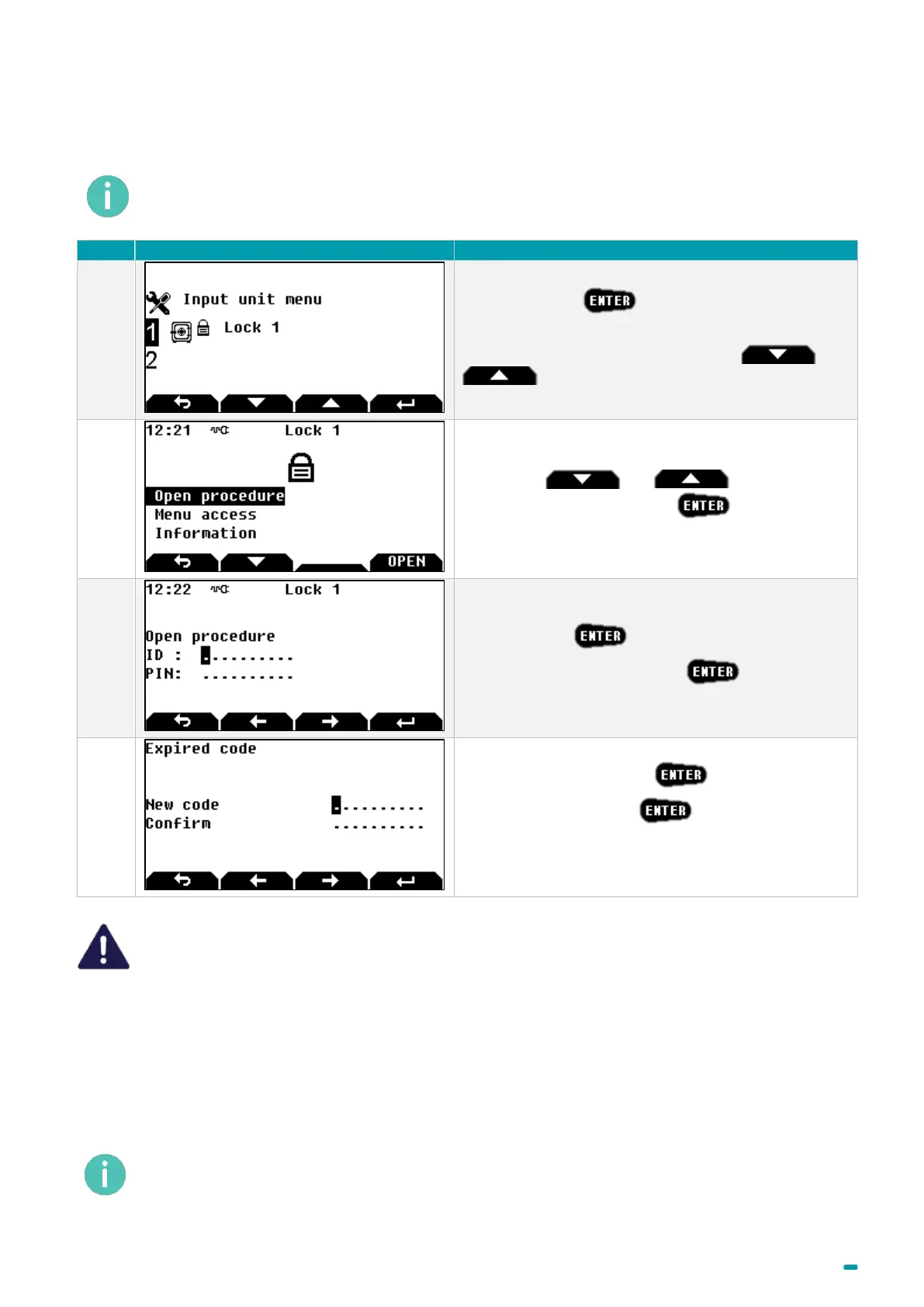
3.11 Mandatory changing of the opening code when using the lock for
the first time
The system makes it compulsory to perform this code change only for users with codes that begin with
ID 4 and upwards. However, when using the device, the factory code should not be left for the users of
ID 1 to 3.
Select the lock +
Note: to select another lock, use arrows and
.
Use arrows and to select Open
procedure or Menu access +
Enter your ID +
Enter the PIN code 00000000 +
The Expired code message appears.
Enter your new PIN code +
Confirm your PIN code +
A safe PIN code is made with at least 6 figures for the B
class, 7 for the C class and 8 for the D class.
The opening code must be kept safe and entered exclusively in a safe environment If it is
suspected or known that the code is known to another person, then it is to be replaced
immediately with a new code.
Do not use:
• Personal details (e.g. date of birth) or other data that can be easily linked to the user should
not be used.
• Trivial codes should not be used. Trivial codes include descending and ascending series of
digits (e.g. < 5-6-7-8-9-0-1-2 > or < 3-2-1-0-9-8-7-6 >) as well as digits that are all the same
(e.g. < 4-4-4-4-4-4-4-4 >).
Security relevant parts of the KelNet should not be accessible to unauthorized persons when
the door of the secure storage unit to which it is fitted is open.
After a code change, the lock must be tried several times, with the door in the open position.



 To Next Page