KelNet Lock - User Guide A0U571B
56
11 MAINTENANCE
11.1 Replacing an Input Unit operating in factory mode
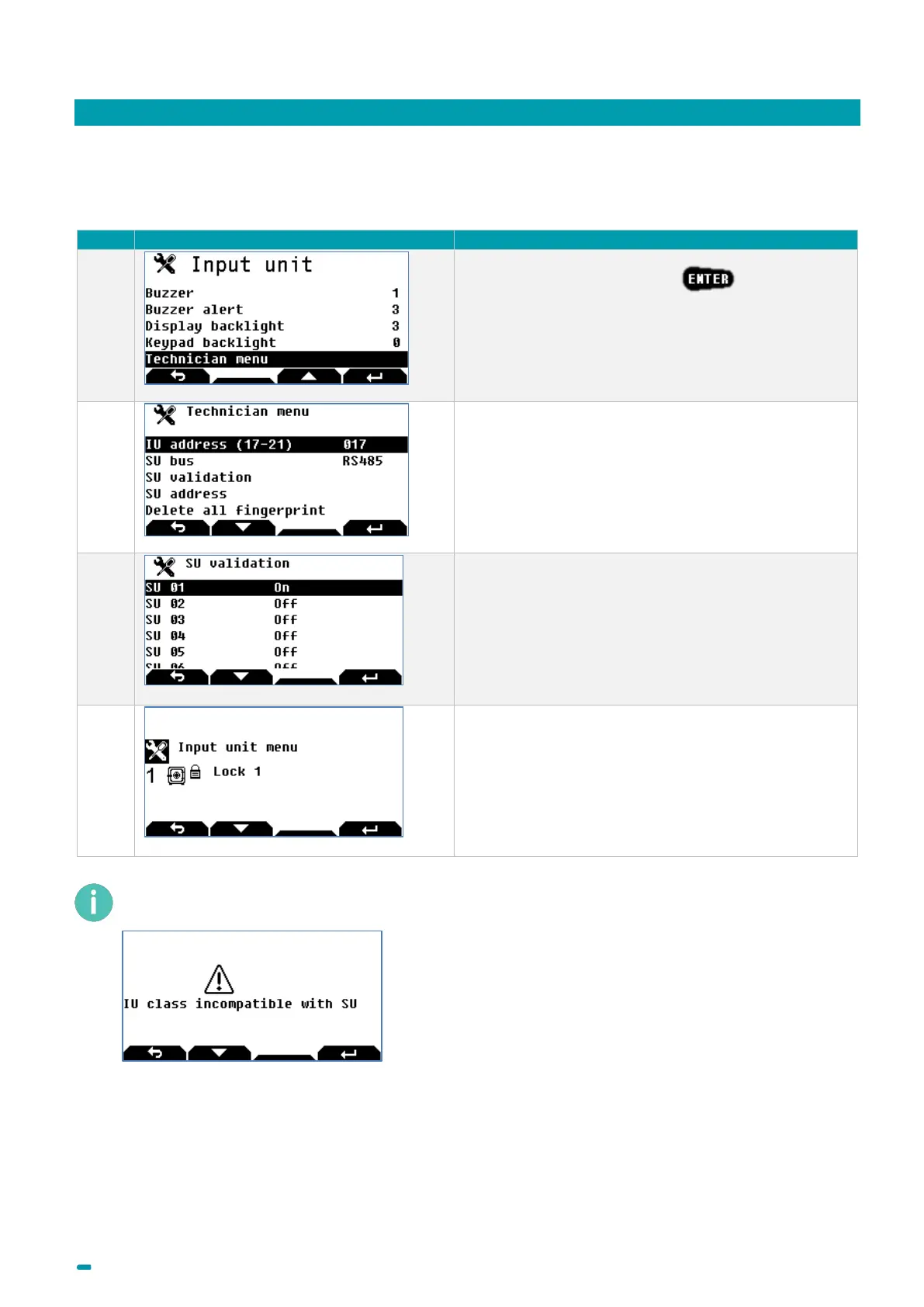
Once the new Input Unit has been connected, perform the following procedure:
Select the Technician menu +
Note:
The Technician menu is only visible if the Input Unit’s
anti-tear switch is open.
Configure the Input Unit’s address (17 for the 1st Input
Unit) and the bus type: RS485 or MF2.
Select the SU validation menu and switch the locks
present to ON.
Then return to the home screen.
The lock is once again operational.
If the Input Unit’s class is A or B and the Secure Unit’s class is C or D, it will not be possible to either open
the lock or enter the Input Unit’s configuration menu. The following message is displayed:



 To Next Page