KelNet Lock - User Guide A0U571B
48
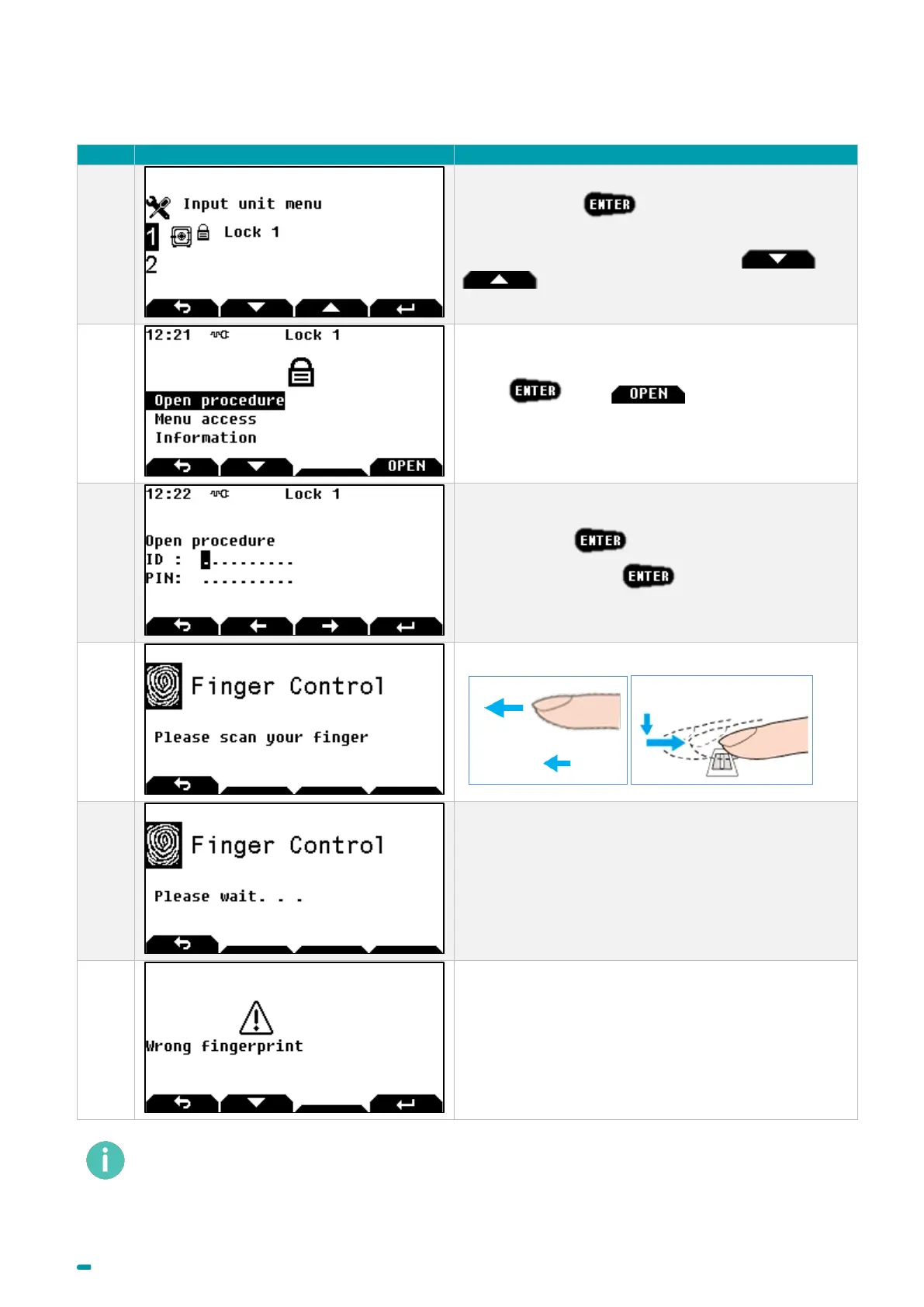
7.4 Opening procedure with fingerprint
Select the lock +
Note: to select another lock, use arrows and
.
Press or the button to start the
Open procedure.
Enter your ID +
Enter your PIN code +
Swipe your finger over the biometric sensor.
Wait while the fingerprint is compared with the one
recorded.
If the fingerprint is correct, the opening procedure
continues (bolt opening, start delay, etc.).
Error message if the fingerprint is not correct. The
opening procedure must be restarted.
The fingerprint identification can also be used to access menus.



 To Next Page