KelNet Lock - User Guide A0U571B
10
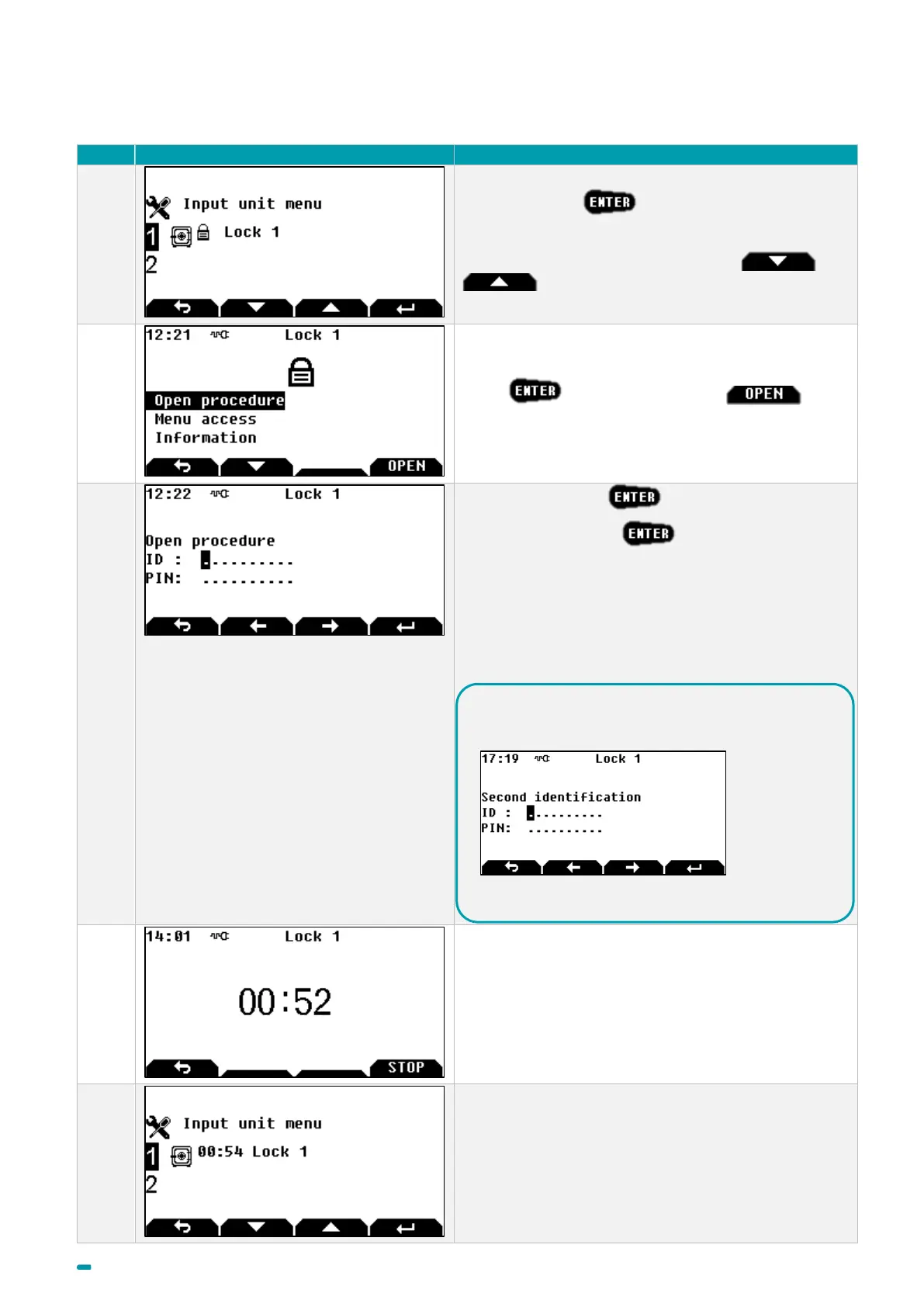
3.3 Opening procedure (Class B lock)
Select the lock +
Note: to select another lock, use arrows and
.
Press or use the open button to
launch the opening procedure.
Enter your user ID + .
Enter your PIN code + .
A safe PIN code is composed of at least 6 figures for the
B class (max 10 figures).
If a fingerprint is linked with the user, it will be required
(See Fingerprint chapter).
Wait until the end of delay if delays are programmed
and used in a schedule, otherwise go to step 9.
If the main screen is displayed, the states of all locks
are available.
In accordance with the settings, a "4 eyes" procedure
may be required (involving two different users being
identified). In this case, a second code is requested:
If a fingerprint is linked with the user, it will be required
(See Fingerprint chapter)



 To Next Page