A0U571B - KelNet Lock - User Guide 7. FINGERPRINT
49
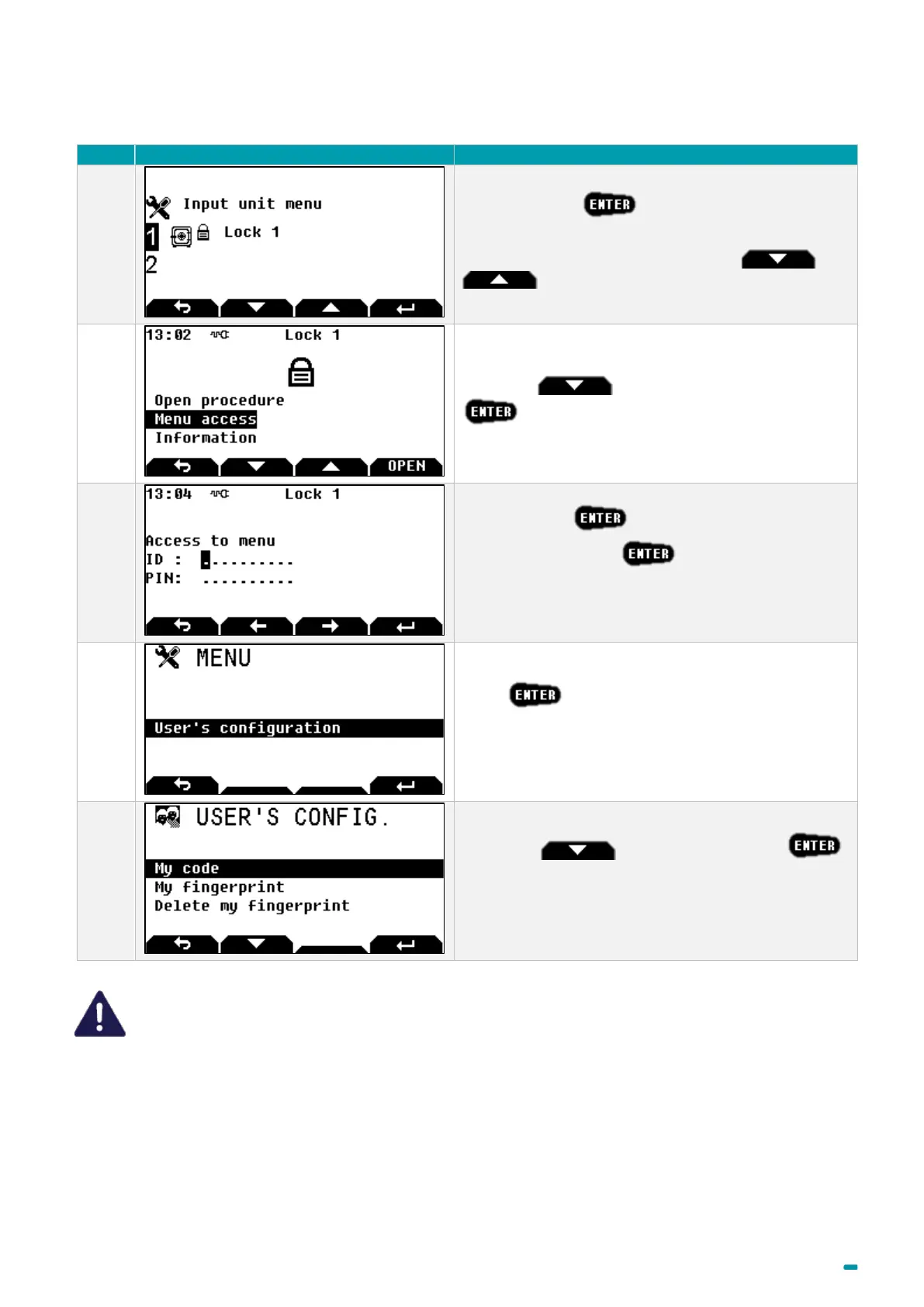
7.5 Changing the fingerprint by the user himself
Select the lock +
Note: to select another lock, use arrows and
.
Use arrow to select Menu Access +
Enter your ID +
Enter your PIN code +
Follow the instructions for the fingerprint control.
Press
With arrow select My fingerprint +
And follow the procedure to enrol fingerprint (See
"Fingerprint" chapter).
If there are several Input Units at the site, enrolment will need to be performed at each Input Unit.



 To Next Page