A0U571B - KelNet Lock - User Guide 11. MAINTENANCE
57
11.2 Replacing a Secure Unit operating in factory mode
If a Secure Unit has to be changed, you must first access to it.
The new Secure Unit must have the "factory” configuration. If this is not the case, the Secure Unit will need
to be recycled.
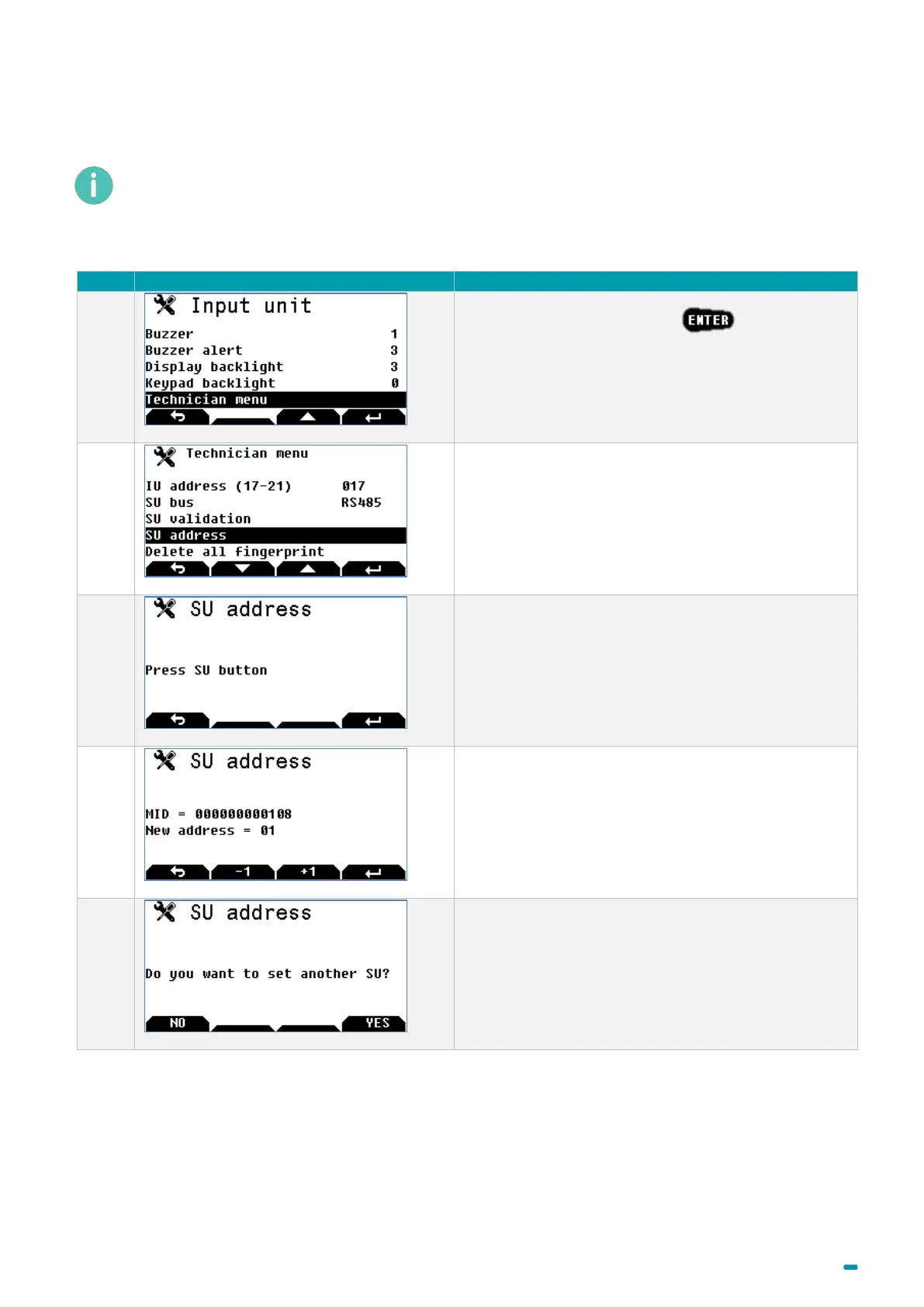
Once the new Secure Unit has been connected, perform the following procedure:
Select the Technician menu +
Note:
The Technician menu is only visible if the Input Unit’s
anti-tear switch is open.
Select the SU address menu.
Press the Secure Unit’s push-button.
Enter the same address as the one used for the lock
that has been dismantled (from 1 to 16), then validate.
As there are no other SUs to change, press NO.
The Secure Unit then needs to be reconfigured and all of the user codes entered.



 To Next Page