KelNet Lock - User Guide A0U571B
20
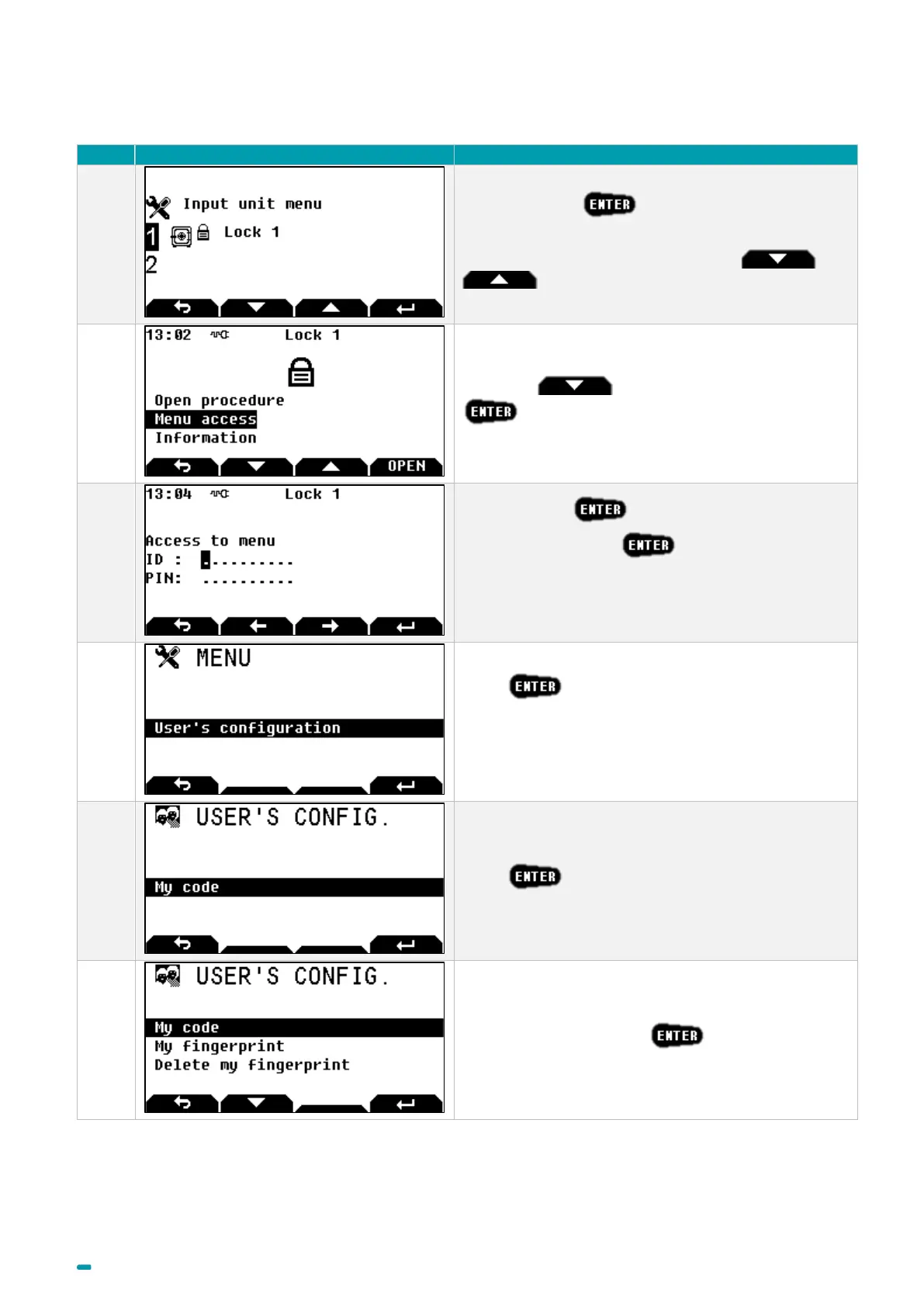
3.12 Changing the opening code by the user himself
Select the lock +
Note: to select another lock, use arrows and
.
Use arrow to select Menu Access +
Enter your ID +
Enter your PIN code +
If a fingerprint is linked with the user, it will be requested
(See Fingerprint chapter).
Press
For a user without fingerprint identification go to step 5
otherwise go to step 6.
Press and go to step 7.
Select My code and press .



 To Next Page