KelNet Lock - User Guide A0U571B
16
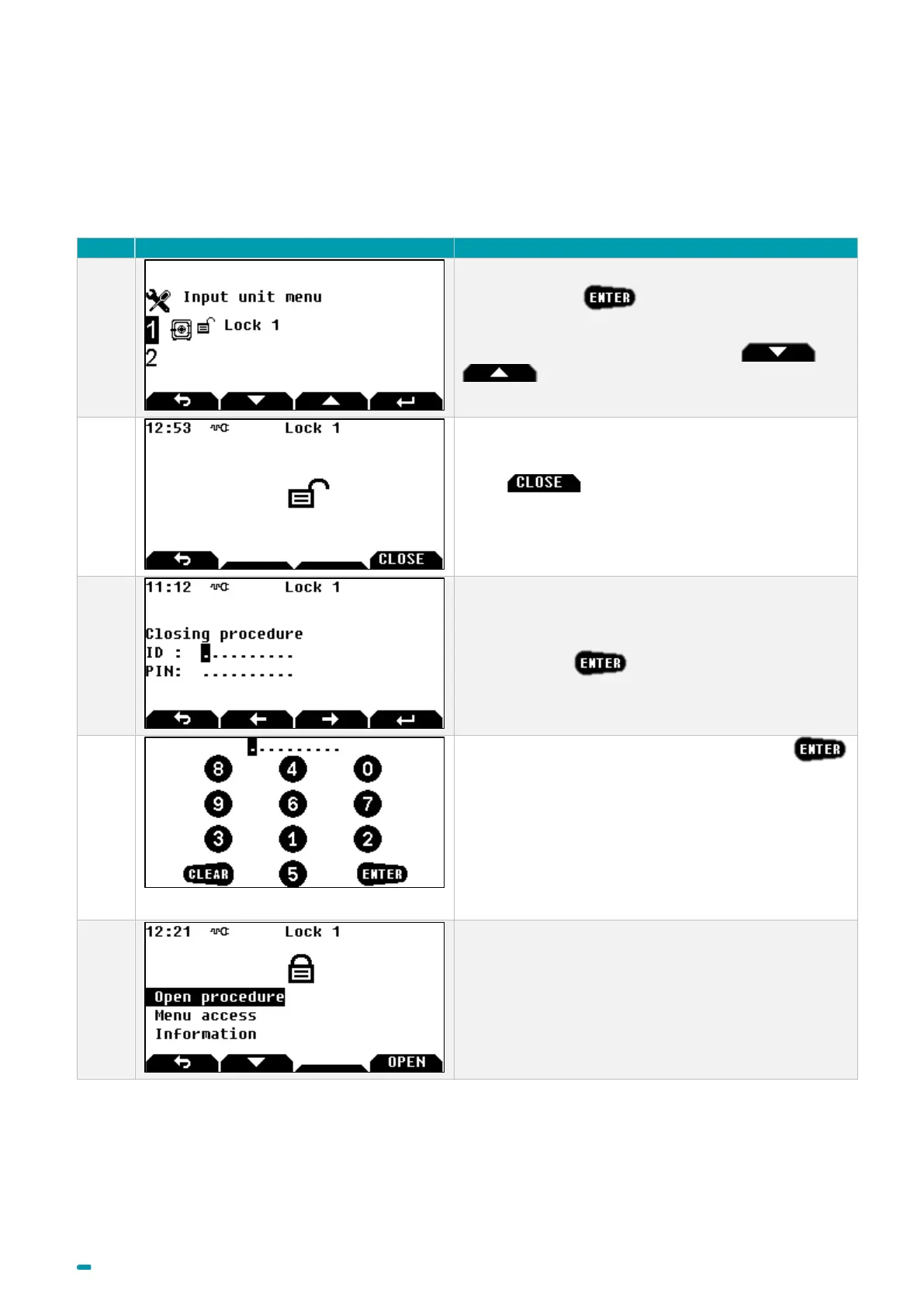
3.6 Closing procedure (Class C or D lock)
■ Automatic: if the boltwork switch is connected, the lock will automatically be secured and the boltwork is locked.
■ Manual: follow the procedure below.
Select the lock +
Note: to select another lock, use arrows and
.
Press button to launch the closing
procedure.
If identification for closing is activated:
Enter your ID + , otherwise go to step 5.
Enter your PIN code with the virtual keyboard +
In this example, key 1 corresponds to figure 8, key 2
corresponds to figure 4, etc.
The position of virtual figures changes for each display.
If a fingerprint is linked with the user, it will not be
requested for the closing procedure.
The lock is locked.



 To Next Page